What to check when choosing
Deal with reflections at the workstation before deciding how much screen space and laptop connectivity the work requires.
| Concern |
What to check |
Who this matters to |
| Glare and positioning |
Check the exact screen finish and stand adjustment or VESA compatibility. Consider whether the desk can face away from reflections and window light can be controlled. |
When daylight reflects across my quantity sheet, I need to change the screen position or lighting before relying on a new display finish. Around 36% of consumers put glare control first. |
| Detail and workspace |
Compare native resolution and screen size, then measure desk depth and stand footprint. Check text size at your intended viewing distance. |
Keeping a plan and spreadsheet visible together matters more to me than fitting extra display features into a smaller desk setup; around 29% of consumers prioritise detail and workspace. |
| Laptop connection |
Match the monitor’s video inputs and stated USB-C functions, cable and power delivery to your laptop’s requirements. |
If I connect and disconnect a laptop at the desk, I want the display and any charging arrangement to work with that computer. Roughly 21% of consumers put laptop workflow first. |
| Colour-sensitive review |
If you approve visual output, check the exact model’s stated colour coverage and calibration features, plus brightness controls in the colour mode you intend to use. |
When I must judge colours in drawings or renderings as well as calculate quantities, numerical detail alone is not enough. Around 14% of consumers make colour review their primary concern. |
Joybuy monitor choices
These choices include 27-inch displays for detailed desk work, larger screens for viewing documents together and models with colour-work features. Check the desk and window arrangement before weighing features that do not address reflections.
 No image available
ASUS ProArt Display PA32UCG-K 32-inch 4K Mini LED
Consider this larger format if plans and quantity sheets need space on screen and colour-sensitive review is also part of the work.
The product name specifies an IPS Mini LED display, hardware calibration and Thunderbolt 3. Check the stand footprint and confirm the exact brightness specification before relying on it for a bright room.
View on Joybuy
 No image available
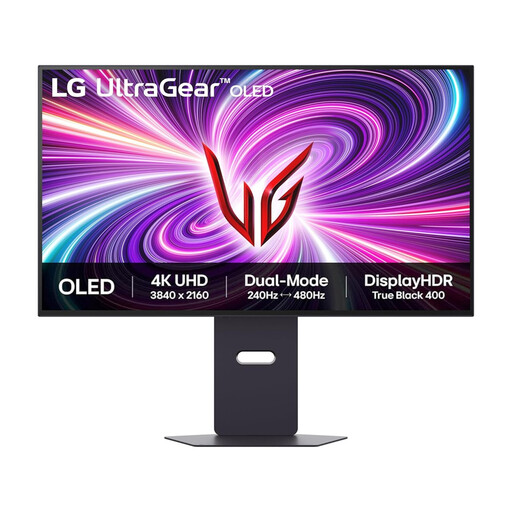
LG UltraGear 32GS95UV-B 32-inch 4K OLED
The large screen may suit a desk where plans and quantity sheets need to remain visible together, provided there is room to position it away from reflections.
The product name specifies DisplayPort and HDMI 2.1. Its gaming refresh-rate features are not a reason to choose it for calculations; check LG’s image-retention guidance if static spreadsheets will remain on screen for long periods.
View on Joybuy
 No image available
iiyama ProLite XUB2792UHSU-B6 27-inch 4K
This 27-inch format is worth considering when detailed spreadsheets and documents must fit on a moderate-sized desk.
The Joybuy product information describes a 3840 × 2160 IPS display with 150 mm height adjustment. Confirm the exact screen finish for window-side use, and measure the stand footprint.
View on Joybuy
 No image available
ASUS ProArt PA27DCE-K OLED 4K UHD
Consider this model if detailed documents and colour-sensitive drawing review share the same desk.
The product name identifies a 4K OLED display. For a bright-window position, check the exact surface treatment; if static work stays on screen for long periods, consult the manufacturer’s OLED-use guidance.
View on Joybuy
 No image available
MSI MD272UPSW 27-inch 4K Smart Monitor
This 27-inch option may suit detailed quantity sheets on a laptop-based desk when its connection matches the laptop.
The product name specifies an IPS display and USB-C with 65 W power delivery. Check the laptop’s charging requirement and the monitor’s exact screen finish before choosing it for a bright-window position.
View on Joybuy
Frequently asked questions
Will a brighter or anti-glare monitor solve reflections from a bright window?
Not reliably on its own. The Health and Safety Executive notes that natural light can cause glare and reflections; adjust screen position and control the light before relying on an anti-glare finish.
Can I assume USB-C will display an image and charge my laptop?
No. Check the exact monitor’s USB-C video functions, power delivery and cable against the laptop’s requirements. LG, for example, states that its 27UP850K-W supports display, data and up to 90 W charging through USB-C; that specification does not apply to other models.
What matters if I use a monitor for long estimating sessions at home?
Pay attention to the whole workstation, not just the monitor specification. The Health and Safety Executive links poorly designed display-screen workstations and environments with discomfort and fatigue, so check screen position, adjustment and lighting where you work.
How can I compare energy use between monitors?
Compare the energy information for the exact models you are considering rather than assuming similar-sized screens use the same amount of energy. Check the displayed label and product information when reviewing a listing.
What should I do with an old monitor when replacing it?
Check your retailer’s or local authority’s current collection arrangements for electrical equipment. Do not assume that a new-monitor purchase includes collection of the old one.


