Long-session virtual decorators
You spend extended periods placing objects and reading build menus, so screen positioning, reflections and breaks matter alongside the picture itself.


For long virtual-house decorating sessions, a 27-inch QHD monitor with a stand you can adjust is a sensible starting point: it gives you room to inspect details and menus without making high refresh rate the only priority. Consider 144Hz or higher if you also play fast games and your device can output the mode you want; put more weight on positioning and laptop connections if the screen will also serve as a work display.
You spend extended periods placing objects and reading build menus, so screen positioning, reflections and breaks matter alongside the picture itself.
You regularly compare furniture, layouts and textures, and want enough screen space to keep decorating tools readable.
You enjoy decorating games but also play faster titles, making refresh rate and compatibility with your gaming device part of the decision.
Start with the screen size and detail you want for decorating, then check whether the stand, connections and refresh modes fit the rest of your setup.
| Concern | What to check | Who this matters to |
|---|---|---|
| Long-session positioning | Check the stand's height and tilt adjustment, and look for reflections in your planned desk position. | When I spend hours arranging a room, I want to position the screen comfortably rather than adapt my posture to a fixed stand. Roughly 45% of consumers put long-session positioning first. |
| Detail and workspace | Compare native resolution and screen size; confirm your device can output the resolution you choose. | Furniture catalogues and placement tools are easier for me to work with when I can see the details and menus I need. Around 33% of consumers make detail and workspace their primary concern. |
| Motion in other games | Check refresh modes against your device's output, the chosen port and cable. | If I switch from decorating to fast games, I want those games to make use of the screen's available refresh mode. Roughly 22% of consumers prioritise motion for that wider gaming mix. |
A monitor's stated refresh rate does not mean your PC or console can output that rate at its native resolution through every connection.
Check the supported resolution and refresh combinations for your device and monitor, then confirm the port and cable you plan to use.
Screen features alone do not settle how the desk, lighting and working routine will feel during a long session. The Health and Safety Executive advises adjusting screens and lighting and taking frequent short breaks.
Choose positioning and glare control you can use at your desk, and plan regular changes of activity.
The ASUS TUF Gaming VG27AQ3A specification lists tilt and swivel, but not height adjustment; that distinction matters if the supplied stand needs to fit a particular desk position.
Read the stand specification for the exact model. If you need an arm, confirm VESA mounting compatibility and whether the arm suits your desk.
Using a separate arm may add equipment and setup work.
A generic HDR description is not the same thing as a specified DisplayHDR certification. VESA says displays carrying its DisplayHDR logo must meet the programme's specifications.
If certified HDR matters to you, check the exact model and certification level in VESA's product information rather than relying on a general label.
The Dell S2725DSM illustrates a 27-inch QHD option for decorating, desktop use and gaming.
The BenQ GW2790QT is a QHD example for people who share a screen between decorating games and laptop desk work.
The ASUS TUF Gaming VG27AQ3A illustrates a QHD choice for decorators who also give fast games considerable time.
These monitors offer different ways to approach detailed decorating and longer desk sessions, from adjustable QHD screens to an ultrawide option and a high-refresh gaming model. Choose by the screen format, positioning and connection modes your setup can use.
 No image available
Consider this model if decorating is part of a wider mix that includes fast games. Its title specifies a 27-inch QHD OLED screen and 240Hz refresh rate; check whether your device and chosen connection can deliver the QHD refresh mode you want.
 No image available
Consider this QHD IPS model when decorating detail and a moderate refresh rate matter more than a motion-first specification. Check the exact unit's USB-C availability and capabilities if you plan to connect a laptop through that port.
 No image available
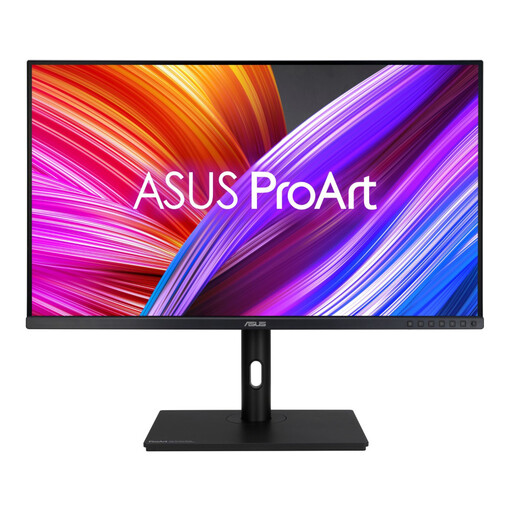
Consider this WQHD IPS model if screen space for menus and décor is a priority. Check its dimensions against your desk and viewing position, and confirm that its available refresh modes suit any faster games you play.
 No image available
Consider this WQHD IPS model if the same desk serves decorating sessions and laptop work. If you need single-cable laptop use, confirm the exact USB-C video and power-delivery capabilities against your laptop's requirements.
 No image available
Consider the wider screen format if you want room for decorating tools and windows, provided it fits your desk and viewing position. The title specifies 175Hz through DisplayPort and 100Hz through HDMI, so check the connection and output mode you will use. If HDR certification matters, confirm it for this exact model.
Yes, if you want a 27-inch screen with more pixels for menus and decorative details than Full HD at the same size. Dell UK, BenQ UK and ASUS each list a 27-inch QHD model discussed above; confirm that your PC or console can output QHD through your intended connection.
No: a higher refresh rate becomes more relevant if you also play fast games. Compare the refresh modes your device and connection can deliver with the monitor's modes before giving that specification priority over positioning or connectivity.
Position the screen to suit your desk, manage reflections and take regular breaks rather than relying on a monitor feature alone. The Health and Safety Executive advises short breaks often, giving 5 to 10 minutes every hour as an example in its display-screen work guidance.
Not on its own: first check the resolution, stand and connections you need for decorating. If certified HDR performance is important to you, check the exact model's DisplayHDR certification information with VESA rather than treating a generic HDR label as a certification.