Players who map frequent commands
If you regularly assign menus, shortcuts or repeated actions to mouse buttons, the number and placement of reachable controls matter more than a button count alone.


If you repeatedly assign management-game commands to your mouse, start with buttons you can reach comfortably and a scroll wheel that suits the way you navigate menus. If you use only a few mouse controls, weigh the space taken by a cable against a wireless mouse’s battery routine; check hand fit and click noise separately, especially in a shared room.
If you regularly assign menus, shortcuts or repeated actions to mouse buttons, the number and placement of reachable controls matter more than a button count alone.
If you play on a laptop beside notes and chargers, a wireless mouse can remove a cable from the desk. Its connection mode, battery arrangement and shape still need to suit your setup.
If someone else studies or sleeps nearby, click and scroll noise may matter more to you than extra gaming controls. For longer sessions, consider hand fit as a separate priority.
For management games at a student-room desk, decide which need comes first: mapping commands, reducing noise, finding a comfortable fit or clearing cable space. Treat the other features as checks rather than assuming one mouse will meet every priority.
| Concern | What to check | Who this matters to |
|---|---|---|
| Commands and scrolling | Check which buttons you can remap, whether your grip reaches them and how the scroll wheel behaves. Confirm that any required configuration software works with your computer. | If I keep opening menus or repeating commands, I want useful actions within reach without relying on extra buttons I cannot comfortably use. Around 31% of consumers put command mapping first. |
| Shared-room noise | Look for an explicit quiet-click claim for the exact mouse, and consider scroll-wheel noise separately; wireless operation alone does not establish either. | When someone nearby is studying or sleeping, I want clicks and scrolling to cause less disturbance. For around 25% of consumers, quieter use is the primary concern. |
| Hand fit | Compare the stated hand-size guidance, shape, handedness and side-button placement with your own grip. | During a long desk session, I need a shape and button layout I can use comfortably, even if that means passing up extra controls. Hand fit comes first for around 25% of consumers. |
| Desk space and power | Check Bluetooth or receiver requirements, battery type or charging method, and whether a quoted weight includes the battery. | On a crowded laptop desk, I would rather manage batteries or charging than route another cable. Around 19% of consumers chiefly prioritise cable-free use. |
A high DPI figure does not tell you whether the buttons are reachable or the scroll wheel suits the menus you use. Logitech G lists 11 programmable buttons and onboard profiles for the G502 HERO; Razer lists 10+1 programmable buttons for the Basilisk V3. Those features are useful only when they fit the actions you intend to assign.
Write down your repeated game actions, then compare button placement, profile support and scrolling before treating sensor specifications as a deciding factor.
Logitech G describes the G305 as running on one AA battery, while Razer lists both Bluetooth and 2.4 GHz modes for the Orochi V2. A wireless label alone does not establish the connection your laptop needs or how you will power the mouse.
Check the receiver or Bluetooth requirement and the exact battery or charging arrangement. If weight matters, check whether its stated figure includes an installed battery.
A replaceable-battery model also means keeping suitable batteries available.
Logitech describes Lift as having quiet clicks and a quiet scroll wheel, with a shape aimed at small to medium hands. It is a comfort-focused alternative, not a substitute for checking the gaming commands you want to assign.
Compare the exact button functions and hand-fit guidance before choosing a quiet or vertical mouse. Check the seller’s return terms if you need to assess its shape at home.
Similar-looking mice can differ in their controls, connection modes and handedness configuration. A model name or product image is not enough to settle those details.
Before ordering, check the current listing for the exact variant, its availability and the seller’s warranty and return terms.
Its G305 and G502 HERO illustrate different choices: a wireless AA-powered mouse or a wired mouse with more programmable controls.
The compact Orochi V2 offers a different control layout from the Basilisk V3 and Naga V2 HyperSpeed, which have more programmable inputs.
The M75 WIRELESS is a reference point if a symmetrical gaming-mouse shape and configurable side buttons matter to you.
Lift is a comfort-focused alternative when quiet operation and hand fit matter more than gaming-specific controls.
These gaming-mouse options cover both wireless choices for reducing cable clutter and wired choices for a fixed desk setup. Compare their stated controls with the actions you actually use; quietness and personal hand fit still need separate checks.
 No image available
A wireless option if keeping the mouse cable off a compact desk is your priority.
Check its connection method, power arrangement and configurable controls against your laptop and game shortcuts.
 No image available
Consider this wireless model if you want to assign several repeated commands without adding a mouse cable to the desk.
Its listing names 10 programmable buttons, macro support and a stated 53 g weight. Check whether its button layout suits your grip; any battery-life claim should be read with its operating conditions.
 No image available
This model may suit a desk where you want a wireless option and a dedicated place to charge the mouse.
The title lists Bluetooth, 2.4G and USB-C modes and a charging dock. Confirm how each mode works with your computer, and check the mouse’s weight and shape if handling matters to you.
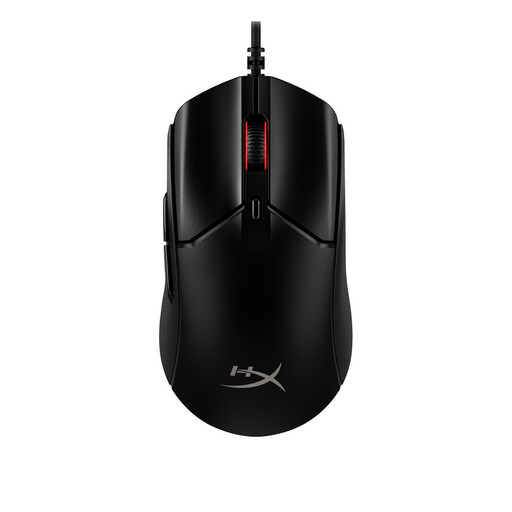 No image available
A wired choice if the mouse stays at one desk and you can route its cable without restricting movement.
Check its button functions before relying on it for several mapped commands, and assess the shape against your hand and grip.
 No image available
Consider this wired option if you want mouse buttons for game actions and have space for its cable.
The title describes programmable buttons and RGB lighting. Confirm which buttons can be remapped and how configuration works before planning your shortcuts around them.
Choose by the commands you actually want within reach, not by the largest available count. Razer lists six programmable buttons for the Orochi V2 and 21 controls for the Naga V2 HyperSpeed, while Logitech G lists 11 for the G502 HERO; extra controls help only if their placement and configuration suit you.
Choose the connection your laptop can accommodate and the exact mouse supports. Razer lists both Bluetooth and 2.4 GHz modes for the Orochi V2; check your available USB ports, whether a receiver is required and the battery conditions for the mode you intend to use.
No: quiet clicks do not establish the programmable controls or profiles you need. Logitech describes Lift as having quiet clicks and a quiet scroll wheel, but compare its button functions and hand fit with a gaming mouse before choosing it for repeated commands.
For an eligible online purchase, GOV.UK says you can tell the seller you want to cancel within 14 days of receiving the item. Check the seller’s handling and return conditions before trying its fit; a change-of-mind cancellation is distinct from remedies if goods are faulty or misdescribed.
Look for an electricals-recycling route rather than assuming the mouse belongs in ordinary household waste. Check your local collection arrangements or a retailer’s take-back options for the route available to you.