
24/7 Customer Support

Free returns

Same-day & Next-day Delivery

Quality Guaranteed

Unlock Your Welcome Offers: FREE Delivery | Up to 80% OFF | Free 30-day JoyPlus trial
Download the APP
Carrying a separate charger for your laptop, phone and tablet is a familiar hassle for many of us. The tangle of cables and the bulk of multiple power bricks can quickly clutter a bag or workspace. A modern multi-port GaN charger offers a streamlined solution, allowing you to power all your essential devices from a single, compact unit.
Gallium Nitride (GaN) technology enables chargers to be significantly smaller, lighter and more energy-efficient than their traditional silicon counterparts. This guide will walk you through the key considerations for choosing the right charger and present some of our top recommendations to help you declutter your digital life.
Navigating the specifications can seem daunting. Here are three practical points to focus on to find a charger that meets your needs.
The most important factor is the charger's total power output, measured in watts (W). To determine what you need, consider the devices you'll charge simultaneously.
Add up the wattage of the devices you plan to charge at the same time. A charger's total output is shared across its ports, so look for a model with enough headroom to power your most demanding combination of gadgets. A PD fast charger (Power Delivery) will intelligently adjust the output for each connected device.
A multi-device charger is only as useful as its ports. Most new devices, including laptops and phones, use USB-C.
Consider your current and future devices to ensure the port mix aligns with your ecosystem.
If you travel frequently, portability is key. A good GaN travel charger should be both compact and versatile.
Here are a few standout options that balance power, portability and versatility for different types of users.
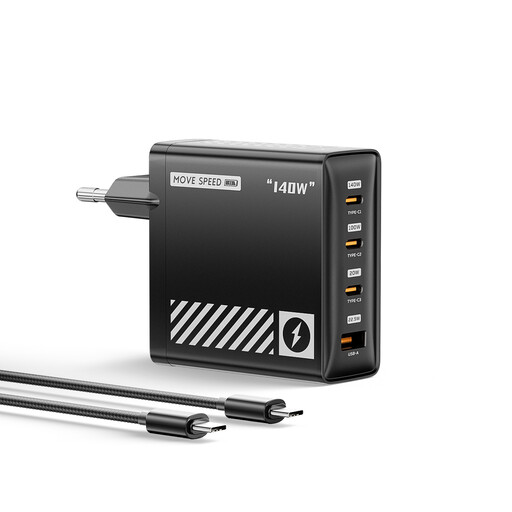
Why It Stands Out: This charger is built for maximum performance. With support for the latest PD 3.1 protocol, its primary USB-C port can deliver up to 140W of power, enough to fast-charge even the most demanding 16-inch laptops. According to MOVESPEED, it can charge a 16-inch MacBook Pro to 56% in just 30 minutes.
Pros:
Who is it for? The professional or creative who relies on a high-performance laptop and needs the fastest possible charging speeds for a demanding workflow.
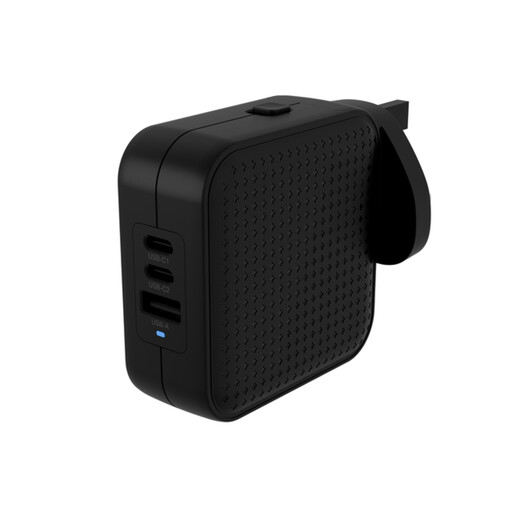
Why It Stands Out: The HyperJuice 70W is a thoughtfully designed travel companion. It provides a practical 70W of power, sufficient for most 13-inch laptops, tablets and phones, in a highly portable package. Its inclusion of international plug adapters makes it ready for global use straight out of the box.
Pros:
Who is it for? The frequent traveller or digital nomad who needs a reliable, all-in-one charging solution for a standard set of electronics.
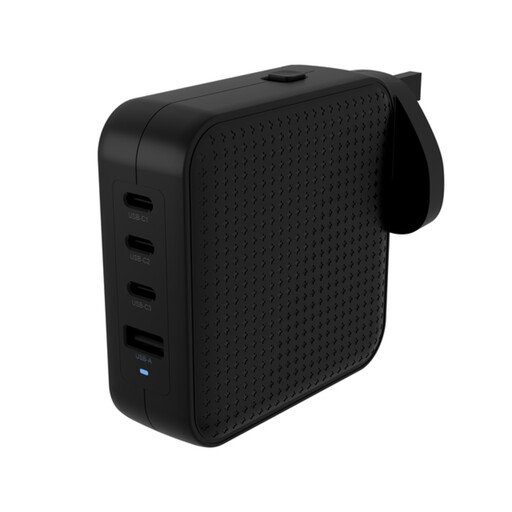
Why It Stands Out: This model hits the sweet spot between high power and ultimate portability. It delivers a robust 100W output, capable of powering more demanding laptops, while retaining the travel-friendly features of the HyperJuice line, including foldable prongs and interchangeable plugs.
Pros:
Who is it for? The tech-savvy user who wants a single charger that can handle a powerful laptop and multiple other gadgets, whether at home, in the office or on an international trip.
If these recommendations don't quite match what you're looking for or if you need accessories for older devices, a wide range of charging solutions is available. For those with legacy electronics, a simple USB A adapter can help bridge the gap. Explore our broader collection to find the perfect fit for your setup.
1. What is a GaN charger and why is it better? GaN stands for Gallium Nitride, a semiconductor material used in modern chargers. Compared to traditional silicon, GaN is more efficient at conducting electricity and produces less heat. This allows manufacturers to build chargers that are significantly smaller, lighter and more powerful without overheating.
2. Can I use a 100W charger for my 20W phone? Yes, it is perfectly safe. Modern chargers use protocols like USB Power Delivery (PD) to communicate with the connected device. The charger will only supply the amount of power the device requests, so a 100W charger will safely provide 20W to your phone without causing damage.
3. Do I need a special cable for a PD fast charger? To take full advantage of a high-wattage charger, you need a cable rated to handle that power. For charging a laptop at 100W, for example, you should use a USB-C to USB-C cable that is explicitly rated for 100W. Using a lower-rated cable will result in slower charging speeds, as the system will default to a safer, lower power level.