
24/7 Customer Support

Free returns

Same-day & Next-day Delivery

Quality Guaranteed

Unlock Your Welcome Offers: FREE Delivery | Up to 80% OFF | Free 30-day JoyPlus trial
Download the APP
As our digital lives expand, from family photos and important documents to vast media libraries, the storage on our computers can fill up surprisingly quickly. A reliable portable external hard drive is no longer a luxury but a necessity for secure backups, archiving large files and freeing up space on your primary device.
However, the market is filled with options, each with different speeds, capacities and features. This guide is designed to help you understand the key differences and find a suitable drive for your needs, whether you're a student, a creative professional or simply looking for dependable external storage for your laptop or PC.
Choosing the right drive involves balancing speed, capacity and cost. Here are a few points to consider to ensure you get the right tool for the job.
The first major choice is between a Solid-State Drive (SSD) and a traditional Hard Disk Drive (HDD).
Capacity is measured in terabytes (TB). A 1TB drive can hold roughly 250,000 photos or 250 hours of HD video.
Check the ports on your computer. Most modern drives use a USB 3.0 hard drive interface (also known as USB 3.2 Gen 1), which offers good transfer speeds and is backward compatible with older USB 2.0 ports. Newer devices and high-performance SSDs often use USB-C for even faster data transfer and a more convenient, reversible connection.
Here are a few standout options that cater to different needs and budgets, selected for their features and reliability.

View Product: Samsung Portable SSD T7 2 TB
Why It Stands Out: The Samsung T7 is built for speed and security. With read/write speeds of up to 1,050/1,000 MB/s, it can transfer massive files in seconds. Its solid aluminium body is shock-resistant from falls of up to 2 metres and the optional AES 256-bit hardware encryption keeps your data private. Its credit-card-sized footprint makes it exceptionally portable.
Pros:
Who is it for? Professionals, content creators and anyone who frequently moves large files and requires fast, reliable and secure storage on the go.
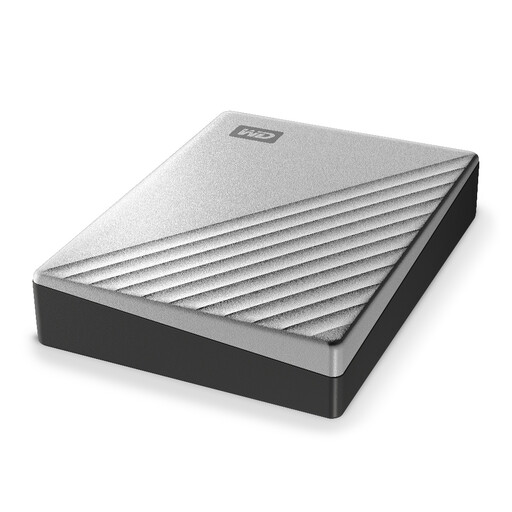
View Product: Western Digital My Passport Ultra for Mac 4TB
Why It Stands Out: This wd portable hard drive is designed to work seamlessly with Apple devices. It comes pre-formatted for macOS and is ready for Time Machine backups straight out of the box. The native USB-C port ensures fast connectivity with modern MacBooks, while the stylish anodised metal finish complements Apple's design aesthetic. It also includes 256-bit AES hardware encryption for robust security.
Pros:
Who is it for? Mac users looking for a high-capacity, secure and stylish drive for backups and external storage that integrates perfectly with their ecosystem.
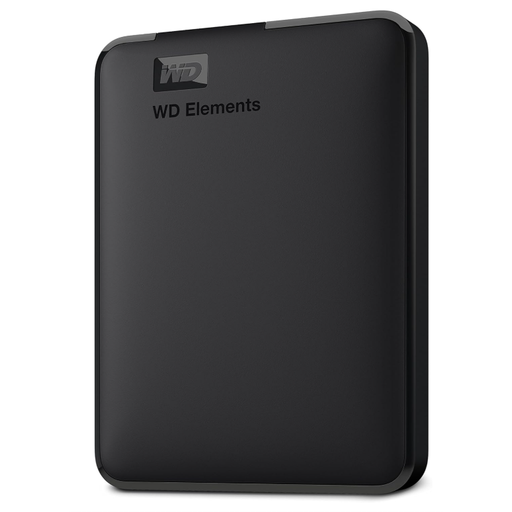
View Product: Western Digital Elements Portable 6TB
Why It Stands Out: The Western Digital Elements line is known for offering simple, reliable storage at a great value. This model provides a massive 6tb external hard drive capacity, making it perfect for archiving huge amounts of data. It's a straightforward plug-and-play external hard drive for PC users, pre-formatted for Windows. While it lacks the speed of an SSD, its cost-per-terabyte is hard to beat.
Pros:
Who is it for? Value-conscious users, students and digital hoarders who need maximum storage space for backups and archives without the premium cost of an SSD.
If these recommendations don't quite fit your specific requirements, or if you're curious about other capacities and features, there are many more drives to explore.
? Browse our full collection of USB OTG hard drives to find your perfect match.
An HDD (Hard Disk Drive) uses mechanical spinning disks to read and write data, making it a cost-effective solution for high-capacity storage. An SSD (Solid-State Drive) uses flash memory chips, which are much faster, more durable and quieter, but typically come at a higher price for the same amount of storage.
For general use like backing up documents and photos, 1TB to 2TB is usually sufficient. If you work with large files like high-resolution videos or extensive photo libraries, consider 4TB or more. For archiving your entire digital life or multiple devices, a 6tb external hard drive or larger is a wise investment.
Yes, but it requires reformatting. A drive pre-formatted for Mac (like the My Passport Ultra) uses a file system that Windows cannot write to by default. You can use the Disk Management tool in Windows (or Disk Utility on a Mac) to reformat the drive to a file system like exFAT, which is compatible with both Windows and macOS. Be aware that reformatting will erase all data on the drive.