
24/7 Customer Support

Free returns

Same-day & Next-day Delivery

Quality Guaranteed
Download the APP
Categories
Whether you're a student juggling coursework, a professional managing client files or a gamer facing the dreaded "storage full" notification, running out of digital space is a common frustration. A portable external hard drive is a straightforward and effective solution, offering a secure place to back up your data, carry large files and expand your device's capacity.
As the Joybuy Product Recommendation Officer, my role is to help you navigate the options. This guide cuts through the technical jargon to highlight key considerations and present a selection of reliable drives, helping you find the right fit for your needs without the marketing hype.
Before you choose, it's helpful to consider a few key factors that will determine which drive serves you best.
Storage capacity is the first and most important decision. A 2TB external hard drive is often sufficient for general use, such as backing up important documents, a moderate photo library and university projects. However, if you work with high-resolution video, large design files or want to store an extensive game library, a 5TB external hard drive provides the breathing room you'll need for years to come.
The connection type affects transfer speed and convenience. Many modern laptops and devices now feature USB-C ports, making a USB-C hard drive a future-proof choice for fast data transfers. However, the traditional USB-A port is still widely used on PCs, consoles and older laptops. Look for drives that either match your primary device's port or include an adapter for greater versatility.
Most external hard drives are formatted for Windows (NTFS) straight out of the box. While they can be easily reformatted for macOS (APFS or HFS+), some models offer downloadable drivers for seamless cross-platform use. For gamers, a dedicated game drive is often optimised to work as an external hard drive for PS5 or Xbox, providing a simple plug-and-play experience for storing and playing compatible titles.
Here are our recommendations, selected to meet a range of common storage needs, from daily backups to expanding your game collection.
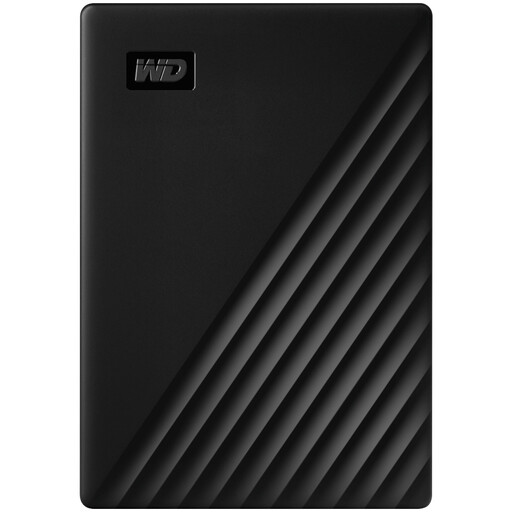
Why It Stands Out The Western Digital My Passport has long been a go-to choice for reliable, everyday storage. This 2TB model is an excellent all-rounder, combining a slim, pocket-sized design with powerful features. It functions as a dependable backup hard drive, supported by included software that allows you to schedule automatic backups. For those handling sensitive information, the built-in 256-bit AES hardware encryption provides a robust layer of security, making it a trustworthy encrypted hard drive for personal or professional data.
Pros
Who is it for? This drive is ideal for students, home users and mobile professionals who need a secure and portable way to back up their PC or laptop and transport essential files.
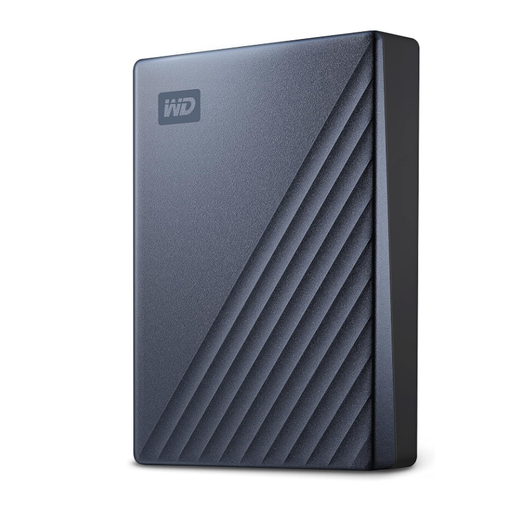
Why It Stands Out For those whose digital life demands more space, the My Passport Ultra delivers a massive 5TB of storage in a stylish, anodised metal enclosure. Its key feature is the modern USB-C interface, ready for fast data transfers with the latest MacBooks, Ultrabooks and creative workstations. The inclusion of a USB-C to USB-A adapter ensures it remains compatible with a wide range of older devices, offering both performance and flexibility.
Pros
Who is it for? This is an excellent choice for content creators, photographers, videographers and anyone who works with very large files and needs a high-capacity drive that matches the performance of their modern computer.
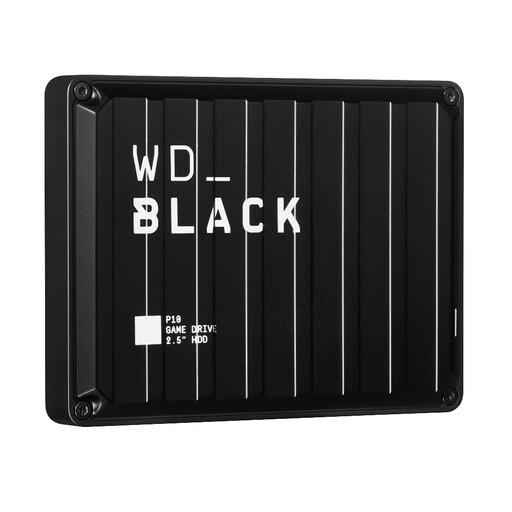
Why It Stands Out The WD Black P10 is purpose-built for one thing: gaming. With a rugged, all-black design and a focus on performance, this game drive is engineered to expand your console or PC's storage without compromise. Its 5TB capacity can hold a huge library of games, and it's specifically designed for compatibility with next-generation consoles. As an external hard drive for PS5, it can store and play PS4 games and archive PS5 titles, freeing up precious internal SSD space.
Pros
Who is it for? This drive is built for dedicated console and PC gamers who are constantly juggling their game library and need a reliable, high-capacity solution to keep all their favourite titles ready to play.
While these recommendations cover many common use cases, your specific needs might call for a different solution. If you're looking for other capacities, form factors or features, there are many more options to consider.
Explore our full range of Electronics at Joybuy to find the perfect storage device for your setup.
1. Can I use a portable external hard drive for both Mac and PC? Yes, you can. To do this, you need to format the drive to a file system that both operating systems can read and write to, such as exFAT. This process is straightforward and can be done using the Disk Utility on macOS or Disk Management on Windows. Keep in mind that reformatting will erase all data on the drive.
2. What is the difference between a portable HDD and an SSD? The products featured here are Hard Disk Drives (HDDs), which use spinning magnetic platters to store data. They are known for offering large storage capacities at an affordable price. Solid-State Drives (SSDs) use flash memory, have no moving parts and are significantly faster, more durable and more compact. However, portable SSDs typically come at a higher cost per gigabyte compared to HDDs.
3. How do I use an external hard drive for my PS5? You can connect a compatible external hard drive for PS5 via one of its USB ports. Once connected, you can store and play your PS4 games directly from the drive. For PS5 games, you cannot play them from the external HDD, but you can use it to archive them. This moves the game data to the external drive, freeing up space on the console's internal SSD. When you want to play the game again, you can quickly transfer it back.