
24/7 全天候客户支持

免费退货

当日/次日达

品质保障

开启新人专享福利: 全场免邮 | 低至 2 折 | 免费试用 30 天 JoyPlus 会员
下载 Joybuy
Is your laptop flashing a "Storage Almost Full" warning? Are you looking for a secure place to back up years of precious family photos and important documents? Or perhaps your PS5 or Xbox is struggling to hold your ever-expanding game library. Whatever your reason, finding the right portable external hard drive can feel overwhelming with so many options on the market.
As a Joybuy Product Recommendation Officer, my role is to help you navigate these choices. This guide cuts through the technical jargon to offer clear, practical advice, helping you find a reliable storage solution that fits your needs and budget. We will look at key features to consider and highlight a few standout models available in the UK.
Before you buy, considering a few key factors will ensure you get a drive that serves you well for years to come.
Storage capacity is the first thing most people look at. A 1TB or 2TB drive might be sufficient for backing up documents and a moderate photo collection. However, if you are dealing with large video files, extensive music libraries or want a gaming hard drive, you should consider a 4TB external hard drive or even a 6TB external hard drive. As a general rule, it is wise to choose a capacity that is at least double your current needs to allow for future growth.
The connection type affects speed and convenience. Most modern drives use USB 3.0 or higher, offering fast transfer speeds. A USB C hard drive is becoming more common, offering a reversible connector and compatibility with the latest laptops and MacBooks.
If you plan to store sensitive personal or business data, look for a drive with built-in hardware encryption. This feature, often 256-bit AES encryption, scrambles your data and requires a password for access, providing an excellent layer of security should the drive be lost or stolen. For general use as a simple backup hard drive, this may not be a necessary feature.
Based on features, capacity and user needs, here are our recommendations for reliable portable storage.
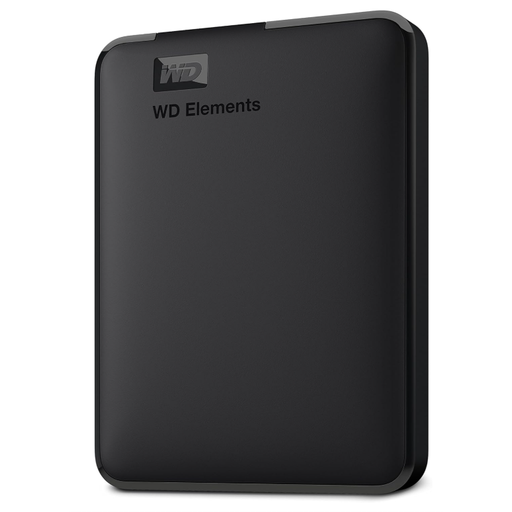
The WD Elements Portable is a straightforward, high-capacity drive focused on one thing: providing a massive amount of storage in a simple, portable package. It is a workhorse designed for users who need to back up huge files without fuss.
View Product Details on Joybuy

The WD My Passport Ultra combines a sleek, modern design with powerful security features. It is a sophisticated choice for those who value both form and function, especially when handling sensitive information.
View Product Details on Joybuy
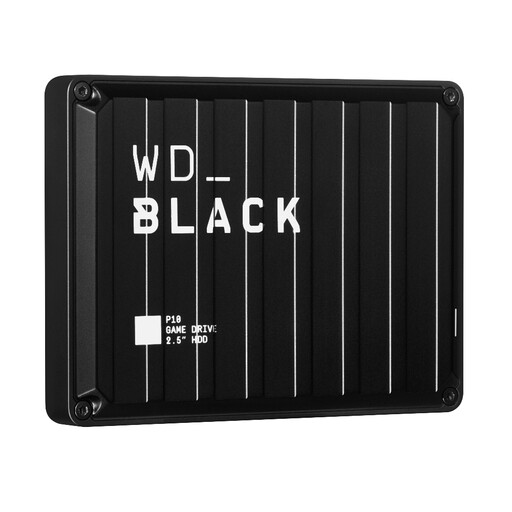
Purpose-built for gamers, the WD_BLACK P10 Game Drive is designed to expand your console or PC game library. It balances high capacity with performance optimised for loading and running games smoothly.
View Product Details on Joybuy
While these three drives cover a wide range of needs, they are just a starting point. Your ideal storage solution might require a different capacity, feature set or design. To see a wider selection of drives, including different brands and capacities, feel free to browse our complete collection.
Explore our full range of Digital Storage Devices on Joybuy
Yes, you can. For both the PlayStation 5 and Xbox Series X|S, you can connect a portable external hard drive to store and play previous-generation games (PS4 and Xbox One titles). However, due to speed requirements, you can only store new-generation PS5 and Xbox Series X|S games on the external drive—you must move them back to the internal SSD to play them.
HDD stands for Hard Disk Drive, which uses spinning magnetic platters to store data. The drives featured here are HDDs. They offer very large storage capacities for a relatively low cost, making them excellent for mass storage and backups. SSDs (Solid State Drives) use flash memory, have no moving parts and are significantly faster and more durable, but they are also more expensive per gigabyte.
Most external hard drives are pre-formatted for Windows (using the NTFS file system). To use one with a Mac, you will typically need to reformat it to a Mac-compatible format (like APFS or Mac OS Extended) using the built-in Disk Utility application. The process is quick and simple, but it will erase all data on the drive. Some WD external hard drive models, like the My Passport, offer downloadable software that allows you to use the drive on both Windows and macOS without reformatting.