
24/7 Customer Support

Free returns

Same-day & Next-day Delivery

Quality Guaranteed
Download the APP
Categories
Juggling multiple windows on a single laptop screen can feel like a losing battle. Whether you're a remote worker trying to manage spreadsheets and video calls, a student referencing research while writing an essay or a gamer wanting a larger display for your console on the go, a lack of screen real estate is a common frustration.
A portable monitor offers a straightforward solution, providing an instant second screen for your laptop or other devices, wherever you are. These lightweight, slim displays are designed for mobility, allowing you to create a productive dual-monitor setup in a coffee shop, a hotel room or at a client's office. This guide is designed to help you understand the key features to look for and to highlight a few practical options available today.
Before you choose, it's helpful to consider a few key factors that will determine which model is the right fit for your needs.
How a monitor connects to your device is perhaps the most important consideration. Many modern laptops feature USB-C ports that can transmit video, data and power over a single cable. A USB C monitor offers the simplest plug-and-play experience. However, if you plan to connect to a gaming console like a PS5 or an older laptop, you will need a model with an HDMI port. Also, consider the power source. Most portable displays draw power from your laptop, but some include a built-in battery for true wire-free flexibility.
For most users, a 15.6 inch portable monitor strikes an ideal balance between a usable screen size and portability. It's large enough for comfortable viewing but still compact enough to slip into a backpack. In terms of resolution, a FHD portable display with a 1920 x 1080 resolution is the standard for sharp text and clear images. While higher resolutions exist, Full HD is more than sufficient for general productivity and gaming, and it helps keep the cost and power consumption down.
The primary appeal of an external travel monitor is its portability. Look for a lightweight monitor, ideally weighing under 1 kg, to ensure it doesn't add significant bulk to your travel gear. Many models come with a smart cover that folds into a stand, which is a practical feature that protects the screen during transit and provides a stable base during use.
Here are our recommendations, selected to meet a range of common needs, from ultimate portability to all-around versatility.
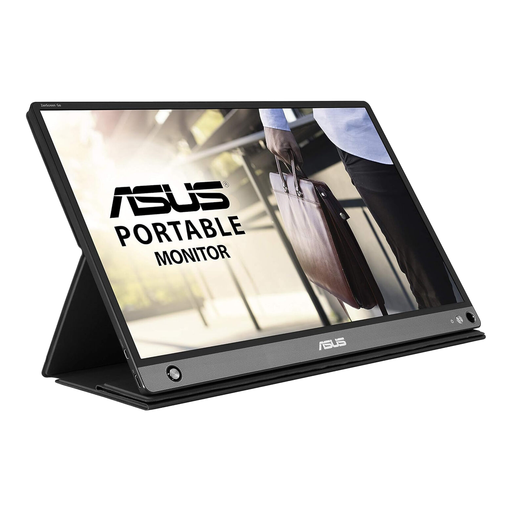
Why It Stands Out The defining feature of the ASUS ZenScreen Go MB16AHP is its built-in 7800 mAh battery, which offers up to four hours of use on a single charge. This untethers you completely from power outlets, making it a truly mobile productivity tool. Combined with its versatile connectivity options and crisp Full HD display, it’s a standout choice for professionals on the move.
Pros
Who is it for? This monitor is ideal for business travellers, presenters and digital nomads who frequently work in environments where power sources are not guaranteed. Its battery makes it a reliable companion for client meetings, co-working spaces and long journeys.
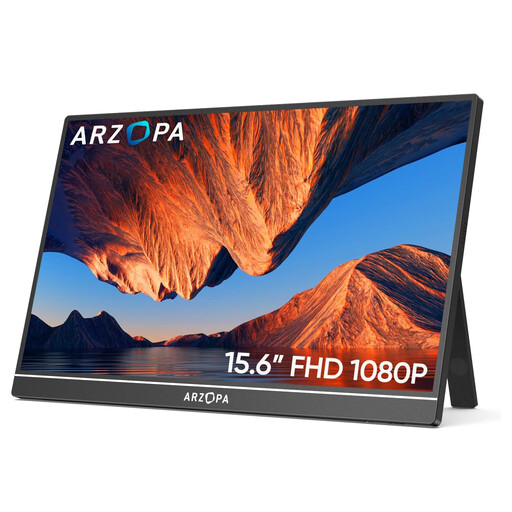
Why It Stands Out The ARZOPA A1 is a versatile all-rounder that offers an impressive set of features for its price point. With two full-function USB-C ports and a Mini HDMI port, it can connect to almost any modern laptop, console or PC. Its slim metal frame, very light weight and plug-and-play functionality make it an incredibly convenient portable screen for a laptop or gaming setup.
Pros
Who is it for? This is a great option for a broad audience, including remote workers, students and casual gamers. Its wide compatibility and straightforward setup make it a practical choice for anyone needing a reliable second screen for productivity or entertainment.
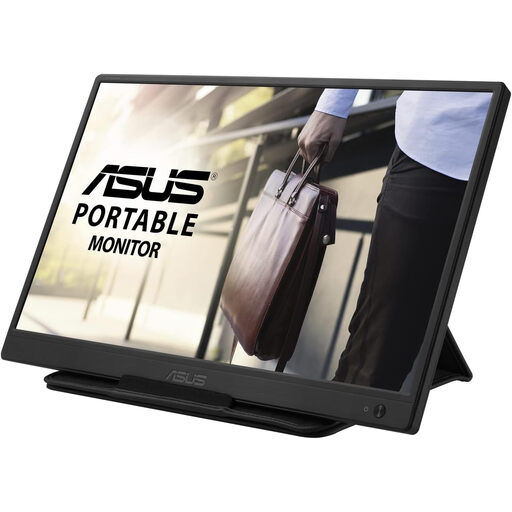
Why It Stands Out The ASUS ZenScreen MB165B prioritises simplicity and value. It uses a single USB cable for both power and video, eliminating cable clutter entirely. While its 1366 x 768 resolution is lower than the other models, it is perfectly sufficient for tasks like writing documents, managing emails or coding. As a refurbished unit, it offers a very accessible entry point into the world of portable displays.
Pros
Who is it for? This monitor is well-suited for students, writers and professionals who need a basic second screen for laptop productivity on a budget. If your primary use is for text-based work and you value simplicity and portability above all else, this is a practical and economical option.
These three models cover some of the most common use cases, but the world of portable displays is vast. If you're looking for different screen sizes, higher resolutions or specific features like touchscreens, there are many other choices available.
To see a wider selection, we invite you to explore our full range of portable displays here.
Do portable monitors need to be plugged into a wall socket? Most do not. The majority of modern portable monitors are designed to draw power directly from your laptop through a USB-C connection. Some models, like the ASUS ZenScreen Go, even have their own internal batteries. If you connect via HDMI, you will likely need to provide power separately, usually through a USB port on your laptop or a power bank.
Can I use a portable monitor for gaming? Absolutely. Many portable monitors are excellent for gaming with consoles like the Nintendo Switch, PS5 or Xbox. For the best experience, look for a model with a Full HD (1920 x 1080) resolution, a response time of 5ms or lower and an HDMI or full-function USB-C port for easy connection.
Is a 15.6 inch portable monitor big enough? For most people, yes. A 15.6 inch screen is a popular choice because it often matches the size of a standard laptop display, creating a seamless and balanced dual-screen workspace. It provides ample room for multitasking while remaining compact and light enough to be a practical external travel monitor.