What matters when choosing
Set the screen away from direct window reflections before comparing monitors. After that, decide whether glare control, document space or laptop integration is your main reason to change screens.
| Concern |
What to check |
Who this matters to |
| Glare and readable text |
Check for a documented matte, anti-glare or anti-reflective surface, and whether the screen can sit away from direct window reflections. |
If daylight keeps reflecting over my script, I need to deal with the window and screen position before comparing display features; around 42% of consumers put glare control first. |
| Script and notes workspace |
Compare aspect ratio and vertical resolution, rather than screen size alone: the documented examples include 3840 × 2560 at 3:2 and 3840 × 2160 at 16:9. |
When I move between a scene and my notes, I want enough vertical space to see more of the page; roughly 33% of consumers make writing workspace their primary concern. |
| Laptop and desk setup |
Match USB-C video support and power delivery to your laptop, then check the stand’s adjustment range. |
If my laptop is part of the writing setup, I want connections and screen positioning that work at my desk; about 25% of consumers prioritise laptop and ergonomic integration. |
Brands to consider
These examples illustrate different monitor layouts and connections; compare the exact model rather than assuming every screen from a brand has the same features.
BenQ
The RD280U is a writing-oriented 28.2-inch 3:2 IPS example. BenQ specifies 3840 × 2560 resolution, 350-nit typical brightness and a Nano Matte coating.
- Its taller format provides more vertical pixels than the cited 3840 × 2160 screens; BenQ also specifies USB-C with 90 W power delivery and an adjustable stand.
- BenQ specifies 60 Hz. The coating does not remove the need to manage direct window reflections.
Dell
The 27-inch UltraSharp U2725QE is a conventional 16:9 4K option with an IPS Black panel, anti-glare and anti-reflective surface treatment, and an integrated USB hub, according to Dell.
- Dell specifies 90 W power delivery, making its laptop connections worth comparing if docking matters to you.
- Its 3840 × 2160 format has fewer vertical pixels than the cited 3:2 BenQ RD280U. Check how the screen will be positioned beside your window.
ASUS
The ProArt PA279CV is a 27-inch 3840 × 2160 IPS example with an anti-glare surface and 350 cd/m² typical brightness, according to ASUS.
- ASUS specifies 150 mm height adjustment and USB-C with 65 W power delivery.
- ASUS notes that setting USB transmission to USB 3.2 can limit video output to 4K at 30 Hz because the connection shares bandwidth. Check the mode you need for your peripherals.
Joybuy monitor choices
These 4K monitor choices are relevant to a screenplay-writing desk. Compare each screen’s surface and positioning options against your window setup; the BenQ RD280U, Dell U2725QE and ASUS PA279CV discussed above are separate model examples.
 No image available
ASUS ProArt PA27DCE-K OLED 4K UHD
Consider this OLED 4K screen if it also suits the other display work you do alongside writing. For long sessions with static script pages, note the listing’s advice to avoid prolonged static images at high brightness to reduce image-retention risk. Check its surface treatment and USB-C charging output against your window and laptop setup.
View on Joybuy
 No image available
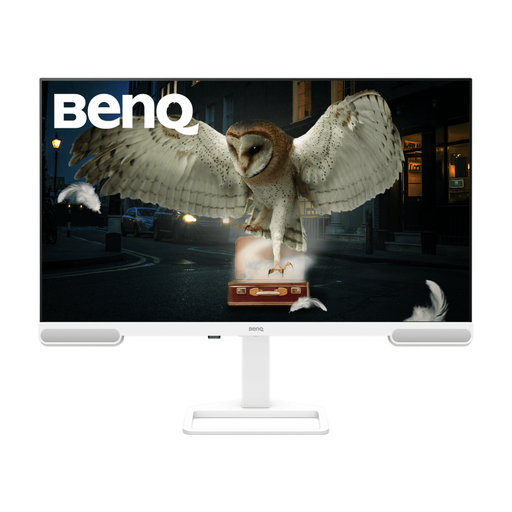
BenQ EW3290U 4K UHD
Consider this model if you want a larger 4K screen for script pages, once you have addressed the window reflections. Confirm the exact diagonal before ordering: the product information gives both 31.2 and 31.5 inches. Check the stand adjustment and laptop connection you need.
View on Joybuy
 No image available
iiyama ProLite XUB2792UHSU-B6 27-inch 4K UHD, Matte Black
The 16:9 4K format may suit a writer who also uses a conventional desktop layout. Matte Black describes the finish, not necessarily the screen surface: check the display’s glare treatment before choosing it for a bright window. Confirm USB-C charging suitability if you use a laptop.
View on Joybuy
 No image available
MSI MD272UPSW Smart 27-inch 4K UHD with Google TV
This model may suit a desk used for both screenplay writing and its Google TV features. The title specifies USB-C 65 W; check that your laptop supports video through the connection and that its charging requirement is compatible. Confirm the screen’s glare treatment for your window position.
View on Joybuy
 No image available
ASUS Eye Care VY27UQ 4K UHD 60 Hz
Consider this 4K model if you can position the screen to avoid window reflections. Its title specifies 60 Hz; check the screen surface before choosing it for a bright desk. If you need to raise or rotate the display, confirm the stand’s adjustment range.
View on Joybuy
Common questions
Will an anti-glare monitor fix reflections from a bright window?
Not by itself. The Health and Safety Executive advises arranging the desk and screen to avoid glare and bright reflections. Deal with the screen position and intrusive daylight first, then consider an anti-glare or matte surface.
Is 3:2 or 16:9 better for writing a screenplay?
Choose by the workspace you need: the BenQ RD280U’s specified 3:2 resolution is 3840 × 2560, giving it more vertical pixels than the cited 3840 × 2160 16:9 Dell U2725QE and ASUS PA279CV. A 16:9 layout may suit you if your other screen work makes that format more useful; compare the exact monitor’s stand and connections too.
Can one USB-C cable connect and charge my laptop?
Yes, if the laptop supports the monitor’s USB-C video connection and the power delivery meets its charging needs. BenQ specifies 90 W for the RD280U, Dell specifies 90 W for the U2725QE, and ASUS specifies 65 W for the PA279CV; check your laptop and cable before ordering.
Can display screen equipment rules apply when I work from home?
Yes. The Health and Safety Executive says display screen equipment rules can apply to workers who work from home permanently or on a long-term basis. If that describes your employment, ask your employer about the applicable workstation arrangements rather than choosing a monitor on a presumed legal specification.
Can I ask my employer for an eye test if I use a screen for work?
Yes. The Health and Safety Executive states that employers must arrange an eye test for display screen equipment users who ask for one. Check with your employer about the arrangements that apply to your work.


