Shared-desk renovation planners
People alternating between computers or seats who want to keep plans, quotations and browser research visible without repeatedly rearranging the desk.


Start with a 27-inch 4K monitor if desk space is tight or users often change the screen position; consider a 32-inch 4K monitor if the desk can accommodate a larger display alongside plans and samples. Check the stand adjustments for both users, and choose USB-C charging or a built-in KVM only after confirming what the connected computers and shared peripherals require.
People alternating between computers or seats who want to keep plans, quotations and browser research visible without repeatedly rearranging the desk.
People checking floor plans, elevations and spreadsheets who need readable detail as well as room for reference documents.
People comparing digital renderings and design boards who also need to judge final material choices using physical samples in the intended room.
For a shared renovation desk, decide whether a 27-inch or 32-inch screen fits the working area before weighing connection features. A larger panel gives 4K documents more physical space, but both sizes can have the same 3840 × 2160 pixel count.
| Concern | What to check | Who this matters to |
|---|---|---|
| Readable plans and workspace | Compare 3840 × 2160 resolution, 27-inch and 32-inch screen sizes, available desk depth and comfortable text scaling. | When plans and quotations need to stay open together, I want drawing labels to remain readable without crowding the desk. Around 36% of consumers put plan detail and workspace first. |
| Switching between computers | Check both computers' video connections, the monitor's USB-C power output and whether its exact model has a KVM for a shared keyboard and mouse. | If two computers use the same desk, changing cables and peripherals can interrupt planning. For around 29% of consumers, easier switching is the primary need. |
| Adjustment for alternating users | Check height, tilt, swivel and pivot options; for an arm, check VESA compatibility and whether the desk can take the mount. | When the next person sits down, I need to move the screen to a comfortable position. Around 21% of consumers prioritise that flexibility. |
| Colour for finish reviews | Check colour-space specifications for the exact model and use physical material samples under the room's intended lighting. | Digital renderings help me narrow down finishes, but I still need to compare real paint or fabric samples. Colour review comes first for around 14% of consumers. |
BenQ lists 65W USB-C power delivery for the PD2705U, while Dell UK and LG UK list up to 90W for the U2723QE and 27UP850K-W respectively. Those ratings alone do not establish that a particular laptop can send video over USB-C or use the available power.
Check each laptop's USB-C video support and charging requirements against the exact monitor, then check which cable the connection needs.
A separate charger, dock or compatible cable may still be needed.
A larger physical display still needs a workable viewing position and room for the keyboard, drawings and material samples. The Health and Safety Executive advises considering desk space, screen arrangement, lighting and reflections in display-screen work.
Measure the usable desk depth and width, including the stand footprint or space needed for an arm clamp, before choosing the screen size.
Published colour-space specifications describe named monitor models, not how paint, tile or fabric will look in a particular room.
Use the display to compare digital references, then check physical samples in the lighting where the finishes will be used.
For regular display-screen work, the Health and Safety Executive's guidance covers posture, screen position, desk space, lighting and reflections. A monitor feature does not settle those workstation choices for two different users.
Choose a stand or compatible arm that both users can adjust, and revisit screen position and lighting whenever the desk setup changes.
These named models illustrate different features to compare; a feature on one model should not be assumed to apply to another from the same brand.
Dell UK lists the UltraSharp U2723QE as a 27-inch 4K hub monitor for a desk using USB-C and wired network connections.
LG UK presents the 27UP850K-W as a 27-inch 4K IPS monitor with USB-C for a compatible laptop setup.
BenQ UK lists the PD2705U as a 27-inch 4K design monitor with CAD/CAM mode and a built-in KVM.
Samsung Business UK lists the 32-inch ViewFinity S80UD with 4K resolution, USB-C, LAN and a built-in KVM.
HP Support UK lists the E27k G5 as a 27-inch 4K USB-C monitor with an adjustable stand.
These monitors offer 27-inch and 32-inch options for reviewing renovation documents at a shared desk. Compare their stated connections and adjustment features against the computers and desk you will actually use.
 No image available
The 27-inch 4K format is worth considering when plans and reference documents need to fit on a shared desk. The product name specifies USB-C with 65W power delivery; check laptop video and charging compatibility. If sharing a keyboard and mouse matters, confirm how this model's Multi-Control feature works with both devices.
 No image available
This 27-inch IPS model is relevant to plan review where a height-adjustable screen and a compatible USB-C computer are useful. Its Mac-oriented features warrant a check against the actual computer; confirm shared-peripheral switching separately if two computers need one keyboard and mouse. Compare real finish samples in the room rather than relying on the display alone.
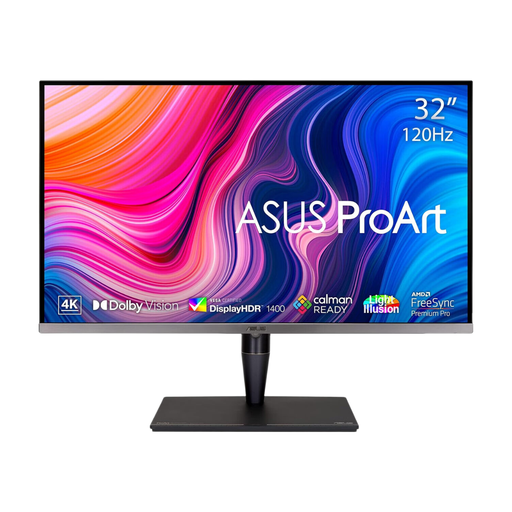 No image available
The 32-inch screen may suit a desk with room for plans and quotations side by side, provided the viewing position is comfortable. The product name specifies an IPS Mini LED display and Thunderbolt 3. Check the exact variant's laptop charging and shared-peripheral arrangements if either is essential.
 No image available
The 27-inch 4K format makes this a compact option to assess for detailed plans at a shared desk. If alternating users need to change screen height or orientation, check the stand's adjustment range. Confirm USB-C video, charging and keyboard-and-mouse switching against the intended computers before relying on those features.
 No image available
This 27-inch model is an option for reviewing plans where its stated HDMI and DisplayPort connections suit the computers at the desk. Its product name also lists DCI-P3 95% colour coverage. Check adjustment needs, USB-C connectivity and shared-peripheral switching for this exact model rather than assuming it has the features of other LG monitors.
Choose 27 inches if desk depth is limited or users frequently reposition the screen; consider 32 inches if there is room to view plans and other documents on a larger physical display. Dell UK, LG UK, BenQ UK and Samsung Business UK list 4K examples in these sizes, so the size choice does not by itself change the 3840 × 2160 pixel count.
A built-in KVM is useful when two connected computers need to share one keyboard and mouse; it is less relevant if users simply take turns connecting one laptop. BenQ UK lists a KVM for the PD2705U, and Samsung Business UK describes one on the ViewFinity S80UD. Check the ports and switching procedure of the exact model you choose.
It can do both only when the laptop supports the required USB-C video connection and its power needs fit the monitor's output. For example, BenQ UK lists 65W power delivery on the PD2705U, while LG UK lists up to 90W on the 27UP850K-W; neither rating establishes compatibility with every laptop. Check cable requirements as well.
The Health and Safety Executive's display-screen guidance does not select a particular monitor model. Its rules apply to workers who use display screen equipment daily for continuous periods of an hour or more, including relevant hot-desking arrangements; its workstation guidance addresses posture, desk space, screen adjustment, lighting and reflections. Those workplace conditions should not be treated as a product specification for every private renovation desk.