What matters when choosing?
Start with how people access the computer: a mouse that cannot connect under workplace rules will not solve a handover problem. Then weigh nearby colleagues, cleaning routines and the fit needed for longer layout sessions.
| Concern | What to check | Who this matters to |
|---|
| Connection and handover |
Check for a suitable USB port or Bluetooth support, and whether workplace rules allow pairing. |
When different people take turns arranging form fields, I need the mouse ready without repeated setup. Roughly 31% of consumers put connection and handover first. |
| Quiet, portable use |
Check the exact model’s click-noise claim, shape and power method. |
If I carry my own mouse between desks, I want it easy to take along without distracting nearby colleagues. For around 23% of consumers, quiet, portable use is the main concern. |
| Cleaning shared equipment |
Check the model’s cleaning instructions, permitted products and how its connector must be handled. |
When several people handle the same mouse, I need one that fits our established cleaning routine. Cleaning readiness comes first for roughly 23% of consumers. |
| Fit for sustained layout work |
Check handedness, size and scrolling needs; make sure the mouse can sit in line with the user’s elbow. |
During longer sessions of selecting and aligning fields, I need a shape and workstation position that suit me. Around 23% of consumers chiefly prioritise sustained-use fit. |
Wired mice for shared-desk use
These Joybuy choices focus on wired mice for contact-form work at a shared desk. Compare the connector, shape and any model-specific controls against the workstation and the people who will use it.
 No image available
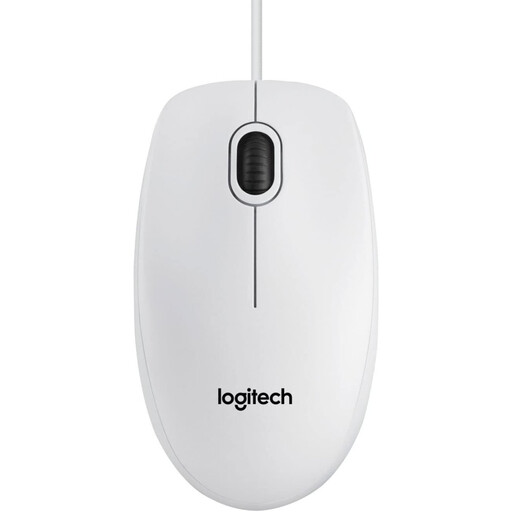
Logitech B100 USB Wired Mouse, White
A wired USB option to consider when a mouse is handed between desk users.
If the workplace cleans shared equipment, confirm the cleaning instructions for the exact B100 version before applying a cleaning product.
View on Joybuy
 No image available
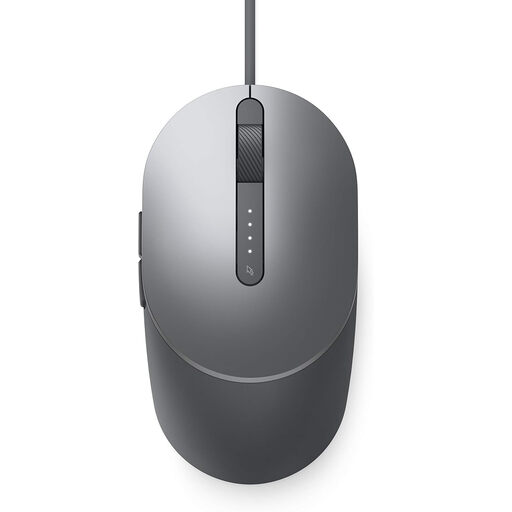
Dell MS3220 Laser Wired Mouse, Grey
A wired option for a shared workstation where repeated wireless pairing would be inconvenient.
Check its connector against the workstation’s ports and confirm care instructions if the mouse will be cleaned between users.
View on Joybuy
 No image available
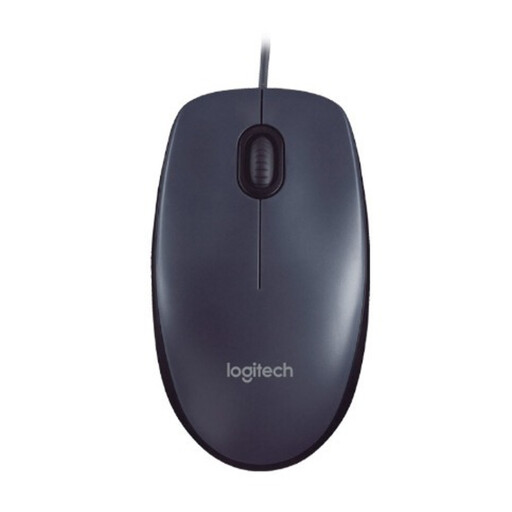
Logitech M91P Wired Mouse
A wired mouse to consider for rotating desk users who want to avoid a pairing step.
If adjustable tracking is important for detailed layout work, confirm the settings for this exact version before choosing it.
View on Joybuy
 No image available
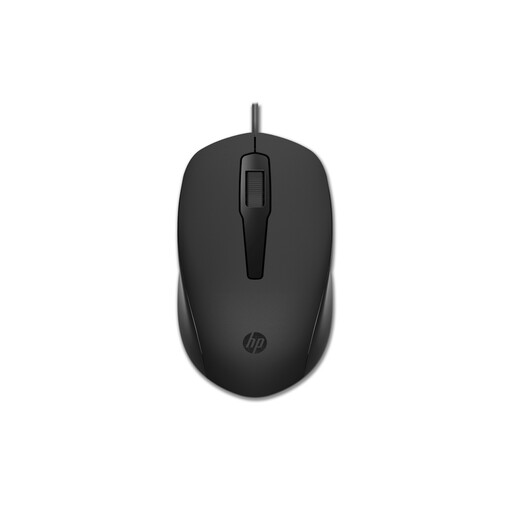
HP 150 WRD Mouse
Consider this option where the mouse needs to serve a rotating desk rather than one person’s dedicated setup.
Confirm the cable’s reach for the intended desk position: the product information gives conflicting lengths.
View on Joybuy
 No image available
Rexsun V2 Wired Mouse, 4 Buttons, Black
Consider this wired model when quieter clicking and a choice of tracking settings matter at the desk.
Its title specifies USB connection, silent-click buttons and adjustable 1000/1200/1600 DPI settings. Check the curved shape with intended users before choosing it as a communal mouse.
View on Joybuy
Common questions
Should a shared desk have a wired or Bluetooth mouse?
Choose wired USB when different people need straightforward access and the computer has the required port. Bluetooth is an option for someone using their own mouse if the assigned computer supports it and permits pairing; Microsoft Support notes that its Bluetooth Mouse requires Windows 10 or 11 with Bluetooth 4.0 or later.
Is a quiet mouse useful for contact-form layout work?
It may be useful if repeated clicks would distract people nearby. Check a claim on the exact model rather than assuming all quiet mice sound alike: Logitech says its M240 Silent reduces clicking sounds by 90%, a manufacturer claim for that mouse.
Do I need multi-device switching at a shared desk?
Multi-device switching is worth considering when you regularly move your own work between assigned devices. If several people instead take turns on one computer, a simpler connection may make handovers easier than managing multiple pairings.
Does UK display-screen guidance require an ergonomic mouse?
No particular mouse shape is prescribed in the cited Health and Safety Executive guidance. The HSE says display-screen equipment rules apply to employers whose workers regularly use it as a significant part of normal work, and advises assessing hot-desking workstations and keeping the mouse in line with the elbow.
What should I do with an old computer mouse?
Use an appropriate electrical-equipment recycling route rather than assuming the mouse belongs in general rubbish. GOV.UK’s guidance on electrical and electronic equipment includes battery-powered products, so a wireless mouse should not be overlooked when arranging disposal.


