For a large split-screen group, choose a screen that every regular player can see and that physically fits the room before comparing gaming features. If the console and racing game offer high-frame-rate modes, check Game Mode, 4K120, variable refresh rate (VRR) and auto low-latency mode (ALLM) on the HDMI input you will use. Compare OLED for a controlled-light room and Mini LED/QLED models where reflections are a concern, without assuming either screen technology settles the choice on its own.
Who this choice affects
Large-group race-night hosts
When several players share one screen, each sees a smaller part of the picture. Start with the usual seating positions, then check whether the television, stand or wall mount and delivery route fit your space. Samsung UK’s TV-size guidance offers viewing distances as a starting point, not a rule for every room.
Console racers using performance modes
If your console and racing game offer a high-frame-rate or VRR mode, check the exact TV model and HDMI socket before choosing around that feature. Sony UK cautions that an HDMI 2.1 feature listed for a television need not work on every input.
Groups playing in a bright shared room
Daylight and lamps can affect how comfortably players see their separate views. Assess reflections from the seats you actually use, then compare the glare-handling claims for the exact screen size rather than choosing by OLED or Mini LED/QLED technology alone.
What to check before buying
Settle the seating and installation first; then match gaming features to the console, game and available HDMI sockets. Judge room-light handling from the positions where the group will play.
| Concern |
What to check |
Who this matters to |
| Split-screen size and room fit |
Measure the regular viewing distances. Check the exact TV’s overall dimensions, stand footprint, mounting pattern and delivery access rather than relying on its diagonal alone. |
When I host several racers, I want each person to read their part of the screen from their usual seat without choosing a TV that overwhelms the room. Around 42% of consumers put screen and room fit first. |
| Responsive play and inputs |
Check Game Mode, 4K120, VRR and ALLM against the console and game’s supported modes; map each console and any eARC soundbar to the exact sockets required. |
If I use a racing game’s performance mode, I need the television and the socket I connect to support it. For around 33% of consumers, compatible, responsive play is the primary concern. |
| Bright-room visibility |
Look for reflections from windows and lamps at the usual playing time, then assess glare-handling information for the exact model and size. |
With daylight falling across our shared living room, I care most about whether everyone can make out their view of the race. Bright-room visibility comes first for around 25% of consumers. |
Buying pitfalls
-
Choosing by diagonal size alone
A larger screen can still be awkward for the usual seats, too wide for the furniture or difficult to bring into the room. The diagonal does not tell you the stand depth or carton size.
Measure from the regular seats to the planned TV position, then compare the exact model’s overall dimensions, stand, mounting specification and delivery route. Samsung UK gives 2.0 m as a reference viewing distance for a 65-inch TV, not a required distance for every layout.
-
Assuming every HDMI socket has the same features
A TV may offer VRR or 4K120 only on particular inputs, while a soundbar may occupy the socket needed for eARC. Sony UK specifically cautions that supported HDMI features can differ by input.
Assign each console and audio device a socket before ordering. Check the exact model’s port table for the combination of gaming and audio features you need.
-
Buying a high-refresh TV without checking the game
A 120 Hz or 144 Hz display does not make a racing game output frames beyond its available console mode.
Check the game and console’s display modes first. Make high-refresh support a priority when a mode you intend to use can take advantage of it, or when you also plan to connect a compatible gaming PC.
-
Ignoring the exact model’s energy label
Two TVs with the same diagonal need not have the same stated energy consumption. Screen size alone is not a substitute for comparing their product information.
Read the energy label and product information sheet for each model alongside its gaming and installation specifications.
GOV.UK’s television-label documentation gives on-mode consumption for standard dynamic range (SDR) content in kWh per 1,000 hours, providing a common figure to compare.
Brands to consider
These brand examples point to different models and checks for group gaming; they are not a ranking of whole ranges.
LG
Consider an OLED model such as the 65-inch C5 if you mainly play with the room lighting under control and value per-pixel black levels.
- LG UK describes the cited C5 model as offering true black levels; treat its picture descriptions as the brand’s claims for that model.
- Check the chosen size’s gaming inputs, dimensions and behaviour in your room rather than assuming every C5 variant has an identical setup.
Samsung
The Mini LED/QLED route is worth examining when a large shared screen must contend with room reflections.
- Samsung UK describes its 65-inch QN90F as Glare Free, making the exact model one to assess for a bright-room layout.
- Samsung’s broader gaming-TV feature descriptions do not establish the port allocation or gaming specification of every QN90F size. Check the specific set.
TCL
TCL’s QD-Mini LED models offer another route to investigate for large screens and gaming-oriented specifications.
- TCL UK describes the Q9BK line with a 144 Hz display and support for HDMI 2.1, ALLM and VRR.
- Confirm those features, the relevant sockets and the physical dimensions for the exact size under consideration.
Sony
Sony’s model-specific port specifications are useful when several consoles and an audio device need planned connections.
- Sony UK lists VRR on HDMI 3 and 4 and ALLM on HDMI 1 through 4 for the K-65XR70.
- Those socket assignments belong to that model; check the exact television and required signal settings before planning another model’s connections.
Joybuy TVs for this setup
These screens give you several sizes to assess against the group’s seats and room space. Treat gaming features as model-specific: confirm the modes, HDMI sockets and dimensions you need before choosing.
 No image available
TCL 98Q6C 98-inch QD-Mini LED 4K TV
Consider the 98-inch screen when several players sit far enough away to need a particularly large shared image and the set will fit the room and access route.
The product title specifies a 144 Hz native refresh rate. Check the console and game’s available modes and the exact HDMI input capabilities before choosing it for high-frame-rate play.
View on Joybuy
 No image available
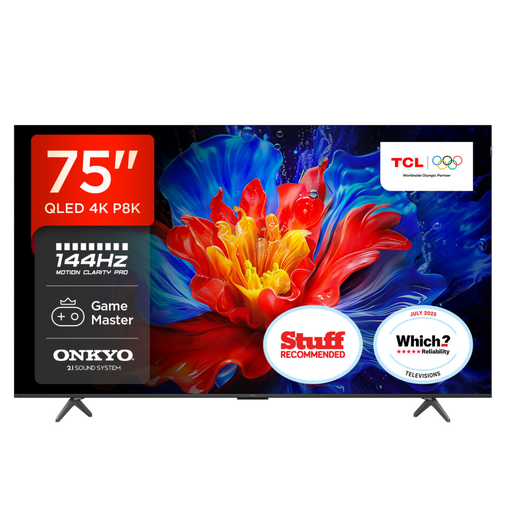
TCL 75P8K 75-inch QLED 4K TV
The 75-inch format is worth assessing when a group needs more screen area but a 98-inch set would not suit the planned position.
Compare the stand footprint and viewing distances, then confirm the gaming modes and their HDMI socket assignments for your console. Do not treat the product title’s Game Accelerator name as a native refresh-rate specification.
View on Joybuy
 No image available
TCL 75Q7C 75-inch QD-Mini LED 4K TV
Consider this 75-inch QD-Mini LED model if screen size and the room’s lighting are both central to your choice.
Its product title specifies a 144 Hz native refresh rate. Before planning a console setup around that figure, check the supported modes and HDMI inputs on the exact model, as well as its dimensions and stand footprint.
View on Joybuy
 No image available
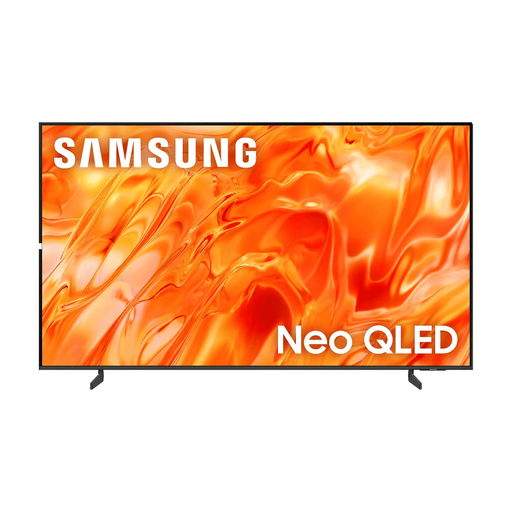
Samsung QE65QN70H 65-inch 4K TV
A 65-inch screen may suit a group whose regular seats are closer to the TV; check whether each player can comfortably read a divided view.
Confirm the model’s dimensions and stand footprint. If high-frame-rate racing matters, check its refresh rate, gaming modes and exact HDMI input capabilities before buying.
View on Joybuy
 No image available
TCL 55P8K 55-inch QLED 4K TV
This 55-inch model is a more conditional choice for a large group: check that players at the farthest regular seats can read their share of the screen.
Compare its dimensions with the planned position and confirm which HDMI sockets and display modes support the racing setup you intend to use. The Game Accelerator name alone does not establish a native refresh rate.
View on Joybuy
Frequently asked questions
Do I need a 120 Hz TV for split-screen racing?
Not necessarily: a 120 Hz TV is most relevant when the console and particular racing game offer a mode that can use it. Check the game’s available display modes before making refresh rate a deciding feature; a game running at 60 frames per second will not gain extra output frames from a higher-refresh panel.
Does HDMI 2.1 mean every socket supports 4K120 and VRR?
No. Sony UK cautions that a television can support an HDMI feature without offering it on every input. Check the exact model’s port table, required signal settings and compatible devices and cables, particularly if an eARC soundbar will occupy one socket.
How do I choose a screen size for several split-screen players?
Start with the distance from every regular seat to the planned screen position, then check whether the TV and its stand fit the space. Samsung UK gives 2.0 m as a reference viewing distance for a 65-inch television; use it to start assessing your layout, not as a requirement for every group or room.
What energy figure should I compare between TVs?
Compare the exact models’ energy labels and product information sheets rather than judging consumption by screen size. GOV.UK’s television-label documentation includes on-mode SDR consumption in kWh per 1,000 hours, so you can compare a stated figure on the same basis.


