For savings planning, choose a monitor that fits your desk, can be positioned comfortably and connects to your computer. A compact QHD screen suits spreadsheet-led work; USB-C is useful when its display and charging functions match your laptop, while a 27-inch 4K screen makes more sense if you also work with detailed documents or high-resolution content.
Who is this for?
Savings planners with compact desks
If your main tasks are spreadsheets, browser-based planning and documents, start with screen size, connections and stand adjustment rather than features intended for other work. Dell UK lists a 23.8-inch QHD P2425D with height and pivot adjustment as one example of this format.
Laptop users who want fewer connections
If you regularly connect a laptop at your desk, a compatible USB-C monitor may carry display data and charging through one connection. Samsung Business UK specifies USB-C charging and data up to 90W for its S60UD, alongside LAN and a built-in KVM switch for desks using more than one device.
People planning at a screen for longer sessions
If you spend extended periods reviewing statements or spreadsheets, consider how the display will sit alongside your chair, desk and keyboard. The Health and Safety Executive advises placing the top of the screen level with your eyes and the display about an arm's length away; an adjustable stand gives you more scope to achieve that position.
What matters when choosing?
Start with the work you will actually do, then check the space available, screen position and connection to your computer. Extra display or docking features matter when they support another regular task, not simply because they appear on a specification list.
| Concern |
What to check |
Who this matters to |
| Features for the task |
Compare screen size, resolution and stand adjustment for spreadsheets, browser pages and documents before considering additional display features. |
I mainly need to keep plans and documents readable without choosing extras unrelated to that work. Around 40% of consumers put task-focused features first. |
| Laptop connection |
Confirm your laptop supports video through the intended USB-C port; check its charging requirement against the monitor's stated output and the cable needed. |
Connecting my laptop each time should be straightforward, and one cable matters more to me than a larger screen. Roughly 30% of consumers prioritise laptop connectivity. |
| Viewing position and detail |
Measure desk depth and check stand adjustment; compare QHD and 4K only in the screen sizes and work scenarios you are considering. |
During longer planning sessions, I need a screen I can position comfortably, with room to view detailed work. About 30% of consumers make workspace comfort and detail their primary concern. |
What should you avoid assuming?
-
A suitable panel will automatically sit at the right height
Screen specifications do not tell you whether the stand will position the display well at your desk. The Health and Safety Executive advises keeping the top of the screen level with your eyes and the display about an arm's length away.
Measure your desk and seated viewing position. Check the stand's adjustment range or mounting compatibility if you expect to use an arm.
An unsuitable stand may mean adding a riser, monitor arm or other workstation adjustment.
-
Every USB-C connection will provide video and charging
A monitor's USB-C charging rating does not establish that your laptop's port supports video output or that the available charging output meets its needs.
Check your exact laptop model, the monitor's USB-C functions and the cable required before planning a one-cable setup.
If those functions do not match, you may need to continue using a separate charger or another display connection.
-
Basic savings planning requires 4K or HDR
Spreadsheets and browser-based planning alone do not establish a need for these features. A larger, higher-resolution display is more relevant when the same screen also serves detailed documents, high-resolution content or colour-sensitive work.
Decide which other tasks the monitor must handle, then compare models that meet those needs and fit your desk.
-
The old monitor can be left out of the plan
Replacing a monitor also leaves you with an electrical item to dispose of. Available take-back or collection arrangements can differ by retailer and route.
Check the seller's electrical-waste take-back arrangements or an authorised local electrical-waste option before replacing your screen.
Brands to consider
These model ranges illustrate different screen and connection choices; the specifications of one model should not be assumed to apply to another from the same brand.
Dell
Dell UK lists compact, adjustable productivity monitors, including the 23.8-inch QHD P2425D and the USB-C hub-equipped P2425HE.
- Dell UK specifies 2560 × 1440 resolution at 100Hz and height and pivot adjustment for the P2425D.
- The P2425HE offers USB-C power delivery up to 90W but is listed as Full HD, not QHD. Check the exact model if both resolution and laptop connectivity matter.
Samsung
Samsung Business UK's ViewFinity S60UD is a QHD USB-C option for a laptop-led desk or a setup that switches between devices.
- Samsung Business UK specifies USB-C charging and data up to 90W, LAN, daisy-chaining and a built-in KVM switch for the S60UD.
- Those functions depend on compatible connected equipment and may be unnecessary for a single-computer planning setup.
LG
LG UK's 27UP85ZK-W is a 27-inch 4K IPS USB-C option for a desk used for savings planning alongside detailed or colour-sensitive work.
- LG UK specifies USB-C charging up to 90W and height, pivot and tilt adjustment for the 27UP85ZK-W.
- Its 4K and colour features are not requirements for viewing a savings spreadsheet. The 27UP85ZK-W is a different model from the LG monitor listed below.
Joybuy monitor choices
These monitors span compact desk options and 27-inch 4K screens for people who use the same workspace for planning and other detailed work. Check each model's connections and positioning options against your computer and desk.
 No image available
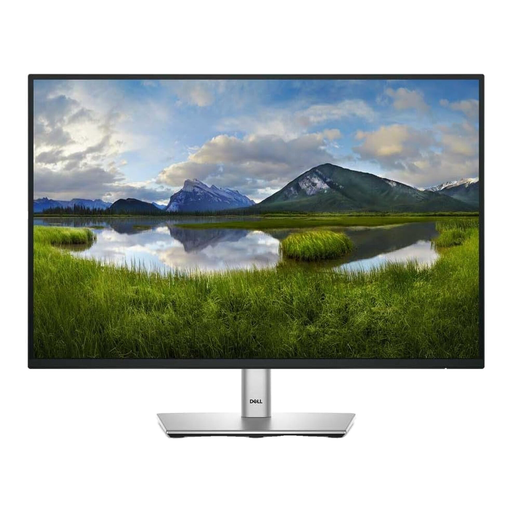
Dell 24 Monitor P2425
A 24-inch option to consider for spreadsheets and documents on a compact desk. Check the exact video ports before connecting your computer; confirm the listing's USB-C and refresh-rate details if either affects your choice. This is the P2425, not the QHD P2425D discussed above.
View on Joybuy
 No image available
BenQ MA270UP Nano Glossy 27-inch 4K USB-C monitor
Consider this model when savings planning shares a desk with detailed documents or high-resolution work. Its title specifies a 27-inch 4K IPS display, USB-C and a height-adjustable stand. If you intend to use one cable with a laptop, check video support and charging compatibility for your exact laptop.
View on Joybuy
 No image available
LG 27UP650K 27-inch 4K IPS monitor, white
For a desk used for planning as well as detailed documents or high-resolution content, this model's title specifies a 27-inch 4K IPS screen, 60Hz refresh rate, HDMI and DisplayPort. Check that one of those display connections suits your computer. This is the 27UP650K, not LG's USB-C-equipped 27UP85ZK-W discussed above.
View on Joybuy
 No image available
MSI MD272UPSW 27-inch 4K smart monitor with Google TV
Consider the larger 4K screen if the desk also serves detailed work or high-resolution content. The title specifies an IPS display and USB-C with 65W power delivery; check your laptop's video output and charging requirements before relying on one cable. Google TV is a separate feature rather than a savings-planning requirement.
View on Joybuy
 No image available
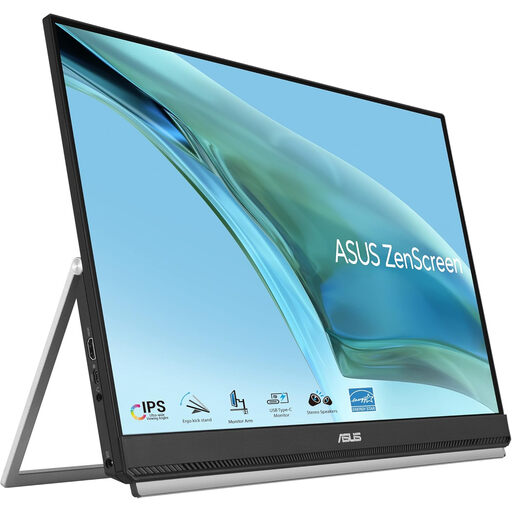
ASUS ZenScreen MB249C IPS USB-C monitor
This model is worth considering if you need to arrange a planning screen around a flexible desk setup. Its title specifies an IPS display and USB-C; check the positioning option you intend to use. For laptop video through USB-C, verify DisplayPort Alt Mode support and whether the stated 60W charging output meets your laptop's requirements.
View on Joybuy
Common questions
Do I need 4K to plan a savings target?
No: budgeting and savings spreadsheets do not require a 4K monitor. Consider a 27-inch 4K model if the same desk is also used for detailed documents or high-resolution work; otherwise, compare screen size, resolution and stand adjustment for your usual tasks.
Will a USB-C monitor charge my laptop?
Only if the laptop and monitor support the intended connection and the monitor's power output meets the laptop's charging requirements. Dell UK, Samsung Business UK and LG UK describe up to 90W charging on the specific USB-C models discussed above, but that figure does not establish compatibility with every laptop; check video output and the cable too.
How should I position a monitor for longer spreadsheet sessions?
The Health and Safety Executive advises placing the top of the screen level with your eyes and the display about an arm's length away. Keep the screen and keyboard central, and consider the chair, desk and lighting as well as the monitor stand.
What should I do with an old monitor?
Use an appropriate electrical-waste route rather than assuming it belongs with ordinary household rubbish. Check the seller's take-back arrangements when replacing it, or look for an authorised local electrical-waste collection option.


