For reading submissions, marking up PDFs and writing brief comments between visits, start with a portable tablet that supports a pen and works with your feedback platform. If you regularly compare documents, write substantial responses or need desktop-only software, consider a larger keyboard-capable device or a Windows 2-in-1 instead. Confirm platform access, client-data rules and the accessories needed for your complete working setup before choosing.
Who needs which setup?
Mobile PDF markers
If you mainly read submissions and add highlights or short handwritten comments between appointments, a portable pen-capable tablet is a sensible starting point. Apple UK lists an 11-inch iPad Air with Pencil support, while Samsung UK lists a 10.9-inch Galaxy Tab S10 FE with S Pen support.
Detailed feedback writers
If you write lengthy responses or keep a rubric beside a submission, check keyboard options, screen space and whether your work requires Windows. Microsoft UK describes Surface Pro as a tablet-to-laptop device with an optional keyboard; Lenovo UK lists a larger Yoga Tab Plus configuration with a pen and keyboard.
Organisation-managed data users
If feedback contains client-linked information, establish which devices, accounts and storage locations your employer or client permits before choosing a screen size. The Information Commissioner's Office advises separating organisational and personal data on personally owned devices and considering multi-factor authentication where available.
What matters when choosing?
Check whether your feedback system works on the intended operating system before weighing up screen size and input options. Then consider how you will carry, connect and use the complete setup between visits.
| Concern |
What to check |
Who this matters to |
| Mobile annotation |
Check pen compatibility and whether the pen is included; compare a portable 10.9- or 11-inch screen with the space offered by larger models. |
When I mark PDFs in short gaps between visits, I need a readable screen and a way to add notes without setting up a keyboard. Around 31% of consumers put mobile annotation first. |
| Platform and writing workflow |
Test the actual portal, file formats and any required desktop software; check keyboard options for lengthy replies. |
If I write detailed responses or use a desktop-dependent client system, I need the work to open and save correctly, not just a good reading screen. For around 31% of consumers, workflow compatibility and extended writing take priority. |
| Client-data handling |
Confirm device approval and the required account, authentication and storage controls with the data owner. |
With client-linked feedback on my device, I need to know that the organisation permits the setup and where files may be stored. Secure, authorised handling comes first for around 23% of consumers. |
| Travel-ready setup |
Check carrying weight, charging equipment and whether authorised connectivity is available between visits. |
I need a setup I can carry and use at the next appointment without relying on an accessory I have left behind. Around 15% of consumers prioritise travel readiness and the complete working kit. |
Buying pitfalls
-
Assuming a mobile-friendly site supports the whole workflow
A feedback portal may open on a tablet yet still depend on a desktop browser feature, file template or organisation-managed application for returning completed work.
Before choosing an operating system, test signing in, opening a representative submission, annotating it and uploading the finished feedback on that system.
-
Assuming the input accessories are included
Apple UK presents compatible Pencils as optional for iPad Air; Microsoft UK lists Surface keyboards and Slim Pen as optional, while Samsung UK says the Galaxy Tab S10 FE range does not include a travel adaptor.
Check the exact configuration against the pen, keyboard and charging equipment your workflow requires.
-
Using a personal tablet without approval
The Information Commissioner's Office highlights risks involving shared devices, outdated software and organisational information stored alongside personal data. A device's operating system alone does not establish whether your client permits its use.
Ask the data owner which device controls, authentication method and storage location are required before handling client-linked feedback.
-
Choosing screen size without considering where you work
A larger display gives more room for a submission and rubric, but can be less convenient to hold during short gaps between visits.
Consider an around 11-inch model for frequent handheld review; look at a larger screen when you regularly work at a stable surface with multiple documents or a keyboard.
Brands to consider for this workflow
Apple
The 11-inch iPad Air is a tablet-first option if your feedback platform works on iPadOS and you favour portable reading and annotation.
- Apple UK lists a 464 g 11-inch Wi-Fi model with an anti-reflective coating and support for Apple Pencil Pro and Apple Pencil (USB-C).
- Apple lists the compatible Pencils as optional accessories. Check the pen and keyboard arrangement needed for your work.
Samsung
Galaxy Tab S10 FE offers an Android route for pen-led markup, with a 10.9-inch FE model and a larger 13.1-inch FE+ variant.
- Samsung UK lists an S Pen in the box and describes microSD support of up to 2 TB for the range.
- Samsung says the range does not include a travel adaptor. Confirm that the client portal and organisation rules permit your intended Android setup.
Microsoft
Surface Pro is a tablet-to-laptop route to examine when the feedback workflow needs Windows software or substantial typing.
- Microsoft UK describes 12- and 13-inch Surface Pro options with an optional keyboard and Slim Pen.
- Check the exact configuration: the keyboard and pen are optional, and Microsoft's UK purchase information says the power supply is not included for the referenced models.
Lenovo
Yoga Tab Plus is a larger Android option to consider if document space and a keyboard-and-pen setup matter more than compact handheld use.
- Lenovo UK describes a 12.7-inch 3K anti-reflective display and a listed configuration with a pen and keyboard.
- The cited UK bundle was marked out of stock when reviewed; check the contents and availability of any configuration you consider.
Joybuy products for feedback work
These choices cover portable document-review tablets, a larger pen-capable tablet and a Windows convertible for more typing-led work. Match each device to the feedback platform you actually use and the way you work between visits.
 No image available
iFLYTEK AINOTE 2 10.65-inch E-Ink Tablet with Protective Case
Consider this document-focused tablet for reading feedback between visits; confirm that its annotation and file workflow fits your platform.
The product title specifies a 10.65-inch E-Ink screen and a protective case.
View on Joybuy
 No image available
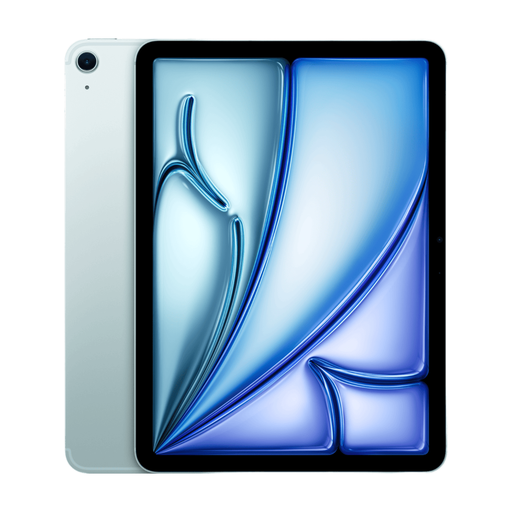
Apple iPad Air 11-inch (M4), Wi-Fi, 256GB, Blue
This 11-inch option suits portable review if your feedback service works on iPadOS. Apple UK lists compatible Apple Pencils as optional accessories, so account for one if you need handwritten markup.
This configuration is the M4 Wi-Fi model with 256GB storage in Blue.
View on Joybuy
 No image available
TECLAST ArtPad Pro 2025 Edition, 12.7-inch, with Stylus
Consider the larger screen when you have a stable place to review and mark up documents; check its carrying fit if you often work while moving between visits.
The title specifies a 12.7-inch 2K display, T-Pen drawing support, an included stylus and Android 15.
View on Joybuy
 No image available
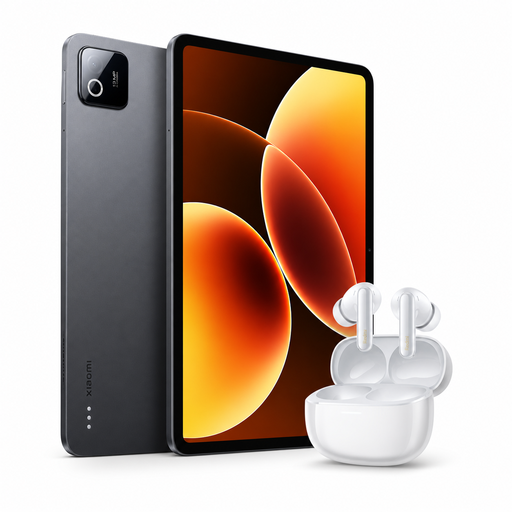
Xiaomi Pad 8, 8GB/128GB Wi-Fi, Grey, with Redmi Buds 6 Pro Glacier White
This Wi-Fi tablet is an option for reading feedback; if you plan to annotate by hand, confirm the compatible pen and what the bundle contains.
The named configuration has 8GB RAM and 128GB storage and is bundled with Redmi Buds 6 Pro Glacier White. Confirm processor and battery details if they affect your choice.
View on Joybuy
 No image available
HP OmniBook Ultra Flip 14-fh0006na 2-in-1
Consider this convertible for substantial typed feedback or a workflow that requires Windows, provided it works with your organisation's software. Check pen compatibility separately if handwritten marking is essential.
The named configuration includes Windows 11 Home, 16GB RAM and a 1TB SSD. Its convertible format is a different carrying proposition from a handheld tablet.
View on Joybuy
Frequently asked questions
Should I choose a tablet or a Windows 2-in-1 for course feedback?
Choose a tablet if your work is chiefly supported browser or app-based reading, PDF markup and short replies. Consider a Windows 2-in-1 if you need desktop-only software, particular browser features or frequent long-form typing; test the actual feedback system before buying.
Will I need to get a pen, keyboard or charger separately?
Check the exact device configuration and the accessories your workflow needs. Apple UK lists compatible Pencils as optional for iPad Air; Samsung UK lists an S Pen with Galaxy Tab S10 FE but no travel adaptor; and Microsoft UK describes Surface Pro keyboards and Slim Pen as optional.
Can I use my own tablet for client-linked feedback?
Use a personally owned tablet only if the client or employer authorises that setup and its required controls. The Information Commissioner's Office advises separating organisational from personal data and considering protections such as multi-factor authentication; confirm the approved apps and storage location before opening client-linked files.
Where should an old tablet go when I replace it?
Take an old electrical device to an appropriate recycling collection point rather than putting it in household rubbish. GOV.UK gives this guidance for electrical products displaying the crossed-out wheelie-bin symbol.


