Choose a Windows 2-in-1 if the funding bid requires desktop Word features, macros or specialist add-ins, provided you have the required software. For drafting and reviewing between visits, an iPad or Android tablet with a keyboard can suit a mobile-compatible workflow; test the actual bid file and check your Microsoft 365 editing entitlement, particularly on screens above 10.9 inches.
Who needs which setup?
Document-critical bid writer
If your bid uses a formal template, macros, specialist add-ins or exact formatting, check those requirements before choosing a mobile app. Microsoft notes that some Word features behave differently in the browser; a Windows 2-in-1 is worth considering when the desktop application is required.
Writer moving between visits
If you draft paragraphs and respond to comments in short gaps between appointments, compare the weight of the tablet and keyboard together. Microsoft documents comment and tracked-change tools for Word on iPad and Android tablets, but editing access still depends on the device and plan.
Long-form reviewer away from a desk
If you spend more time reading guidance, tables and lengthy bid sections, a larger display may be worth carrying. Before relying on mobile Word editing on a 12.7- or 13-inch tablet, confirm that your Microsoft 365 plan permits it.
What matters when choosing?
For a funding bid written between client visits, establish whether the real document needs desktop Word before deciding how much screen space and typing equipment to carry.
| Concern |
What to check |
Who this matters to |
| Document workflow |
Open the actual bid template and check required macros, add-ins, formatting and review tools in the application you intend to use. |
If my bid depends on specialist Word functions, I need the file to behave as required away from my main computer; roughly 36% of consumers would put document workflow first. |
| Portability |
Compare the carried weight of the device and keyboard, then decide whether Wi-Fi access will cover your visit locations. |
When I move between appointments all day, carrying the complete writing kit matters more to me than having the largest screen; around 29% of consumers would prioritise portability. |
| Writing space |
Try the keyboard and stand arrangement, and check whether the display gives you enough room to work with long documents. |
If I spend extended sessions drafting and reviewing lengthy sections, I need a comfortable place to type and read; about 21% of consumers would make writing space their primary concern. |
| Complete setup |
Check what comes with the chosen configuration, including the keyboard, charger and any Microsoft 365 entitlement you need. |
If I must assemble a usable writing setup, I want to know which accessories and software access I still need; roughly 14% of consumers would put the complete setup first. |
Purchasing mistakes to avoid
-
Assuming every Microsoft 365 plan permits editing on every tablet
Microsoft states that mobile editing eligibility depends on the plan and screen size. Its stated limits are up to 10.9 inches for qualifying plans and 10.1 inches for non-qualifying plans, so an 11-inch iPad Air or a larger Android tablet needs a licence check.
Confirm the plan you will use and edit a copy of the actual bid template before relying on the device for deadline work.
-
Choosing the tablet without the writing equipment
A touchscreen alone may not be the setup you intend to use for sustained drafting. Microsoft describes the Surface Pro keyboard and Slim Pen as optional accessories; keyboard arrangements also vary across tablet configurations.
Check the exact keyboard, stand and charging arrangement for the configuration you would carry between visits.
A separate keyboard, pen or protective case can add to the equipment you need to obtain and carry.
-
Treating mobile or browser Word as desktop Word
Microsoft says some document features work differently in Word for the browser, and macros in an opened macro-enabled file do not run there. Comments and tracked changes on a tablet do not establish that every part of a specialist bid workflow will work.
If your template requires desktop-only functions, use a suitable Windows setup or retain access to a computer with the required desktop application for final checks and submission.
Relevant brands to consider
Apple
The 11-inch iPad Air is a compact tablet route for drafting and review with an optional keyboard.
- Apple lists the 11-inch Wi-Fi iPad Air at 464 g and describes support for Magic Keyboard and compatible Apple Pencil models.
- Its 11-inch screen exceeds Microsoft's stated 10.9-inch mobile-editing threshold; confirm your qualifying plan and test the bid file.
Samsung
The Galaxy Tab S10 FE is a 10.9-inch Android option for a mobile document workflow.
- Samsung lists microSD support up to 2 TB and an IP68 water- and dust-resistance rating for this model.
- The screen sits at Microsoft's stated 10.9-inch threshold for qualifying-plan mobile editing. Check the precise licence and the keyboard configuration.
Microsoft
Surface Pro offers a Windows 2-in-1 route when the bid calls for a laptop-style document workflow.
- Microsoft describes a kickstand and an optional keyboard with a touchpad.
- The keyboard and Slim Pen are optional. Confirm the required Word edition, add-ins and accessories for your working setup.
Lenovo
The Idea Tab Pro is a larger-screen Android route for reading and reviewing long documents.
- Lenovo lists a 12.7-inch, 2944 × 1840 display for the Idea Tab Pro.
- That screen is less compact to carry and exceeds Microsoft's stated mobile-editing threshold; check the licence and keyboard arrangement.
Joybuy product choices
These choices cover a Windows convertible for a laptop-style setup and tablets for mobile drafting or review. For each one, check the actual bid file, software access and typing arrangement before deciding.
 No image available
HP OmniBook Ultra Flip 14-fh0006na, 16 GB RAM, 1 TB SSD
Consider this Windows 11 Home 2-in-1 if you need a laptop-style setup for the bid. Confirm that you have the required Word edition and that the actual template works as needed.
View on Joybuy
 No image available
Apple iPad Air 11-inch (M4), Wi-Fi 128 GB, Blue
This 11-inch tablet suits a mobile-compatible drafting and review workflow. Microsoft documents comments and tracked changes in Word for iPad; confirm a qualifying Microsoft 365 plan for editing on this screen size and check the keyboard arrangement.
View on Joybuy
 No image available
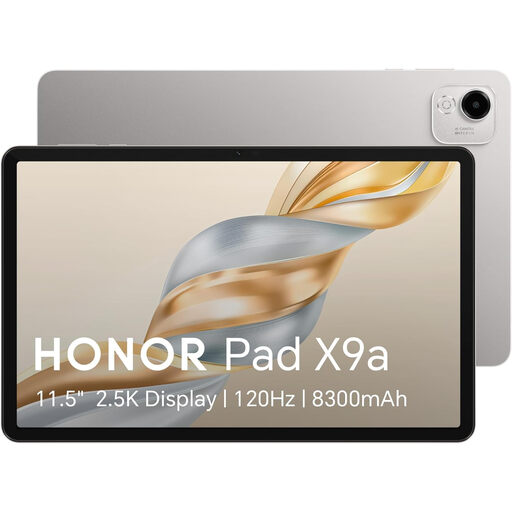
HONOR Pad X9a 11.45-inch, Wi-Fi 128 GB, Grey
Consider this Android tablet for short drafting sessions where Wi-Fi is available. Its 11.45-inch screen calls for a Microsoft 365 editing-entitlement check; confirm the keyboard arrangement for sustained typing.
View on Joybuy
 No image available
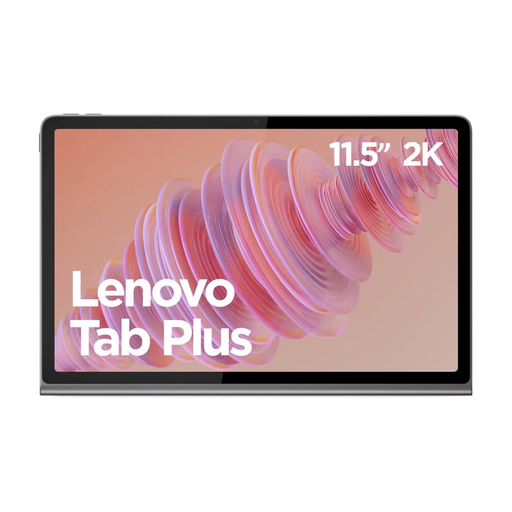
Lenovo Tab Plus 128 GB, Grey
Consider this Android tablet if reading and reviewing the bid between visits is a priority. Check the keyboard and charging arrangements, and confirm Microsoft 365 editing eligibility before using its 11.5-inch screen for Word revisions.
View on Joybuy
Frequently asked questions
Do I need Microsoft 365 to edit a bid on an iPad or Android tablet?
Check your exact plan and screen size before relying on mobile editing. Microsoft states that editing eligibility differs by plan, with stated screen-size limits of 10.9 inches for qualifying plans and 10.1 inches for non-qualifying plans; an 11-inch iPad Air or larger Android tablet therefore needs a qualifying-plan check.
Can I review comments and tracked changes away from my main computer?
Yes, if your bid file works in the mobile application and you have editing access. Microsoft documents comment and tracked-change tools for Word on iPad and Android tablets, but you should test the real file if it uses specialist formatting, macros or add-ins.
Should I choose a keyboard at the same time as the tablet?
For repeated bid drafting, choose and assess the keyboard as part of the working setup. Check its layout and stand arrangement with the exact tablet configuration; Microsoft describes the Surface Pro keyboard as optional, and a keyboard should not be assumed to come with every tablet.
What should I do with an old tablet in the UK?
Arrange electrical recycling rather than putting the tablet in household rubbish. If you are buying a replacement, check the retailer's like-for-like take-back arrangements; GOV.UK advises on retailer take-back for old electrical products when a replacement is purchased.


