What matters when choosing
Start with the pages you actually read and how you hold a tablet on the train. Then check that your books can be downloaded to your chosen app and that the exact device and accessories suit your setup.
| Concern |
What to check |
Who this matters to |
| Holding and packing |
Compare the exact variant's weight and dimensions, then try your usual text size on its screen. |
If I often stand or change seats, I want a tablet I can hold and stow without fuss. Around 37% of consumers put portability first. |
| Page area and text |
Check your usual EPUB or PDF layout on the screen; look for font, theme and brightness controls in your reading app. |
Maps, footnotes and scanned pages make me value room to see the page without constant zooming. For around 27% of consumers, reading area and presentation come first. |
| Offline books and storage |
Confirm that your chosen titles download in your app and that the device has suitable built-in or supported file storage. |
I want my selected books ready even when I cannot connect during the journey. Offline access and storage are the main concern for around 18% of consumers. |
| Charging and extras |
Read the exact in-box list and check charger compatibility, accessories and the seller's terms. |
If I need to set up the tablet straight away, I want to know which charging equipment and extras I will need. Around 18% of consumers put these ownership details first. |
Joybuy tablet choices
These tablets offer different ways to read on a train, from a compact iPad to larger-screen devices. Compare your preferred book format, carrying needs and offline setup against each exact model.
 Image unavailable
Apple iPad Mini 7 (A17 Pro), 512GB, Space Grey
Consider this compact model if packing space matters more than viewing a full illustrated page at once.
Apple lists an 8.3-inch display for the iPad mini; this variant is labelled 512GB. Check the exact box contents if you need a mains charger.
View on Joybuy
 Image unavailable
iFLYTEK AINOTE 2 10.65-inch E Ink tablet with protective case
Consider this E Ink device if you want a larger page for locally stored reading material rather than a compact general-purpose tablet.
The title specifies a 10.65-inch E Ink display and a protective case. Check how your preferred books and PDFs transfer to it, and whether its display suits the lighting on your journeys.
View on Joybuy
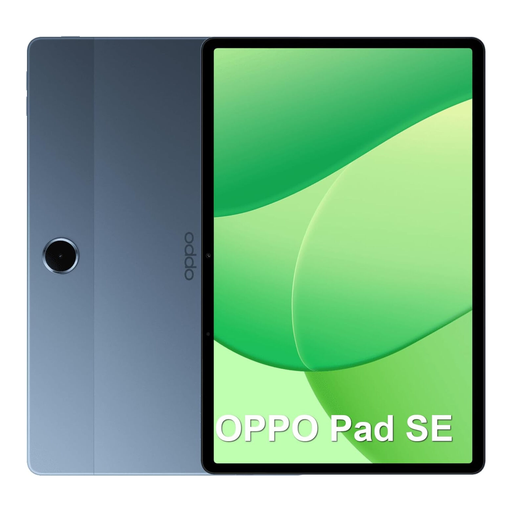 Image unavailable
OPPO Pad SE OPD2419 EUN, 128GB, 4GB, Twilight Blue, Wi-Fi
Consider this Wi-Fi tablet if you plan to download your mythology books before boarding.
The named variant has 128GB storage and 4GB memory. Check its weight and whether your preferred reading app supports downloads on the exact device.
View on Joybuy
 Image unavailable
Xiaomi Pad 7 Grey, 8GB RAM, 128GB storage, with Focus Pen
Consider this tablet if you also want the named Focus Pen alongside your reading device.
The variant is labelled with 8GB RAM and 128GB storage. Check its weight, your reading app's offline support and the exact charging equipment included.
View on Joybuy
Common questions
Do I need mobile data to read mythology on a train?
No, if the books you want are downloaded and available in your reading app before you travel. Amazon's Kindle help explains how to download books to its app; open your intended title on the device before leaving rather than relying on a connection during the journey.
Should I choose a compact or larger tablet for mythology books?
Choose a compact tablet if holding and packing it are your priorities; consider a larger screen if your editions contain maps, illustrations or fixed-layout PDFs. Apple lists the iPad mini at 8.3 inches, Samsung lists the Galaxy Tab A9+ at 11 inches, and TCL lists the NXTPAPER 11 Plus at 11.5 inches. Check your usual page layout at a comfortable viewing size.
Can I enlarge the text in every mythology book on an iPad?
Not in every format. Apple Books offers font-size, page-theme and brightness controls for compatible books, but scanned or fixed-layout PDFs may still require zooming. Check the format of the edition you intend to read.
Does a tablet come with a mains charger?
Check the exact model's in-box list rather than assuming it does. Samsung says its Galaxy Tab A9/A9+ does not include a travel adapter, while Apple lists a USB-C cable in the iPad mini box. Confirm whether a charger you already own is compatible before ordering.


