Easy-listening kitchen users
You mainly play LPs or singles while cooking or eating and want little tonearm handling. Check how the turntable will connect to your powered speakers, amplifier or compatible Bluetooth audio device.


An automatic turntable with a built-in phono stage suits standard LPs and singles when you want less tonearm handling; choose Bluetooth only if your speaker or receiver supports it. If your records include 78 RPM discs or you want adjustable setup, look for a suitable manual model instead. Either type needs a firm, level place away from knocks.
You mainly play LPs or singles while cooking or eating and want little tonearm handling. Check how the turntable will connect to your powered speakers, amplifier or compatible Bluetooth audio device.
You need to match the turntable’s speeds to the records you own. A disc labelled 78 RPM calls for a different speed capability from a standard 33⅓ or 45 RPM deck.
You are comfortable operating a manual deck and want to consider adjustable tonearm settings, cartridge or stylus options, or a wired connection to an existing system.
For soundtrack listening in a kitchen diner, check the records and the audio system you already have before deciding how much manual setup you want.
| Concern | What to check | Who this matters to |
|---|---|---|
| Speaker connection | Check whether the speakers are powered or need an amplifier, and whether the turntable offers the appropriate phono or line-level output. Bluetooth also needs a compatible receiver. | I want to use the speakers I already own without discovering that the turntable cannot feed them directly; around 30% of consumers would put connection compatibility first. |
| Everyday operation | Check whether start, return and stop are automatic, or whether you must place and lift the tonearm yourself. | When I put on a record during a meal, I would rather not handle the tonearm each time; roughly 20% of consumers would make ease of operation their main concern. |
| Record speeds | Read your record labels for 33⅓, 45 or 78 RPM, then confirm the deck supports every speed you need. | If my older soundtracks include 78 RPM discs, I need a deck that can play them, even if that means choosing a manual model; about 20% of consumers would prioritise format compatibility. |
| Placement and adjustment | Find a firm, level position clear of knocks. If you want to change cartridges or adjust the tonearm, check the specific model’s options. | I need the deck to sit securely in a busy room and may want to maintain or adjust it later; around 30% of consumers would put placement and flexibility first. |
Audio-Technica says its turntables need powered speakers or an amplifier and speakers for audible playback. Bluetooth output still needs a compatible receiving device.
Identify your speaker type and check the turntable’s output and phono-stage settings before choosing a deck.
You may also need powered speakers, or an amplifier to use passive speakers.
Audio-Technica specifies 33⅓ and 45 RPM for the automatic AT-LP70XBT, while its manual AT-LP120XBT-USB also supports 78 RPM. An older-looking sleeve alone does not establish the record’s speed.
Read the labels on the discs you plan to play, then choose a turntable with the required speeds.
Audio-Technica’s setup guidance calls for a firm, level surface. A busy worktop also leaves the deck and tonearm more exposed to knocks.
Choose a stable position and check that there is room to operate the tonearm and open the dust cover, if fitted.
Audio-Technica warns that incorrect tonearm setup can cause distortion or sound from only one channel. An adjustable manual deck calls for more attention to its model-specific instructions.
If you do not want to set up a tonearm, consider an automatic model. Otherwise, follow the instructions for the fitted cartridge and handle record and stylus cleaning carefully.
Its AT-LP70XBT and AT-LP120XBT-USB illustrate two different approaches: automatic playback of 33⅓ and 45 RPM records, or manual operation with 78 RPM capability.
The Planar 1 Plus is a manual option for a wired hi-fi setup.
The RT81 and RT81+ provide points of reference if you are considering a belt-drive deck with an integrated preamp or vibration-focused construction.
These Sony models are choices to consider if automatic operation and Bluetooth suit your kitchen-diner setup. Check their record-speed support against any older discs you own, and plan for compatible audio equipment.
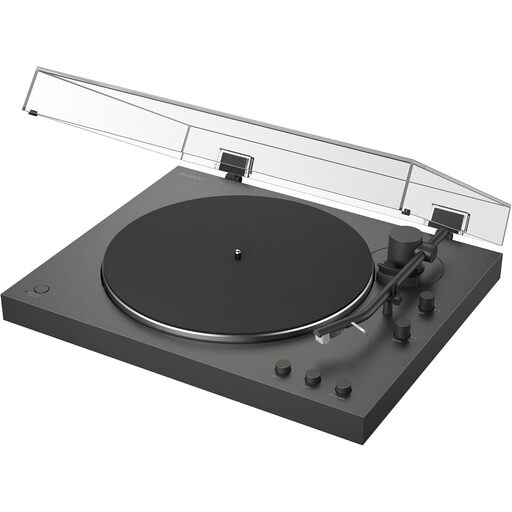 No image available
Automatic playback suits listeners who want less tonearm handling during everyday soundtrack listening.
Its product name identifies Bluetooth connectivity. Confirm that your intended speaker or receiver is compatible, and check speed support before choosing it for any 78 RPM discs.
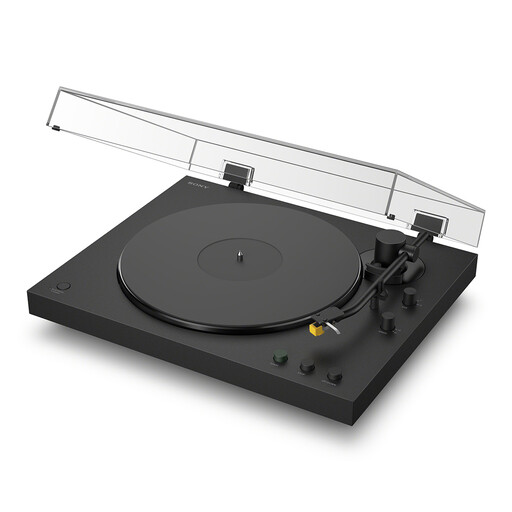 No image available
Automatic playback and Bluetooth make this a model to consider for casual listening with a compatible receiving device.
Check its supported record speeds if you own 78 RPM discs. For your chosen position in the kitchen diner, also confirm whether a dust cover is included.
You can connect it directly to suitable powered speakers if the turntable provides the line-level output they need. Passive speakers require an amplifier; Audio-Technica advises checking the speaker type and the turntable’s LINE/PHONO setting.
Only discs labelled 78 RPM require that playback speed. Check each record label: Audio-Technica specifies 33⅓ and 45 RPM for the AT-LP70XBT, while its AT-LP120XBT-USB also supports 78 RPM.
Put it on a firm, level surface where ordinary activity is unlikely to knock the deck or tonearm. Audio-Technica’s setup guidance recommends a level position; allow room to use the controls and open any fitted dust cover.
Check your local authority’s electrical-waste collection options or a retailer’s take-back information. GOV.UK describes UK waste electrical and electronic equipment rules as intended to reduce electrical waste sent to landfill; the available collection route depends on the services offered where you live.