What matters when choosing?
For architecture programmes, decide how much room lighting and seating position affect your viewing before comparing picture features. A display format cannot supply detail or HDR information missing from the programme.
4K OLED
Consider it when: You mainly watch in controllable light or have people seated well off-centre. LG UK says its independently controlled OLED pixels support deep blacks and wide viewing angles.
Check before buying: Brightness and reflection treatment vary by model; assess the chosen screen against your windows and lamps.
4K Mini LED or Neo QLED
Consider it when: Daylight or reflected lamps are the main obstacle to seeing exterior and material detail. Samsung UK describes model-specific screen treatments for bright rooms.
Check before buying: Neither the Mini LED name nor a brand-wide claim establishes the exact screen’s finish or its performance in your room.
| Concern |
What to check |
Who this matters to |
| Fine detail and tonal range |
Check for 4K resolution and the HDR formats you need, then whether your chosen service supplies the programme in UHD or HDR. |
If I want to study façades and interior materials, the source picture must contain the detail I hope to see. Around 36% of consumers put that visual detail first. |
| Reflections in daylight |
Identify windows and lamps opposite the screen; check the exact model’s screen treatment and view it in comparable lighting if possible. |
When daylight covers part of the picture, I need to make out drawings and surfaces without fighting reflections. For around 29% of consumers, room-light visibility is the primary concern. |
| Contrast and side seats |
View the model from your usual seating angles and consider how its picture looks under your normal room lighting. |
If several of us watch together, I want darker interiors and off-centre views to remain useful from our seats. Around 21% of consumers chiefly care about contrast and shared viewing. |
| Services and accessibility |
Check the apps you use and their subtitle or audio-description options on the exact TV; confirm those services offer the programmes you want. |
If I rely on subtitles or audio description, I need controls I can use and access to the programme on my chosen service. That is the leading need for around 14% of consumers. |
Joybuy TVs for this viewing setup
These 4K OLED, Mini LED and QLED TVs offer different screen sizes and smart-TV platforms for watching architecture programmes. Compare each model with your room, seating and services; a panel label alone cannot settle reflection handling or programme availability.
 No image available
Sony BRAVIA 8 K65XR80BP 65-inch OLED TV
Consider this OLED model if your architecture viewing is mainly in controllable light. The title specifies 4K HDR, Google TV and Dolby Vision; check reflections on the exact screen and whether your chosen programmes and apps provide the formats and access options you need.
View on Joybuy
 No image available
Hisense U7Q Pro 55U7QTUK Pro 55-inch Mini LED TV
This 4K HDR Mini LED TV is an option if you want a 55-inch screen and a VIDAA smart-TV interface. The product wording uses both U7Q Pro and 55U7QTUK Pro, so confirm the exact variant and its screen finish before judging how it will work in your room.
View on Joybuy
 No image available
Samsung S85F QE83S85FAE 83-inch OLED TV
Consider this 4K OLED model if an 83-inch screen suits your room and seating arrangement. Measure the intended space, then check the exact screen finish and the streaming and accessibility controls you will use.
View on Joybuy
 No image available
TCL 75Q7C 75-inch QD-Mini LED TV
This 4K HDR model may suit a setup with space for a 75-inch screen and a preference for Google TV. If reflections are a concern, check the exact screen finish; also confirm the HDR formats offered by the TV and the programmes you watch.
View on Joybuy
 No image available
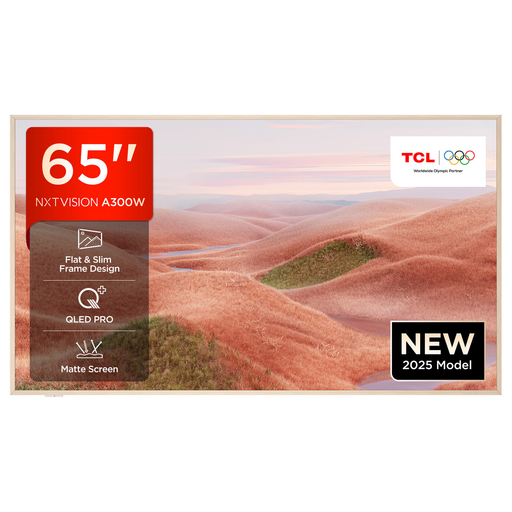
TCL 65A300W 65-inch QLED TV
This 4K HDR Google TV model is worth comparing if a 65-inch screen fits your viewing area. Its product wording describes a matte anti-glare screen but also presents that treatment as an option; confirm whether this exact variant has it before choosing the TV for a reflective room.
View on Joybuy
Frequently asked questions
Do I need a 4K TV for architecture programmes?
A 4K TV gives you the option of seeing UHD detail when the programme and viewing service supply it, but it cannot add detail to a lower-resolution source. If HDR matters too, check the title and viewing path: BBC Research & Development explains that HDR can carry a wider range of light levels, not that every programme uses it.
Should I choose OLED or Mini LED for a bright room?
Compare the exact screens under lighting like yours rather than choosing by panel type alone. Samsung UK distinguishes anti-reflection from anti-glare treatments, which vary by model; note where windows and lamps will reflect before deciding.
Will subtitles or audio description work on every architecture programme?
No; availability depends on the programme and service as well as the controls you can use on the TV. Ofcom identifies subtitles and audio description as access services, so check your intended titles, apps and settings before purchase.
What energy information should I compare for a UK TV?
Compare the energy label for the exact model, not screen size alone. UK government guidance requires accurate printed energy labels for products within the relevant labelling rules; check the model’s product information when comparing TVs.
Do I need a TV Licence for architecture programmes?
You need TV Licence coverage to watch live TV or to watch or download programmes on BBC iPlayer, according to TV Licensing. Watching only on-demand programmes on other services does not by itself require a licence, provided you are not watching live TV or using BBC iPlayer.


