For cookery shows in a dim or controllably lit room, consider OLED if contrast and viewing from different seats matter: LG and Sony describe individually controlled OLED pixels as supporting deep blacks and contrast. If daylight reflections are the main obstacle, compare TVs with an anti-glare feature stated for the exact model rather than assuming that every Mini LED or QLED screen handles glare alike. Then check the screen size against your viewing distance and confirm the apps, live-TV setup and audio options you need.
Who this TV choice matters to
Food-detail picture seekers
If you follow close-ups of ingredients and darker cooking scenes, you may care most about balanced colour and visible detail in shadows. LG and Sony describe OLED contrast as a relevant feature, while picture settings also affect what you see.
Bright-room daytime viewers
Windows or overhead lights can make reflections a priority. Check glare handling on the exact TV you are considering; Samsung describes its QN93F as Glare Free, but that claim does not extend to every Samsung model.
UK catch-up and live-TV viewers
If you switch between scheduled programmes and catch-up, check the TV's supported services and setup. Freeview describes Freeview Play as bringing live television and catch-up together, while ITVX advises checking device compatibility.
What to check before buying
Choose for the lighting in your usual viewing position before comparing picture features; treat live and catch-up access as a separate check, whichever screen type you prefer.
OLED TV
Consider it when: You usually watch in controllable light and value the dark-scene contrast that LG and Sony associate with individually controlled OLED pixels.
Check carefully: Daylight reflections and brightness on the exact model, especially if the screen faces a window.
Mini LED or QLED with stated anti-glare capability
Consider it when: Reflections are your main difficulty; Samsung specifically describes its QN93F screen as Glare Free.
Check carefully: The anti-glare claim must apply to the model you buy, not merely to its brand or display category.
| Concern | What to check | Who this matters to |
|---|
| Food colour and detail |
Compare balanced picture settings and whether dark scenes retain visible detail. |
If ingredient close-ups and darker pans are what I watch closely, I want colour that looks natural without losing detail in shadows. Roughly 33% of consumers put food-picture detail first. |
| Bright-room visibility |
Check screen position against windows and look for an anti-glare feature on the exact model. |
When I watch during the day, reflections can get in the way of the programme. For roughly 25% of consumers, bright-room visibility is the primary concern. |
| Live and catch-up access |
Confirm required apps on the exact TV; check for Freeview Play if you want its combined guide. |
I want to move between a scheduled cookery programme and catch-up without discovering that a required service will not run on my TV. Around 25% of consumers place that access first. |
| Size and setup |
Measure seated viewing distance and placement space; check audio options if dialogue is hard to hear. |
In a smaller room, I need to see food close-ups without choosing a screen that overwhelms the space. Size and practical setup come first for roughly 17% of consumers. |
Buying mistakes to avoid
-
Assuming every smart TV has your catch-up apps
ITVX support depends on the platform and model, so the smart-TV label alone cannot settle the question.
Check the exact model against the current support information for ITVX and any other service you use before buying.
If a required app will not run on the TV, using it may require a compatible external streaming device.
-
Choosing the largest screen that fits the wall
A screen can fit the available space yet feel too large from your seat; a smaller one may make food close-ups harder to follow.
Measure both the seated viewing distance and the intended placement before settling on a size, as Which? advises in its TV-size guidance.
-
Expecting OLED to solve daylight reflections
The contrast described by OLED manufacturers does not tell you how a particular screen will look opposite your windows. Samsung's anti-glare claim, for example, applies to its QN93F model rather than every Neo QLED TV.
Note where daylight and room lights meet the screen, then check reflection handling on the exact models you are comparing.
-
Never revisiting the picture settings
A picture mode that looks vivid at first may not be the one you prefer for both bright ingredients and dark cooking scenes.
After setup, consult guidance for your model and compare bright and dark scenes while adjusting the available picture controls. Which? publishes TV picture-setting guidance.
Relevant brands to consider
LG
Worth considering if you are comparing OLED TVs, including smaller screen sizes.
- LG describes independently controlled OLED pixels as supporting deep blacks and contrast.
- Check brightness, reflections and app support on the specific model for your room.
Samsung
Relevant if reflections make a bright-room TV difficult to choose.
- Samsung's UK QN93F product information describes that Mini LED model as Glare Free.
- Do not assume the same screen treatment is present on another Samsung QLED or Neo QLED model.
Sony
Relevant when comparing OLED picture features and screen-based sound.
- Sony describes individually controlled OLED pixels and Acoustic Surface Audio+ within its OLED range.
- Confirm the features, size and UK app support of the exact model rather than applying range descriptions to every TV.
Panasonic
An option to examine if a 42-inch OLED screen suits your space.
- Panasonic identifies its TV-42Z90B as a 42-inch 4K OLED model.
- Check the precise UK variant and the services you intend to use.
Joybuy TVs for different setups
These TVs span smaller screens, large OLED options and a QD-Mini LED model. Choose a size for your seating distance, then check reflections and required UK apps on the exact model; Mini LED alone does not establish anti-glare performance.
 No image available
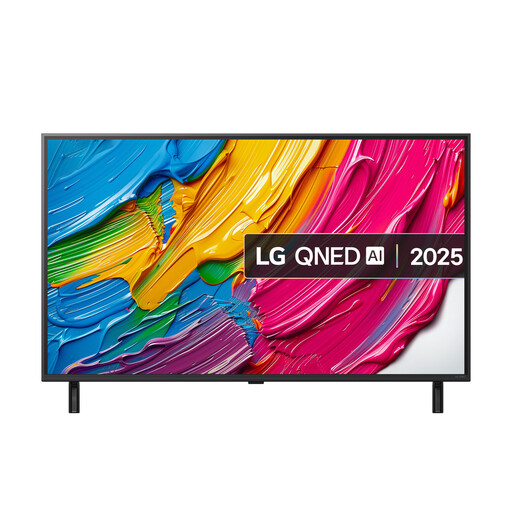
LG 43QNED80A6A 43-inch QNED 4K TV
Consider this 43-inch option if your seating distance and placement suit a smaller screen. Its product name identifies a QNED 4K TV with webOS; confirm the catch-up apps you need on this exact model.
View on Joybuy
 No image available
Sony BRAVIA 8 K65XR80BP 65-inch OLED 4K TV
Consider this OLED model if you have room for a 65-inch screen and can control reflections where you watch. Its product name specifies Google TV and Dolby Vision; check your required UK apps and viewing distance before buying.
View on Joybuy
 No image available
Sony BRAVIA A90 XR48A90K 48-inch OLED 4K TV
This 48-inch OLED is a smaller-screen choice than the 65-inch BRAVIA 8 if its dimensions suit your room. Its product name identifies Google TV and Dolby Vision; confirm app compatibility and how reflections fall on your chosen position.
View on Joybuy
 No image available
Samsung S85F QE83S85FAE 83-inch 4K TV
Consider this 83-inch screen only after measuring your seating distance and available placement space. Its product name specifies 4K Ultra HD and Wi-Fi; check required apps and room lighting for this exact model.
View on Joybuy
 No image available
TCL Q6C 75Q6C 75-inch QD-Mini LED 4K TV
Consider this 75-inch QD-Mini LED model if you want a large screen and have measured the space it will occupy. Its product name specifies Google TV; check the required UK apps and the exact model's reflection handling before choosing it for a bright room.
View on Joybuy
Questions about viewing and setup
Do I need a TV Licence to watch cookery shows on BBC iPlayer?
Yes. TV Licensing says you need a TV Licence to watch live or on-demand programmes on BBC iPlayer. If you also watch live television through another service, check TV Licensing's current guidance for that use.
Do I need an aerial and internet connection for Freeview Play?
Use an aerial for live channels through the Freeview TV Guide and an internet connection for on-demand programmes, according to Freeview. Check that your chosen TV or connected device supports Freeview Play before planning the setup.
Will ITVX work on every smart TV?
No. ITVX compatibility varies by platform and model, so check its current supported-device information against the exact TV you intend to buy.
Are streaming subscriptions included with a TV?
Do not assume they are included. Panasonic notes that some services and apps may require subscriptions; check the terms of each service you plan to watch separately from the TV's features.


