Motion-first competition viewers
If you want to follow fast steps, group formations and camera pans, check the exact TV’s refresh specification and adjustable motion settings rather than relying on its gaming features alone.


For dance competitions, shortlist TVs by the exact model’s motion features, then judge them with the live or streamed footage you normally watch; a 4K 120Hz gaming claim alone does not establish how broadcasts will look. Compare OLED and QLED/LCD screens in your room’s lighting and from your usual seats, then check access to the coverage and the sound connections you need.
If you want to follow fast steps, group formations and camera pans, check the exact TV’s refresh specification and adjustable motion settings rather than relying on its gaming features alone.
If window light reaches the screen during a competition, reflections and daytime visibility matter alongside stage colour and contrast.
If family or friends watch from different seats, assess the picture off-centre as well as screen size, commentary clarity and access to the live coverage you use.
Start by checking motion with familiar competition footage, then assess the picture in your room and confirm how you will receive the programme.
| Concern | What to check | Who this matters to |
|---|---|---|
| Fast-motion clarity | Check the exact model’s panel refresh specification and whether motion processing can be adjusted or switched off. Try ordinary broadcast or streamed footage. | If I want to follow quick footwork and camera pans, I need movement to remain easy to track without distracting processing. Around 33% of consumers would make motion clarity their primary concern. |
| Bright-room visibility | Assess reflections and picture settings in lighting similar to your room; do not judge visibility from the panel label alone. | When daylight falls across the screen, I want to see the performance without reflections dominating it. For around 27% of consumers, bright-room visibility would come first. |
| Picture from several seats | View the exact screen from your usual seating positions and consider its size in relation to the room. | If several of us watch together, the picture needs to work beyond the centre seat. Picture consistency for the group would be the main priority for around 20% of consumers. |
| Coverage and dialogue | Confirm the required app or broadcast tuner and any audio connection needed for your setup. | I need to reach the live coverage I follow and hear the judges clearly, whether I use the TV speakers or another audio device. Around 20% of consumers would put source access and dialogue first. |
A manufacturer’s 4K 120Hz feature may describe a compatible gaming input, while a dance competition reaches your TV through a broadcast or stream.
Use the panel specification and named motion controls to narrow your choices, then watch familiar competition footage on the exact model and try the available settings.
Window reflections and off-centre seating can change what viewers see compared with a centrally viewed screen under showroom lighting.
Check the screen from your regular seats in conditions resembling your room, and consult model-specific reflection and viewing-angle assessments where available.
In the UK, GOV.UK says a TV Licence is required to watch or record live TV on any channel or service, or to use BBC iPlayer.
Before watching, check whether your planned viewing falls into either category and confirm your household’s licence arrangements.
A larger screen may call for wall-mount planning or arrangements for the old TV.
Confirm wall suitability, the bracket and cable route, and exactly which installation or removal tasks the selected service covers.
Joybuy lists stand installation, wall mounting and recycling as separate service options on one Samsung TV page; check which arrangements you need for your order.
LG’s OLED B6E is a model-specific reference if you are considering an OLED screen for stage-lit performances.
Sony’s XR-55A95L provides a specific OLED example with a named motion feature.
Panasonic’s TX-42MZ980B is a 42-inch OLED reference for assessing motion features and live-viewing connections.
Samsung’s Q70D is a QLED/LCD reference when comparing a different panel route with OLED.
These OLED and QLED/Mini-LED TVs offer different screen sizes and listed features to consider for dance competitions. Compare their fit for your room and check motion with the coverage you actually watch.
 No image available
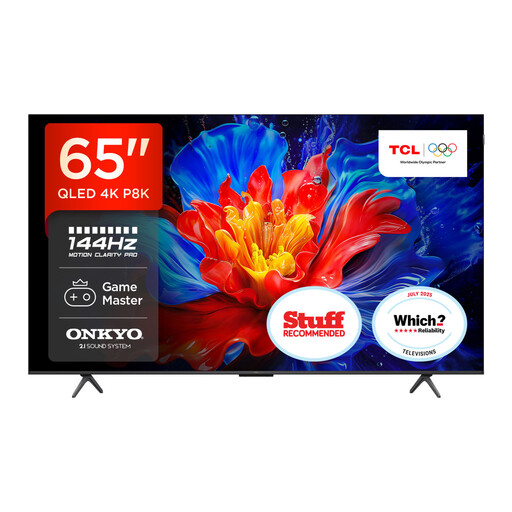
Consider the 65-inch screen if it fits your seating arrangement. The product title also names an Onkyo 2.1 sound system; check motion with your usual broadcast or stream rather than relying on its gaming feature.
 No image available
For shared viewing, check whether an 83-inch screen suits both the room and your regular seats. Assess competition footage and reflections on this exact model before choosing it for that space.
 No image available
The 55-inch size offers another room-fit option. Its title names a built-in subwoofer and a 165Hz Game Mode Ultra; confirm the live service or tuner you need and judge broadcast motion separately from the gaming mode.
 No image available
Consider this 75-inch model if the screen size works from all your usual seats. The title specifies a 144Hz native refresh rate; test competition footage and assess daylight reflections rather than treating refresh rate as a complete picture assessment.
 No image available
If a 55-inch OLED fits your seating, compare this model with the lighting and viewing angles in your room. Check how its motion settings handle familiar competition footage before deciding.
No particular refresh-rate figure guarantees clearer dance broadcasts. A 100Hz/120Hz-class panel and named motion controls can help narrow your choices, but check the exact TV with familiar live or streamed footage; some 4K 120Hz claims describe gaming inputs.
Choose between OLED and QLED/LCD by comparing the exact screens in lighting and seating conditions like yours, not by assuming either label guarantees the result. Pay particular attention to stage-lit scenes, daytime reflections, off-centre viewing and moving footage.
Yes, if you watch or record the competition live on any channel or service. GOV.UK also says you need a TV Licence to use BBC iPlayer, including for on-demand programmes.
Check the TV’s dimensions, weight and VESA mounting pattern against the proposed mount, and confirm wall suitability and the cable route. Ask which installation and old-TV removal tasks the service covers.