Club website builders needing taller workspace
If you keep an editor, browser preview and content-management page open together, compare vertical resolution as well as screen width. Dell and LG list 5120 × 2160 models aimed at desk-based work.


For club website work centred on code, browser previews and content-management pages, a 5120 × 2160 ultrawide gives more vertical workspace than a 5120 × 1440 Dual QHD screen. Beside a bright window, that resolution advantage only helps if you can position the screen to avoid reflections. Check the desk layout, stand adjustment and your computer’s display connection before choosing a model.
If you keep an editor, browser preview and content-management page open together, compare vertical resolution as well as screen width. Dell and LG list 5120 × 2160 models aimed at desk-based work.
Plan where the screen will face and how you can adjust it. The Health and Safety Executive advises arranging the desk and screen to avoid glare or bright reflections; a screen treatment does not replace that step.
If you want one connection for the display and desk peripherals, compare the monitor’s ports with your laptop’s display-output and charging capabilities before ordering.
Start with the space needed for website work, then assess the window-facing desk position and the connection to your computer. A wider screen and a taller workspace are not the same thing.
| Concern | What to check | Who this matters to |
|---|---|---|
| Vertical workspace | Compare the full native resolution and confirm your computer can output it. A 5120 × 2160 display has 2,160 vertical pixels; a 5120 × 1440 display has 1,440. | If I edit long pages while keeping code and a browser preview visible, I want enough height to limit scrolling. Around 42% of consumers put that vertical workspace need first. |
| Window reflections | Check the window’s position at your working time and whether the screen can be tilted or turned away from reflections. | When daylight falls across my desk, I need to read text without a bright reflection over it. For around 33% of consumers, managing glare is the primary concern. |
| Laptop and content setup | Match the computer’s display output and charging needs to the monitor’s ports; check peripheral connections and colour-workflow requirements if relevant. | If I work from a laptop and prepare club graphics, I need the connections and display setup to suit both jobs. Around 25% of consumers prioritise those workflow needs. |
A 49-inch 5120 × 1440 screen is wide, but its 1,440-pixel height leaves less vertical room for code and long pages than a 5120 × 2160 display.
Compare both numbers in the resolution. Choose the taller format when seeing more of a page at once matters more than extending two windows across a very wide screen.
A coating cannot make every window position comfortable. The Health and Safety Executive advises positioning the desk and screen to avoid glare and bright reflections.
Check the intended screen position when the window is brightest, and look for adjustment that lets you change the viewing angle.
If the desk cannot be moved, blinds or a suitable monitor arm may be needed to change the light or screen position.
Video output, laptop charging and peripheral connections depend on the functions supported by both the monitor and the computer.
Check the laptop manual, monitor connection details and cable requirements for the resolution and charging arrangement you intend to use.
These named product lines offer different approaches to the website-building and bright-window decision; assess the exact model rather than treating a brand name as a specification.
The UltraSharp U4025QW is a 39.7-inch, 5120 × 2160 productivity ultrawide for a desk-based, multi-application setup.
The UltraFine 40U990A-W is a 40-inch 5120 × 2160 display that LG positions for coding and detailed work.
The 49-inch Odyssey OLED G95SD pairs a particularly wide 5120 × 1440 layout with gaming-oriented features.
These options cover several sizes of wide, side-by-side workspace rather than a single display format. For club website work, compare their vertical resolution, your available desk space and the adjustments needed beside the window.
 No image available
Consider this format if a very wide layout for side-by-side website tools matters more to you than a taller page view.
The listed variant has a 32:9 curved QD-OLED screen, Double Quad HD resolution and a 240 Hz refresh rate. Check how its screen and stand will fit your window-facing desk.
 No image available
This is another option for spreading website tools across a wide screen, with less vertical space than a 5120 × 2160 display.
The title specifies a 32:9 VA panel, 165 Hz refresh rate, adjustable height and a 75 × 75 VESA mount. Confirm the stand or mount arrangement and desk capacity before installation.
 No image available
A 34-inch, 3440 × 1440 layout suits consumers who want room for multiple windows without moving to a 49-inch screen.
The listed stand adjusts for height, swivel and tilt. The title gives different refresh-rate limits for DisplayPort and HDMI, so match the chosen connection to your computer.
 No image available
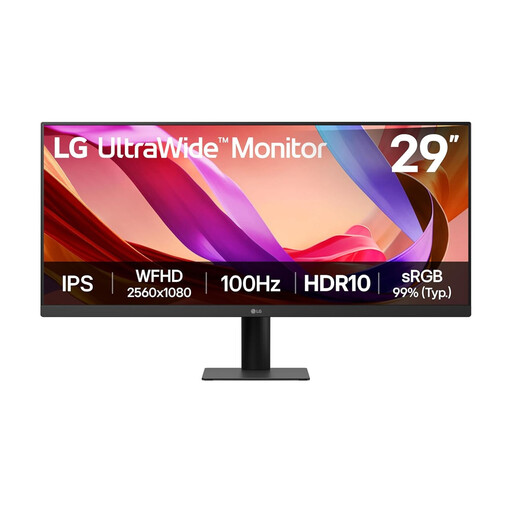
The smaller 21:9 format is worth considering for basic browser and content-management work when a 49-inch screen would not suit the desk.
The title specifies UWFHD 1080p resolution, 100 Hz and DisplayPort and HDMI inputs. Its 1080-pixel height is a limitation if you want to see more of a long page or code file at once.
 No image available
Consider this 21:9 screen if you want a curved, wide layout for several website windows and plan to check how it can be positioned beside the window.
The title specifies a 165 Hz refresh rate, 1500R curve and VESA mounting. Confirm the exact port configuration and your computer’s supported display mode before relying on a particular connection.
Not on its own: arrange the desk and screen to avoid direct reflections. The Health and Safety Executive recommends avoiding glare and bright reflections through positioning. Samsung says the treatment on its Odyssey OLED G95SD reduces glare from external light, but that claim does not establish how the screen will look in your room.
Check that the laptop, monitor and cable support the display mode and charging arrangement you need. A USB-C socket alone does not establish that video, power and connected peripherals will all work through your intended setup.