
24/7 Customer Support

Free returns

Same-day & Next-day Delivery

Quality Guaranteed

Unlock Your Welcome Offers: FREE Delivery | Up to 80% OFF | Free 30-day JoyPlus trial
Download the APP
The universal adoption of USB-C has simplified how we connect and power our devices, from smartphones to high-performance laptops. However, not all cables are created equal. A worn-out, slow or lost cable can be a point of frustration, and navigating terms like 'Power Delivery', '100W' and '240W' can be confusing.
This guide is designed to help you understand the key features of a modern USB C to USB C cable. We will walk you through what to look for and provide a few carefully selected recommendations to ensure your devices charge efficiently and safely.
Before you make a choice, consider these three practical points. They will help you match a cable to your specific devices and daily needs.
The most significant feature of a modern USB C to USB C cable is its ability to support Power Delivery (PD). This technology allows for much higher power transfer than older USB standards, enabling fast charging for a wide range of devices.
Always check the power requirements of your device and power adapter to ensure the cable you choose can handle the necessary wattage.
A cable's lifespan is often determined by its construction. Frequent plugging, unplugging and coiling can cause wear and tear, especially at the connector joints.
Look for features that enhance durability. A braided USB C cable, typically made from nylon, offers superior resistance to fraying and tangling compared to standard plastic-coated cables. Additionally, connectors with aluminium alloy housing are more robust and dissipate heat more effectively than plastic alternatives.
Cable length impacts convenience. A shorter cable (around 1 metre) is great for portability and use with power banks, while a longer cable (1.8 to 2 metres) provides more flexibility for use at a desk or when the power socket is further away.
While the primary focus for many is charging, it is worth noting that data transfer speeds can vary. Most standard charging cables transfer data at USB 2.0 speeds (up to 480Mbps). If you frequently move large files, you may need to look for a cable specifically rated for higher data speeds like USB 3.2 or Thunderbolt, though for everyday charging and syncing, a standard PD charging cable is perfectly sufficient.
Here are our recommendations, selected to meet a range of power needs and user preferences.
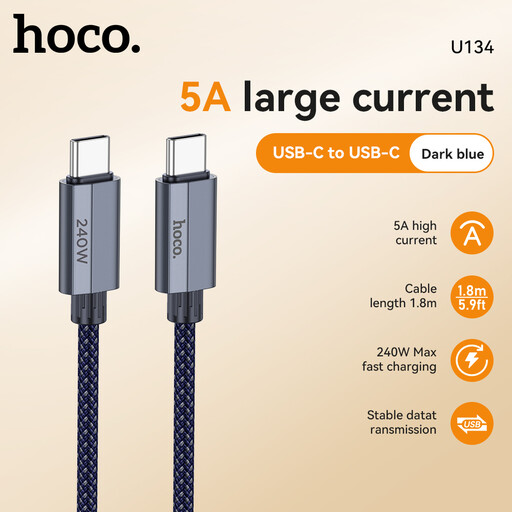
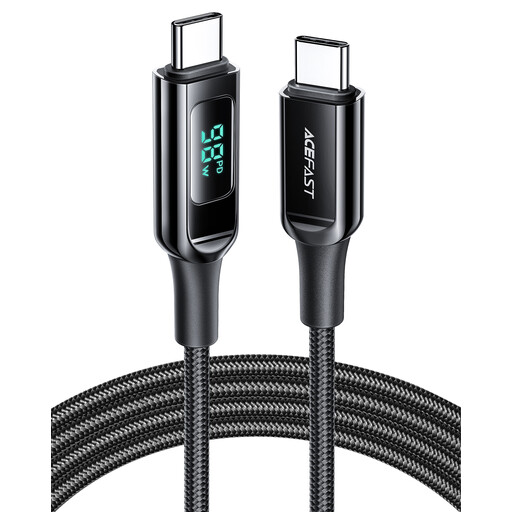
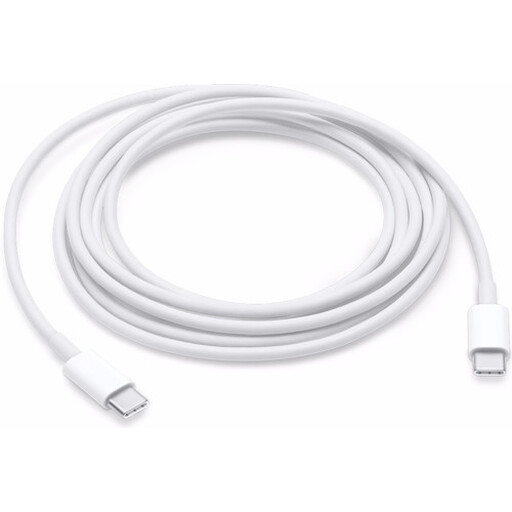
These three cables cover a wide range of needs, but your perfect match might require a different length, colour or specific feature. If you haven't found exactly what you are looking for, there are many other choices available.
Explore our full range of USB C to C chargers to find the ideal cable for your devices.
1. Do all USB C to USB C cables support fast charging? No, not all cables are the same. For a fast charging USB C cable to work, the cable, the power adapter and the device itself must all support the same fast-charging standard, such as USB Power Delivery (PD). A lower-quality cable may not have the necessary components to handle higher wattages, which will result in slower charging speeds.
2. Can I use a 240W cable with a device that only needs 60W? Yes, it is perfectly safe. USB-C Power Delivery technology includes a communication protocol where the charger, cable and device "negotiate" the appropriate amount of power. A 240W USB C cable will only deliver the wattage your device requests, so it will not cause any damage to a lower-power device.
3. What is the difference between a charging cable and a data transfer cable? While most USB-C charging cables can also transfer data, their speeds often differ. The majority of standard charging cables, including many that support high-wattage charging, operate at slower USB 2.0 data speeds (up to 480Mbps). This is sufficient for syncing photos or music. However, if you need to transfer large files quickly, such as to an external SSD, you should look for a cable specifically advertised with USB 3.2, USB4 or Thunderbolt 3/4 support for much faster data transfer rates.