
24/7 Customer Support

Free returns

Same-day & Next-day Delivery

Quality Guaranteed

Unlock Your Welcome Offers: FREE Delivery | Up to 80% OFF | Free 30-day JoyPlus trial
Download the APP
Modern laptops are powerful and portable, but their minimalist design often comes at the cost of connectivity. If you're juggling a charger, an external monitor adapter and a dongle for your mouse, you know the frustration of limited ports. A USB-C docking station or a multiport adapter can transform your single USB-C port into a powerful workstation, decluttering your desk and streamlining your workflow.
As the Joybuy Product Recommendation Officer, my role is to help you navigate the technical specifications and marketing clutter. This guide is designed to provide practical advice and highlight some solid options to help you find the right connectivity solution for your needs, whether you're working from home, in the office or on the move.
Before diving into specific products, it's useful to understand the key features that will make the biggest difference to your daily use. Consider these points to narrow down your search.
The primary reason many people seek a USB-C docking station is to connect external monitors. Think about your ideal setup. Do you need one large 4K screen or a dual monitor setup for multitasking?
A laptop docking station with power delivery is a game-changer for convenience. It allows you to charge your laptop through the same USB-C cable that connects the dock, eliminating the need for your laptop's original power adapter.
Check the wattage. A hub offering 100W Power Delivery is a robust choice that can charge most high-performance laptops, like a MacBook Pro, at full speed. A lower wattage (e.g., 60W) might charge your device more slowly, especially under heavy load. Note that the dock itself consumes some power, so the actual power delivered to your laptop will be slightly less than the stated maximum.
Beyond displays and power, consider the other devices you use daily.
Based on features, connectivity and user scenarios, here are a few standout USB-C hubs and docking stations to consider.
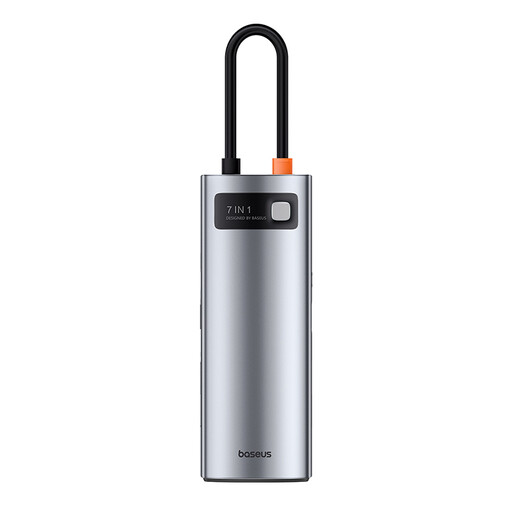
Why It Stands Out: The Baseus Metal Gleam hub strikes an excellent balance between portability and functionality. Its 7-in-1 design packs a surprising amount of connectivity into a compact, durable metal alloy casing. It’s a versatile workhorse for those who need a single, reliable adapter for various situations.
Pros:
Who is it for?: This is a great all-rounder for remote workers and MacBook Pro users who need a portable USB-C multiport adapter that covers all the essential connections without being bulky.
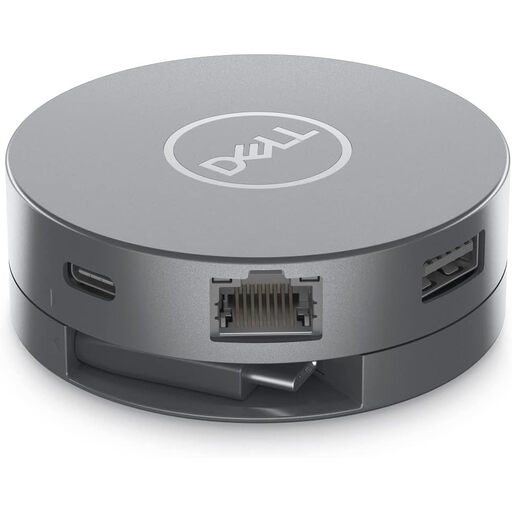
Why It Stands Out: With its unique, compact puck design and retractable cable, the Dell DA305 is built for portability and business environments. It offers both HDMI and DisplayPort outputs, providing flexibility for connecting to different types of monitors and projectors, a feature not always found in adapters of this size.
Pros:
Who is it for?: This is an ideal choice for professionals who travel frequently, especially those within the Dell ecosystem. Its DisplayPort option makes it particularly useful for corporate environments with varied monitor standards.
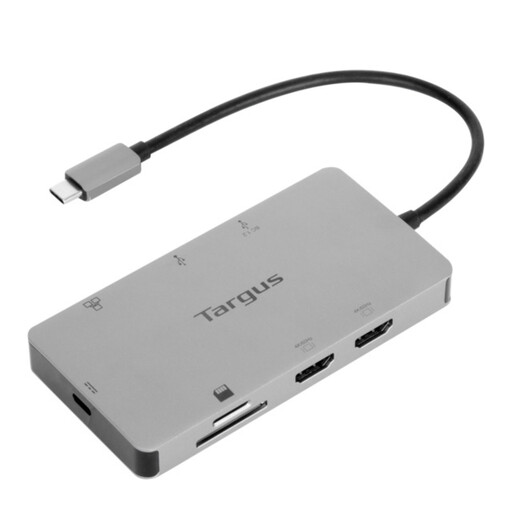
Why It Stands Out: For those looking to build a true powerhouse workstation, the Targus docking station is a formidable contender. It is specifically designed to drive two 4K monitors simultaneously at a smooth 60Hz, making it a top-tier solution for serious multitasking, data analysis or creative work.
Pros:
Who is it for?: This is the solution for power users, video editors, developers and financial analysts who require an expansive, high-performance dual-monitor setup and want to create a permanent, clutter-free desktop workstation.
If these recommendations don't quite fit your specific needs, don't worry. The world of connectivity is vast, with options tailored to every budget and use case. Whether you need a simple adapter for presentations or a 12-in-1 dock for a complex setup, there is a solution for you.
Explore our complete collection of conversion adapters to find the perfect match for your devices.
1. Do all USB-C ports support docking stations? No, this is a common point of confusion. For a docking station to output video, your laptop's USB-C port must support DisplayPort Alternate Mode (DP Alt Mode). For charging through the dock, it must support Power Delivery (PD). Most modern high-end laptops (like MacBook Pro, Dell XPS, Microsoft Surface) have ports that support both, but it is always best to check your device's specifications before purchasing.
2. Will a USB-C docking station make my laptop run slower? A well-designed docking station should not noticeably slow down your computer for everyday tasks. However, driving multiple 4K displays, transferring large files and using a wired network connection all at once consumes significant data bandwidth. For high-demand use, choosing a dock with modern standards like USB 3.2 Gen 2 and ensuring your laptop has a capable processor will help maintain smooth performance.
3. Can I use a USB-C hub from one brand with a laptop from another? In most cases, yes. USB-C is intended to be a universal standard and most hubs are designed to be compatible with Windows, macOS and Linux systems. However, there can be exceptions, particularly with advanced features like dual-monitor extension on certain MacBooks, which have specific hardware and software limitations. It is always a good practice to check the manufacturer's compatibility list to ensure it supports your specific laptop model and operating system.