
24/7 Customer Support

Free returns

Same-day & Next-day Delivery

Quality Guaranteed
Download the APP
Categories
Modern laptops, from the MacBook Pro to the Dell XPS, are celebrated for their sleek, minimalist designs. However, this often comes at the cost of connectivity, leaving you with just one or two USB-C ports. For professionals, content creators and anyone managing a busy digital life, this simply isn't enough. Juggling dongles for your monitor, wired internet and mouse is inefficient and clutters your workspace.
A high-quality USB-C hub with 4K HDMI and Ethernet is the single solution to this problem. It transforms one port into a versatile workstation, allowing you to connect displays, access stable internet, charge your device and use all your peripherals simultaneously. As a Joybuy Product Recommendation Officer, my role is to help you navigate the options and find a reliable hub that meets your specific needs without the marketing fluff.
Before you choose, it's important to understand what features matter most for your workflow. Consider these key points to ensure you select a hub that serves you well into the future.
Not all 4K HDMI ports are created equal. The key specifications are resolution and refresh rate (measured in Hertz, or Hz).
Ensure the hub you choose matches the capabilities of your monitor and the demands of your work.
A 100W Power Delivery hub is becoming essential. While some hubs offer 60W or less, this may not be enough to charge a powerful laptop like a MacBook Pro while it's under heavy load. A 100W PD port ensures your laptop receives enough power to charge at full speed, even when the hub is connected to a 4K monitor, external drives and other accessories. This pass-through charging means you don't have to sacrifice a USB-C port just to stay powered up.
While Wi-Fi is convenient, it can be unreliable, especially during important video calls or large file transfers. A Gigabit Ethernet adapter for your laptop, integrated into the hub, provides a stable, high-speed wired connection up to 1000Mbps. For remote and hybrid workers, this is a non-negotiable feature for ensuring lag-free meetings and consistent network performance.
Here are our recommendations for USB-C hubs that offer a strong balance of performance, connectivity and reliability.
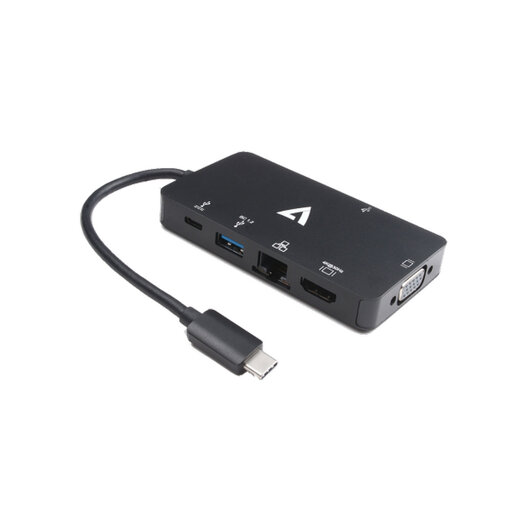
Why It Stands Out: The V7 adapter is a true workhorse for the travelling professional. Its standout feature is the inclusion of both a 4K HDMI port and a legacy VGA port. This means you're prepared for any presentation scenario, whether you're in a modern boardroom with a 4K display or an older conference room with a VGA projector. The build quality is also notable, with high-grade EMI/RF shielding to prevent interference with your Wi-Fi and Bluetooth signals.
Pros:
Who is it for? This is an ideal choice for business travellers, educators and sales professionals who frequently present in different locations and require maximum display compatibility without carrying multiple adapters.
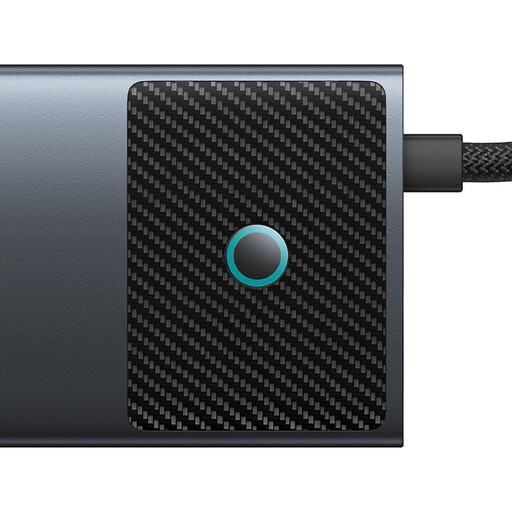
Why It Stands Out: This 10-in-1 hub from Baseus is built for power users. It's one of the few hubs on the market that supports dual HDMI outputs, with one port capable of an impressive 4K@120Hz. It also boasts next-generation data speeds, with both a USB-A and a USB-C port supporting 10Gbps transfers. This makes it a formidable USB-C docking station for creative professionals who need to move large files quickly.
Pros:
Who is it for? Content creators, video editors, programmers and anyone with a demanding dual-monitor setup will benefit from the high-refresh-rate video and fast data speeds this hub provides.
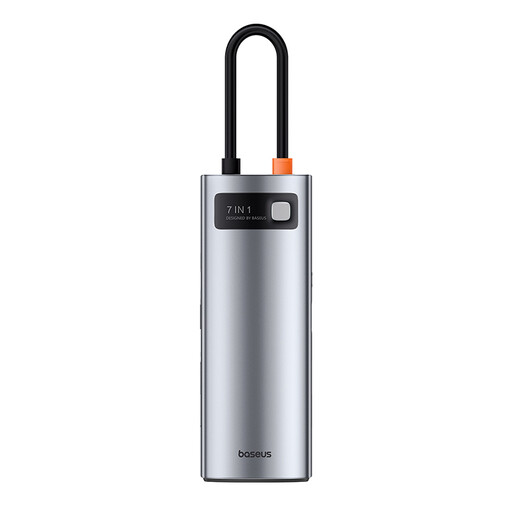
Why It Stands Out: If you need a balance of essential ports in a compact and portable form factor, this 7-in-1 hub is an excellent contender. It delivers the core features most professionals need, including a smooth 4K@60Hz HDMI output, 100W PD charging and both SD and TF card slots. Its lightweight metal alloy construction makes it a durable and stylish travel USB-C adapter that easily fits into any laptop bag.
Pros:
Who is it for? This hub is perfect for hybrid workers, students and general professionals who need a reliable, all-in-one solution for connecting a monitor, charging their laptop and accessing common peripherals and memory cards.
If these recommendations don't quite match what you're looking for, or if you need a different combination of ports, there are many other configurations available. From minimalist adapters to full-featured docking stations, finding the right fit is key.
Explore our full range of USB C adapters here to see more choices.
No, they do not. For a USB-C hub to output video via HDMI, your laptop's USB-C port must support DisplayPort Alternate Mode (DP Alt Mode). Most modern high-end laptops (like MacBook Pro/Air, Dell XPS, HP Spectre) include this feature, but it's always wise to check your device's specifications before purchasing a hub for video use.
A quality USB-C hub is designed to manage heat. It's normal for a hub to feel warm to the touch, especially when using 100W Power Delivery or transferring large amounts of data. Hubs with metal casings, like the Baseus models, use the enclosure to dissipate heat effectively. To ensure proper function, use the hub in a well-ventilated area and avoid covering it.
Yes, in many cases. Devices like the iPad Pro, iPad Air (4th gen and newer) and many flagship Android smartphones support video output via USB-C. A hub can allow you to mirror your screen to a larger display, connect a keyboard and mouse and access files from a USB drive, effectively turning your tablet into a lightweight computer. Always check your specific device's compatibility for video output.