
24/7 Customer Support

Free returns

Same-day & Next-day Delivery

Quality Guaranteed
Download the APP
Categories
As a Joybuy Product Recommendation Officer, my role is to help you find practical solutions for your everyday tech needs. If your desk is a tangled web of cables—one for your laptop charger, another for your monitor and a separate hub for your peripherals—you are not alone. This clutter can disrupt focus and productivity. The good news is that a modern USB-C monitor with power delivery offers an elegant, one-cable solution to reclaim your workspace.
This guide will walk you through the key features to look for in a single cable monitor for a laptop and present our top recommendations for 2026. We aim to provide clear, objective advice to help you choose a monitor that simplifies your setup and enhances your workflow.
Before diving into specific models, it’s helpful to understand the features that make these monitors so effective for a modern home office.
The "Power Delivery" in the name is the core feature. It means the monitor can charge your connected laptop through the same USB-C cable that transmits the video signal. However, not all PD is created equal.
A monitor with a built-in USB hub acts as a central docking station. You can plug your keyboard, mouse, webcam and external drives directly into the monitor. When you connect your laptop with a single USB-C cable, you get instant access to all those peripherals. This eliminates the need for a separate, often costly, USB-C dock and keeps your desk tidy.
Staring at a screen for eight hours a day demands comfort. An ergonomic office monitor with height, tilt and swivel adjustments allows you to position the screen at eye level, reducing neck and back strain.
For screen space, consider your workflow:
Here are our recommendations, selected to meet the needs of different users, from all-round professionals to dedicated multitaskers.
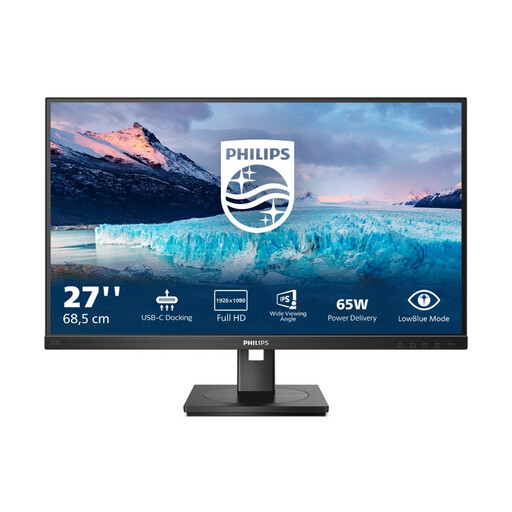
Why It Stands Out: This Philips model is the quintessential productivity workhorse. It combines a single-cable USB-C connection with a comprehensive set of features designed for the modern professional, making it an excellent choice for a clean and efficient home office.
Pros:
Who is it for? Professionals, remote workers and students seeking a complete docking station solution built into a versatile and ergonomic 27-inch display. It is ideal for anyone who values a clutter-free desk and maximum connectivity.
View the Philips 273S1 on Joybuy
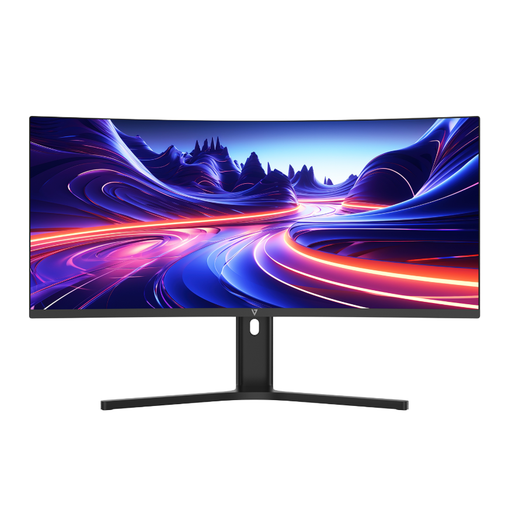
Why It Stands Out: The V7 L340WQ-HAS offers an immense and immersive workspace that can transform your productivity. Its 34-inch curved ultrawide panel provides enough room to manage multiple applications side-by-side, making it a powerful alternative to a dual-monitor setup.
Pros:
Who is it for? Content creators, data analysts, programmers and serious multitaskers who need to see more information at once without constantly switching windows. It is perfect for anyone looking to replace two monitors with a single, seamless display.
View the V7 L340WQ-HAS on Joybuy
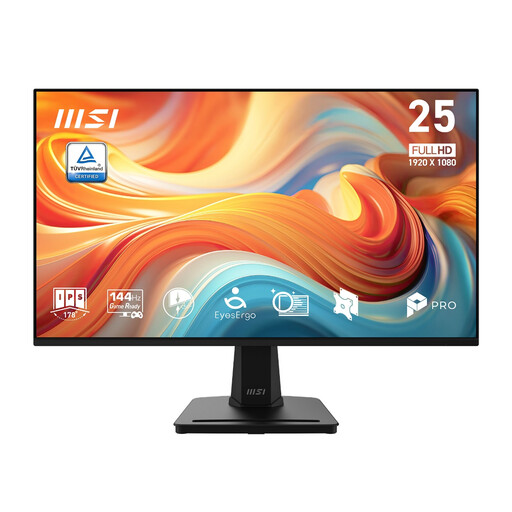
Why It Stands Out: While this monitor does not feature a USB-C connection with power delivery, it earns a spot for its exceptional value and performance. Its 144Hz refresh rate delivers an incredibly smooth visual experience for everything from scrolling through documents to light gaming.
Pros:
Who is it for? Users who prioritise exceptionally smooth motion for mixed-use work and entertainment and do not require a single-cable USB-C setup. It is also an excellent and affordable option for a secondary display alongside a primary USB-C monitor.
View the MSI PRO MP251 E14L on Joybuy
Our recommendations cover some of the most common needs, but the world of monitors is vast. If you're looking for a different size, resolution or feature set, we invite you to explore our full collection to find the perfect fit for your workspace.
Explore All Monitors on Joybuy
1. Is 65W Power Delivery enough to charge my laptop? For most modern ultrabooks and business laptops (e.g., MacBook Air, Dell XPS 13, HP Spectre), 65W is sufficient for charging while in use. However, for high-performance laptops with dedicated graphics cards (e.g., gaming laptops or mobile workstations), you should check the wattage of the power adapter that came with your device. If it is higher than 65W, the monitor may charge it slowly or not at all under heavy load.
2. Can I use a USB-C monitor with a computer that doesn't have a USB-C port? Yes. All USB-C monitors also include standard video inputs like HDMI and DisplayPort. You can connect your computer using one of these cables to get a video signal. However, you will lose the single-cable benefits of power delivery and data transfer and will need to connect your laptop's charger and any peripherals separately.
3. What is the main benefit of an ultrawide monitor for work? A standard widescreen monitor has a 16:9 aspect ratio, similar to a TV. An ultrawide monitor typically has a 21:9 aspect ratio, giving you roughly 30% more horizontal screen space. This is a significant advantage for productivity, as it allows you to place two or three full-sized application windows side-by-side without the dividing bezel of a dual-monitor setup. This is particularly useful for tasks like video editing, coding and analysing large spreadsheets.