
24/7 Customer Support

Free returns

Same-day & Next-day Delivery

Quality Guaranteed

Unlock Your Welcome Offers: FREE Delivery | Up to 80% OFF | Free 30-day JoyPlus trial
Download the APP
Navigating the world of USB-C to USB-C cables can feel unnecessarily complicated. With terms like 'Power Delivery', 'Gbps' and various wattage ratings, it's easy to end up with a cable that doesn't meet your needs—either charging your laptop at a snail's pace or taking ages to transfer files. As the Joybuy Product Recommendation Officer, my role is to help you understand what matters, so you can choose a cable that works perfectly for your devices. This guide cuts through the jargon to provide clear, practical advice on selecting the right USB-C cable for charging, data transfer and durability.
Before looking at specific products, it's helpful to understand the three key features that differentiate one USB-C cable from another. Focusing on these will ensure you get a cable that performs as you expect.
Not all USB-C cables deliver power at the same rate. The power output, measured in watts (W), determines how quickly your device will charge.
If you only use your cable for charging, data speed is less of a concern. However, for transferring files, it's critical.
A cable is only as good as its construction. For longevity, look for features that enhance resilience. A durable USB C cable often incorporates a braided USB C cable design, using materials like nylon to resist fraying and tangling. Reinforced connector housings also prevent bending and breaking at the cable's weakest point.
Consider length as well. A standard 1-metre cable is fine for desktop use, but a long USB C cable (1.8m or 2m) offers far more flexibility for charging on the sofa or in a large office space.
Here are our recommendations, selected to meet a range of common needs, from high-power charging to rapid data transfer.
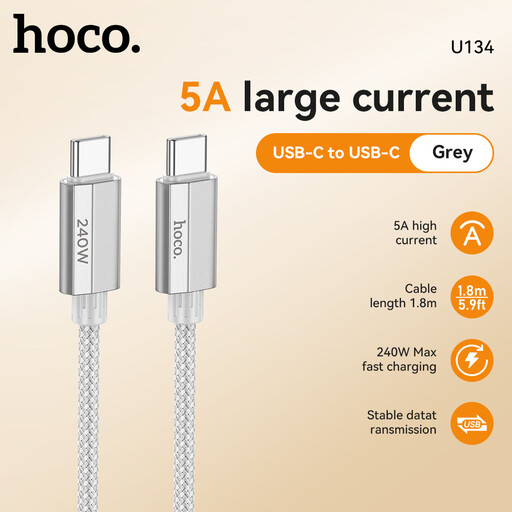
Why It Stands Out: This cable is built for the future of power. With support for up to 240W, it aligns with the latest Power Delivery 3.1 standard, making it one of the most powerful charging cables available for consumer devices.
Pros:
Who is it for? Tech enthusiasts and professionals who want to future-proof their charging setup for the next wave of high-wattage laptops and devices.
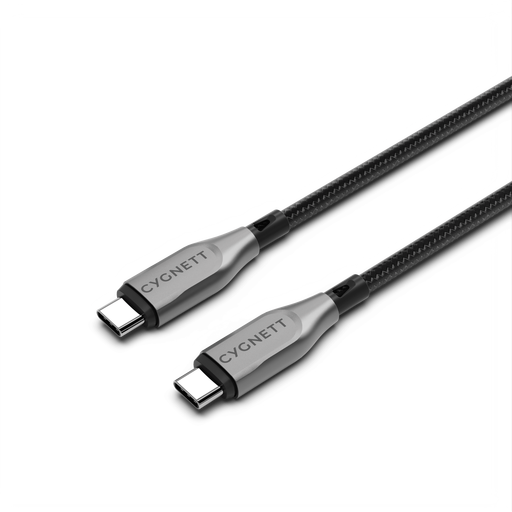
Why It Stands Out: The Cygnett Armoured Cable is a high-performance all-rounder, combining robust power, speed and exceptional durability. It delivers both 100W charging and 10Gbps data transfer, all wrapped in a heavily reinforced package.
Pros:
Who is it for? Professionals and content creators who need a single, reliable cable for fast laptop charging and transferring large files without compromising on durability.
View Cygnett Armoured Cable Details
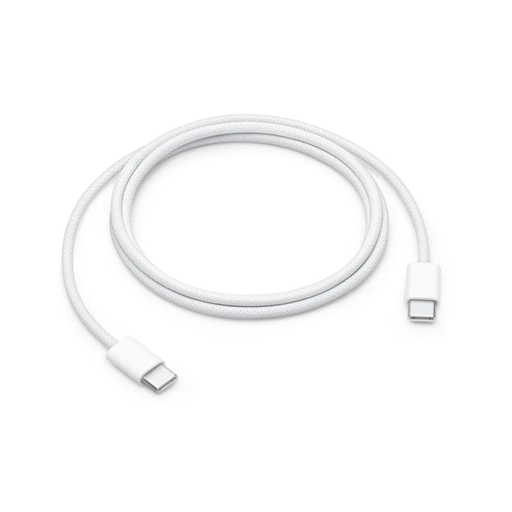
Why It Stands Out: For those within the Apple ecosystem, this official cable offers seamless compatibility and a clean aesthetic. The new woven design provides a significant durability upgrade over previous standard cables.
Pros:
Who is it for? Apple users who prioritise reliability and seamless integration for charging and everyday data syncing of their devices.
View Apple Woven Cable Details
If these recommendations don't quite match what you're looking for, or if you'd like to browse a wider selection, we have many other options available. Explore our full range to find the perfect cable for your specific needs.
Explore All Type C to C Cables
1. What is the difference between a standard USB-C cable and a fast charging one? The main difference is the power wattage it supports. A fast charging USB C cable is rated to handle higher power levels, such as 60W, 100W or even 240W, by supporting the Power Delivery (PD) protocol. A standard or older cable may only support 15W, which will charge a laptop or tablet very slowly. Always check the wattage rating of both your cable and your charger.
2. Do I really need a cable with high-speed data transfer? It depends entirely on your use case. If you only use the cable to charge your devices, a standard USB 2.0 (480 Mbps) speed is perfectly adequate. However, if you are a photographer, videographer or someone who regularly transfers large files between your computer and an external SSD, a USB C 3.1 cable with 10 Gbps speeds will save you a significant amount of time.
3. Are all braided USB-C cables durable? While a braided exterior generally offers better protection against fraying and tangling than a standard plastic coating, it is not the only factor in a durable USB C cable. The quality of the internal wiring and, most importantly, the strength of the connector housing are also critical. Look for cables that mention reinforced stress points where the cable meets the plug, as this is the most common point of failure.