
24/7 Customer Support

Free returns

Same-day & Next-day Delivery

Quality Guaranteed

Unlock Your Welcome Offers: FREE Delivery | Up to 80% OFF | Free 30-day JoyPlus trial
Download the APP
A charging cable seems simple, but choosing the wrong one can lead to slow charging, constant "Accessory Not Supported" warnings or even a cable that stops working after a few months. With so many options on the market, it's easy to fall for marketing hype and end up with a product that doesn't deliver. As your Joybuy Product Recommendation Officer, my role is to help you cut through the clutter and understand what truly matters.
Before you add another cable to your basket, let's look at the common pitfalls that UK shoppers encounter. Understanding these will help you make a smarter choice for your iPhone, iPad or AirPods.
To avoid these issues, focus on three core parameters. Getting these right is the key to finding a reliable and effective USB C to Lightning cable.
MFi (Made for iPhone/iPad/iPod) is a certification programme from Apple. An MFi certified lightning cable contains a tiny authentication chip that tells your device it's safe and compatible. This is your primary assurance against error messages and potential hardware damage. While some non-certified cables may work initially, they often fail after an iOS update. For peace of mind and to protect your investment, MFi certification is essential.
To unlock fast charging on a compatible iPhone (iPhone 8 or newer), you need a Type C to Lightning cable that supports the Power Delivery (PD) protocol. This allows for a much higher power transfer than the old USB-A standard. For optimal speed, pair your cable with a USB-C wall plug that offers at least 20W of power. A fast charging lightning cable is only half of the equation; the power source is the other.
A durable cable is about more than just its outer jacket. While a braided iPhone cable made from nylon can offer good resistance to abrasion and tangling, also look for:
Based on these practical criteria, here are a few options from our catalogue, matched to different user needs.
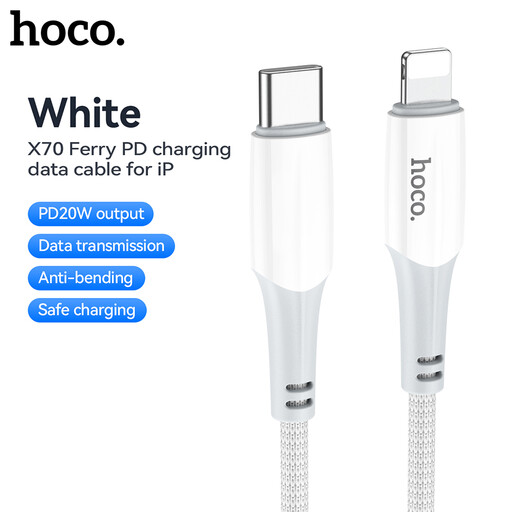
Why This Fits Their Persona: This is a practical, no-frills choice for anyone needing a reliable replacement or spare iPhone charger cable without overspending. It does the fundamental job of fast charging correctly.
It clearly states support for 20W PD, directly addressing the "fast charging" fallacy. This ensures you get the speed you expect when paired with a compatible plug.
Cost-effective and supports the 20W Power Delivery standard required for fast-charging modern iPhones.
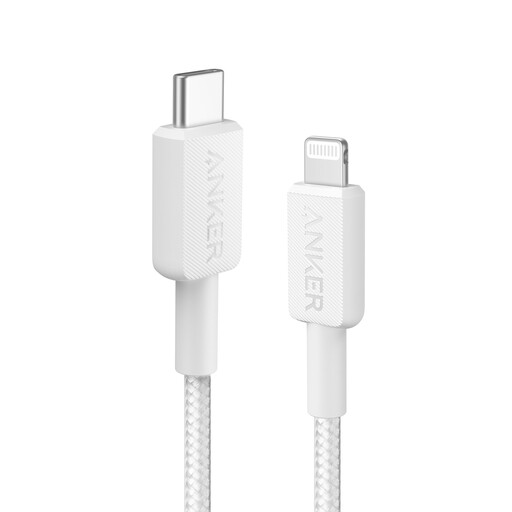
Why This Fits Their Persona: For those who prioritise protecting their expensive Apple devices and are tired of replacing flimsy cables. This user is willing to invest a little more for reliability from a recognised brand.
This Anker lightning cable is MFi certified, eliminating the certification gamble. Its description also notes internal testing for bend lifespan, directly countering the durability deception.
Guaranteed compatibility and safety with MFi certification. Built and tested for enhanced durability.
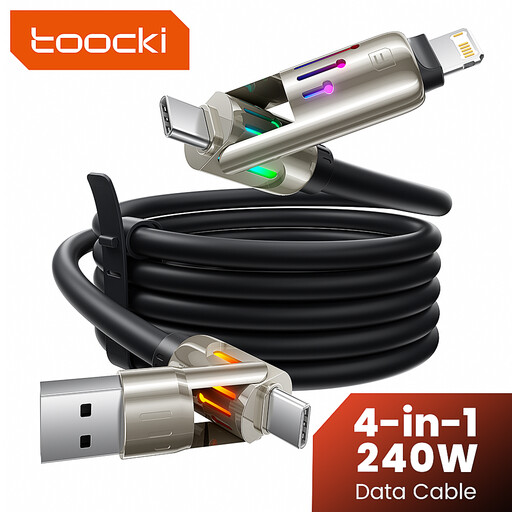
Why This Fits Their Persona: Ideal for the tech-savvy individual who juggles multiple gadgets (iPhone, Android, laptop and tablet) and wants a single, tidy solution for their desk or travel bag.
This multi charging cable avoids the trap of buying multiple, potentially incompatible cables. Its value is in its all-in-one functionality, simplifying your charging setup.
Extreme versatility with 4-in-1 connectors (USB-A/C to USB-C/Lightning). The generous 6.6ft (approx. 2m) length adds great flexibility.
We have compiled a complete, real-time list of products that fully satisfy these strict selection criteria and UK safety regulations.
Yes. MFi certification ensures the cable has an Apple-authorised chip that communicates correctly with your device. This prevents the "Accessory Not Supported" error, protects your device from potential over-voltage or short-circuiting and guarantees compatibility even after you update your iPhone's software.
This is a common issue and almost always comes down to the power adapter. To enable fast charging, you must plug your cable into a USB-C Power Delivery (PD) wall charger that is rated for 20W or higher. Using an old USB-A adapter, even with a converter or a low-wattage USB-C plug will not provide fast charging speeds.
The lifespan of a cable depends heavily on its build quality and how it's used. A basic cable might last six months to a year with heavy use, while a high-quality braided or silicone cable with reinforced joints can last for several years. To extend any cable's life, always pull it by the connector head, not the wire and avoid bending it at sharp angles.