People taking frequent design calls in shared spaces
If nearby conversations, keyboards or ventilation compete with a discussion, consider both what the other person hears through your microphone and how easily you can follow detailed feedback.


For a design-brief call, choose a headset by the microphone’s handling of nearby noise, the connection your computer accepts and comfort over your usual call length. Consider listening isolation if the room distracts you, but deal with bright-window backlighting separately: a headset cannot change what your camera sees.
If nearby conversations, keyboards or ventilation compete with a discussion, consider both what the other person hears through your microphone and how easily you can follow detailed feedback.
Voice quality and camera lighting are separate decisions. Zoom notes that external daylight can substantially affect how a camera sees a room, so check your image from your usual seat beside the window.
Check the exact connector and collaboration-platform variant before choosing a headset. Jabra and Logitech list different USB and Teams or unified communications (UC) versions within their business-headset ranges.
Start with the sound you need to send and hear during a design discussion, then check the exact connection and wearing style. Judge your camera image separately from the headset.
| Concern | What to check | Who this matters to |
|---|---|---|
| Being heard over nearby noise | Look for a boom microphone and check the model’s stated noise-handling features; place the boom close to your mouth during calls. | If people nearby are talking while I explain revisions, I need my voice to remain intelligible to the other person. Around 40% of consumers put outgoing voice clarity first. |
| Following detailed feedback | Compare passive ear-cushion isolation with active noise cancellation (ANC); consider mono or stereo if you need awareness of the room. | When the room distracts me from detailed feedback, I want to hear the discussion without relying on higher volume. Listening focus comes first for around 30% of consumers. |
| Connection and long-call fit | Confirm the exact USB connector, Teams or UC variant, and wearing style for your computer and usual call length. | If I take repeated calls at one computer, the headset needs to connect properly and remain comfortable through them. Around 20% of consumers prioritise that workflow and fit. |
| Appearance on video | Check the camera image from your usual seat; shade daylight or adjust light on your face if the image is affected. | Beside a bright window, I need colleagues to see my face clearly as well as hear the brief. Video lighting is the primary concern for around 10% of consumers. |
Microphone noise handling affects audio, not camera exposure. Zoom explains that external daylight can substantially affect the camera image.
Check a short video call from your usual seat. If your face is poorly exposed, shade the window or adjust the light reaching your face.
USB-A, USB-C, Teams and UC versions can differ within a headset family. The family name does not identify the connection or controls on the variant you receive.
Match the exact variant to your computer port and the meeting platform you use.
Microphone position can affect how your voice is picked up. Jabra advises placing the Evolve2 40 SE microphone close to your mouth.
Adjust the headset and boom, then make a test recording or call in your normal workspace.
Higher listening volume does not address the surrounding noise. The Health and Safety Executive treats workplace noise exposure as a risk to be managed where applicable.
Consider fit and listening isolation for the call, and raise an employer-managed noise concern through the appropriate workplace process.
The Evolve2 40 SE range includes USB-A, USB-C and USB-C/A versions, with UC and Teams variants.
Its business-headset options here span the H570e, Zone Wired and Zone Wired 2, with different approaches to call noise and listening isolation.
The corded Blackwire 5200 Series includes models with USB-C, a tethered USB-A adapter and 3.5 mm connectivity.
These choices include wired USB headsets for computer-based design calls and a wireless headset that connects through a USB dongle. Check the connection style carefully if you specifically want a corded headset; whichever you choose, assess bright-window lighting separately.
 No image available
Consider this for desk-based calls if a stereo, corded USB headset suits your setup.
The named configuration includes a USB-C/A adapter. Check the connection and meeting-platform setup you intend to use.
 No image available
Consider this wired headset for computer calls where an inline remote and a noise-cancelling microphone are relevant to your setup.
Confirm the exact connector and meeting-platform compatibility before choosing it for work calls.
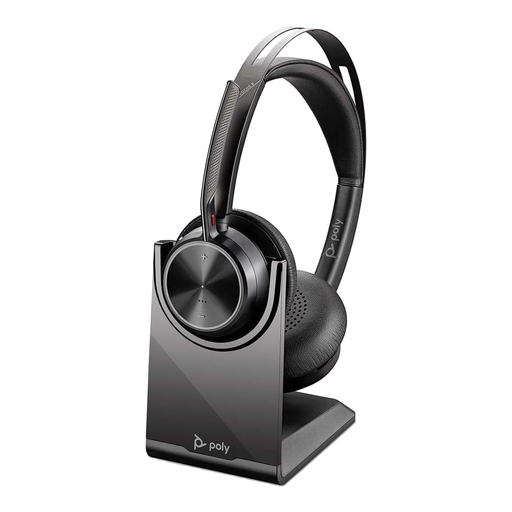 No image available
Consider this option if listening focus matters and a wireless headset connected through a USB dongle suits your calls.
It is not a corded USB headset. Check that its connection style and your meeting platform suit the computer you use.
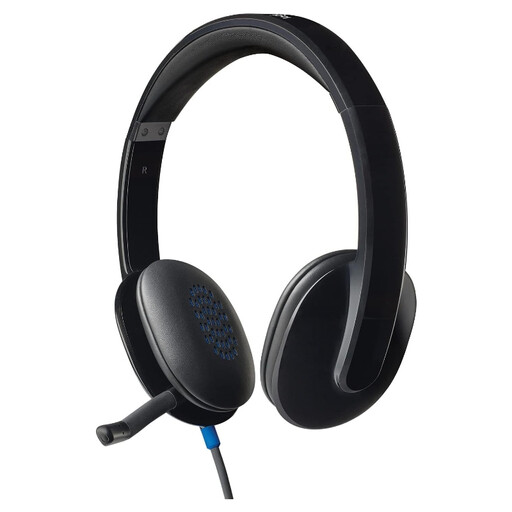 No image available
Consider the H540 for calls from a fixed computer if you prefer a wired headset.
Check its exact connector against your computer port before buying.
 No image available
Consider this computer headset only if its gaming-oriented design also meets your design-call requirements.
Its name specifies a noise-cancelling microphone, 50 mm drivers and 7.1 surround sound. Confirm compatibility with the work meeting software you use.
No. A headset does not change camera exposure. Zoom advises that external daylight can strongly affect the camera image, so shade the window or adjust the light on your face if your image is poorly exposed.
Choose a connector that matches the computer you will use, then check the exact headset variant. Jabra lists several Evolve2 40 SE connector versions, while Logitech lists separate USB-A and USB-C H570e versions.
Choose a Teams-specific variant if you want that model’s stated Teams integration or dedicated controls. Do not assume a UC variant provides identical Teams-specific functions; check the particular version before buying.
Place the boom close to your mouth and test it in your usual workspace. Jabra gives that positioning advice for the Evolve2 40 SE; a short test call lets you assess how clearly the other person hears your explanation.