
24/7 Customer Support

Free returns

Same-day & Next-day Delivery

Quality Guaranteed

Unlock Your Welcome Offers: FREE Delivery | Up to 80% OFF | Free 30-day JoyPlus trial
Download the APP
The universal adoption of USB-C has simplified our digital lives, allowing one type of cable to power everything from an iPhone 15 and Samsung Galaxy to a MacBook Pro. Yet, this convenience has created a new challenge: not all USB-C cables are created equal. If you've ever wondered why your laptop charges slowly or your new cable frayed after a few weeks, you're not alone.
Choosing the right USB C to USB C cable goes beyond just matching the connector. It involves understanding power delivery, durability and your own specific needs. This guide is designed to help you navigate the options and select a reliable cable that performs as expected, without the confusing technical jargon.
Before you add a cable to your basket, consider these key factors to ensure it meets your requirements.
The most critical specification is a cable's power handling capacity, measured in watts (W). Using an underpowered cable can lead to slow charging or prevent a device from charging at all.
A cable that supports high wattage is often referred to as a fast charging USB C cable or a PD charging cable, indicating its compatibility with the Power Delivery standard.
A cable is only as good as its construction. The outer material is a strong indicator of its lifespan.
Length is also a practical consideration. A 1m USB C cable is great for portability, car charging or connecting to a laptop on your desk. For more flexibility at home or in the office, a 2m USB C cable can be more convenient, allowing you to use your device comfortably while it charges from a distant wall socket.
We've selected a few standout options that cater to different needs, from everyday use to high-performance charging.
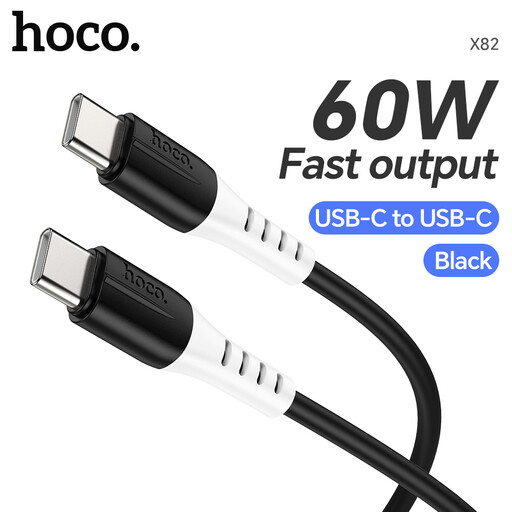
Why It Stands Out: The HOCO X82’s main appeal is its food-grade silicone jacket. This material gives it a uniquely soft and smooth texture that prevents tangling, a common frustration with standard cables. It remains flexible and easy to manage, even after being coiled up in a bag.
View the HOCO X82 60W Cable on Joybuy
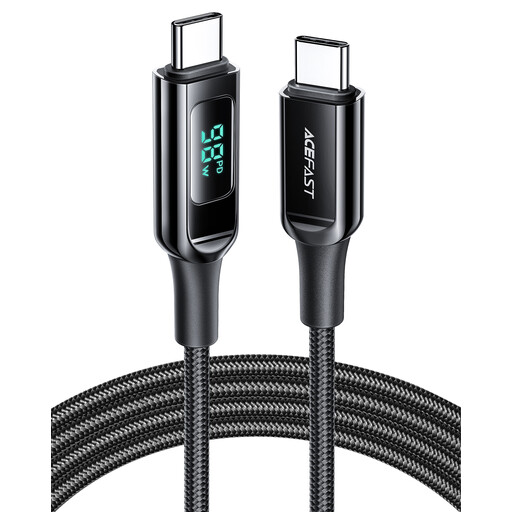
Why It Stands Out: The ACEFAST C6-03 is built for power users. It supports up to 100W charging, making it a capable USB C cable for laptop models that require significant power. A standout feature is the integrated digital display on the connector, which shows the real-time wattage, so you can see exactly how fast your device is charging.
View the ACEFAST 100W Cable on Joybuy
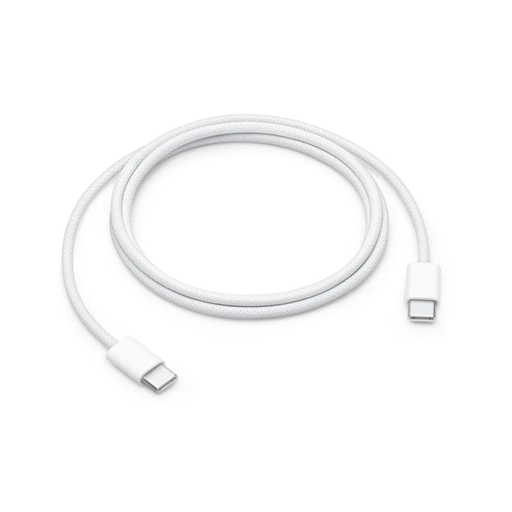
Why It Stands Out: For those integrated into the Apple ecosystem, this official cable offers seamless compatibility and a premium feel. The new woven design is a significant upgrade in durability over Apple's previous standard cables, resisting tangles and fraying more effectively.
View the Apple Woven Cable on Joybuy
While these three cables cover a wide range of uses, your perfect match might have a different length, colour or feature set. If you're looking for more variety, from extra-long cables to different material finishes, we have a wider selection available.
Explore our full range of USB C to USB C cables to find the right fit for your devices.
Yes, the iPhone 15 series uses a standard USB-C port. You can use any Type C to Type C cable to charge it. However, to access fast charging, you will need a cable that supports at least 20W of Power Delivery, paired with a compatible 20W (or higher) USB-C power adapter. All the cables recommended above meet this requirement.
The main difference is the maximum amount of power they can safely transmit. A 60W USB C cable is sufficient for most smartphones, tablets and lightweight laptops. A 100W USB C cable is designed with thicker internal components to handle the higher power required by performance laptops, ensuring they can charge at their maximum supported speed without overheating. Using a 60W cable on a 100W laptop will still charge it, but much more slowly.
Samsung's "Super Fast Charging" technology is built on the universal USB Power Delivery (PD) standard. Therefore, you do not need a proprietary Samsung cable. A high-quality PD charging cable, like the ones featured here, will enable fast charging for your Samsung device when used with a compatible PD wall adapter.