What matters when choosing?
For recipe editing, assess fit and sustained use alongside the controls you need for long documents and the connection your computer accepts.
| Concern |
What to check |
Who this matters to |
| Sustained comfort |
Check grip stability and whether the mouse sits in line with your elbow, as the Health and Safety Executive advises. |
When I spend hours clicking and selecting text, I want a grip that does not make me reach or squeeze. Around 36% of consumers put sustained comfort first. |
| Document navigation |
Check the scroll wheel, forward and back controls, and whether pointer speed can be adjusted. |
Moving repeatedly between recipe sections makes easy scrolling and text selection important to me; roughly 29% of consumers prioritise editing workflow. |
| Hand fit and handedness |
Confirm the exact model’s stated hand-size range and left- or right-handed shell. |
If the shell does not suit my hand, added features matter less. About 21% of consumers make fit or handedness their primary concern. |
| Computer compatibility |
Check Bluetooth or receiver requirements, available ports and support for any shortcut software you intend to use. |
Switching computers is simpler when I know how the mouse connects to each one; around 14% of consumers put connection and system compatibility first. |
Joybuy product choices
These mice offer options for recipe-document editing. The V7 is explicitly named as a vertical mouse; for the HP 920, check that the shape meets your vertical-mouse requirement before choosing it.
 No image available
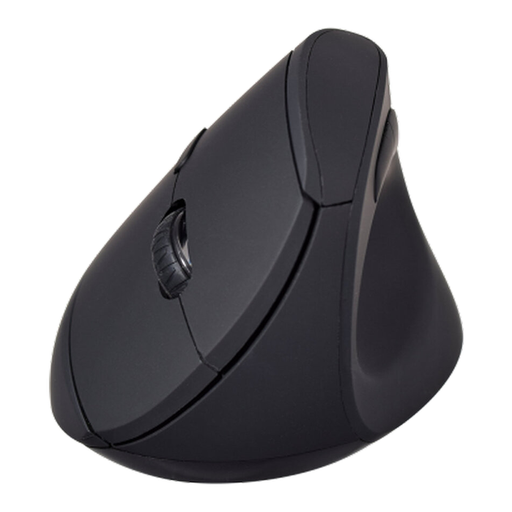
V7 MW500BT Bluetooth Vertical Mouse
Consider this model if you want a vertical shape for editing recipe documents and need a choice of wireless connection. Its name specifies Bluetooth and 2.4 GHz modes, six buttons and an adjustable sensor rated up to 1600 DPI. Check the shape and button positions against your hand, and confirm compatibility with your computer.
View on Joybuy
 No image available
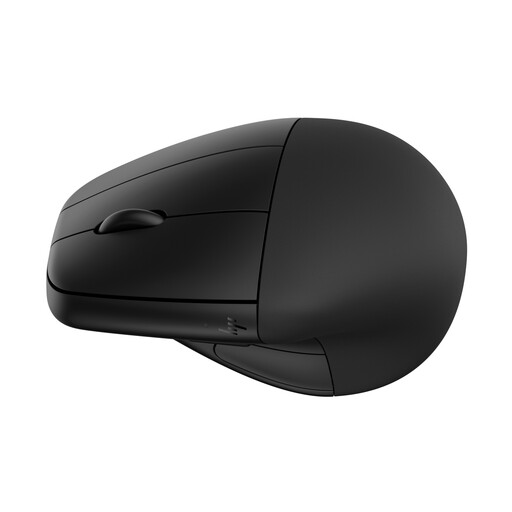
HP 920 Ergonomic Wireless Mouse (Black) with Detachable Wrist Rest
This wireless option may suit recipe editing if you want a detachable wrist rest. Before choosing it specifically as a vertical mouse, confirm the shape, hand fit and connection requirements for the exact model.
View on Joybuy
Common questions
Will a vertical mouse fix wrist pain or replace a workstation assessment?
No: do not treat a vertical mouse as a treatment or as a substitute for assessing your working setup. For UK workers who use display screen equipment daily and continuously for an hour or more, the Health and Safety Executive says employers must assess the workstation and job.
Where should I place a vertical mouse while editing?
Keep the mouse in line with your elbow, as the Health and Safety Executive advises, rather than reaching sideways to use it. Check that your usual keyboard and screen positions still let you work without shrugging your shoulders or twisting your back.
Will precise text selection take time to get used to?
It may: a controlled study published in Ergonomics found slower target acquisition with a vertical mouse than with a standard mouse alongside changes in wrist posture and muscle activity. Give yourself time to try ingredient-list edits and layout work before judging the new grip.
What should I check if I need a left-handed vertical mouse?
Choose an actual left-handed shell, then check its stated hand-size range. Logitech lists a left-handed Lift option for small-to-medium hands, while Evoluent lists left-handed VerticalMouse 4 variants for medium-to-large hands; confirm the exact version before ordering.
Do I need software for mouse shortcuts?
Check the exact shortcut you want and whether the model’s configuration software supports your operating system. Basic pointing and clicking need not be the same decision as button remapping: Logitech says some basic Lift functions work without software on listed platforms, while advanced features vary.


