
24/7 Customer Support

Free returns

Same-day & Next-day Delivery

Quality Guaranteed

Unlock Your Welcome Offers: FREE Delivery | Up to 80% OFF | Free 30-day JoyPlus trial
Download the APP
Choosing the best vlogging camera is not simply a matter of selecting the highest resolution. A compact camera that looks impressive on a product page may be awkward to hold, difficult to stabilise or poorly suited to the weather conditions often encountered in the UK.
Before buying, consider three common pitfalls:
The right choice depends on where and how you plan to record. A camera for YouTube interviews has different requirements from an action camera for mountain biking or a 360 camera for immersive travel footage.
A camera with image stabilisation helps reduce movement when filming handheld. There are two main approaches:
A gimbal camera such as the DJI Osmo Pocket series can produce smooth footage during ordinary walking. An action camera is generally more practical when the camera may be exposed to knocks, dust or water.
A 1-inch CMOS sensor generally provides more light-gathering area than the smaller sensors used in many entry-level compact cameras. This can be useful for indoor filming, evening scenes and travel footage with changing light.
For most creators, 4K video is sufficient for YouTube, social media and future editing flexibility. Higher frame rates such as 120fps or 240fps are usually intended for slow-motion modes rather than ordinary recording. Check the product specification carefully: a camera advertising 4K/240fps may only support that setting in slow motion.
Also check whether the stated resolution is native or interpolated. Some beginner-friendly digital cameras list high image numbers, but the figure alone does not indicate low-light performance, lens quality or stabilisation.
A camera with a wireless microphone can be more useful for vlogging than a modest increase in resolution. Two transmitters are particularly practical for interviews, couple content and two-person videos.
Before purchasing, check:
For UK travel, a USB-C power bank and an additional battery can help prevent missed footage during long train journeys, festivals or walking tours.
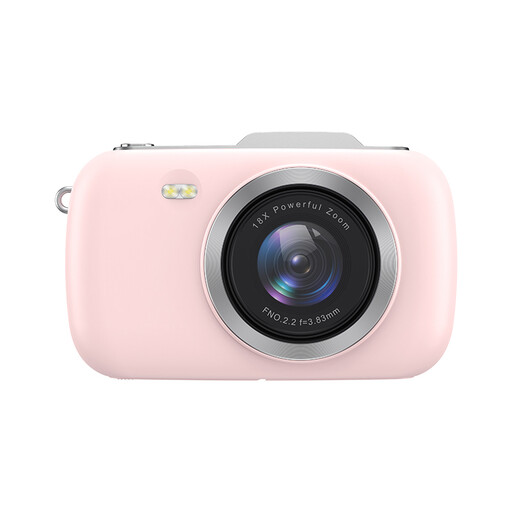
Why This Fits Their Persona: A straightforward option for students, families and first-time creators who want a compact camera for photos and basic 4K video without carrying interchangeable lenses.
It presents a simple point-and-shoot format, while the specifications clearly identify digital zoom and the need for separate storage. It is not waterproof, so it should be protected in wet UK weather.
4K video support, 18x digital zoom, face detection and a rechargeable USB-C design.
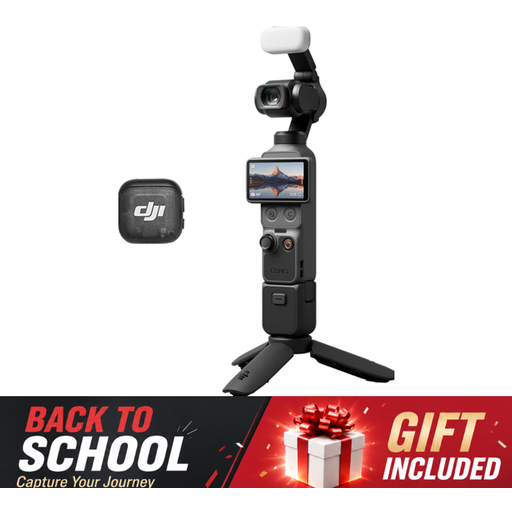
Why This Fits Their Persona: Suits creators who prioritise image quality, smooth handheld footage and a compact setup for travel, portraits and planned YouTube content.
Its 3-axis stabilisation addresses handheld shake, while the protective case and careful storage guidance help protect the moving gimbal mechanism. It should not be treated as waterproof.
1-inch CMOS sensor, up to 4K/240fps in the specified mode, 2x lossless zoom, 107GB built-in storage and a 1/4-inch thread handle.
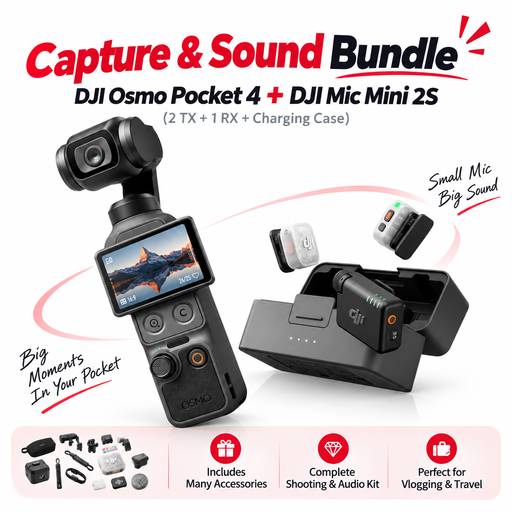
Why This Fits Their Persona: Designed for interviews, collaborative vlogs, livestream-style content and creators who want camera and audio equipment in one portable kit.
The included two-transmitter wireless microphone system avoids relying solely on the built-in microphone, particularly useful outdoors or when subjects stand away from the camera.
DJI Osmo Pocket 4, two transmitters, one receiver and a charging case in a single bundle.
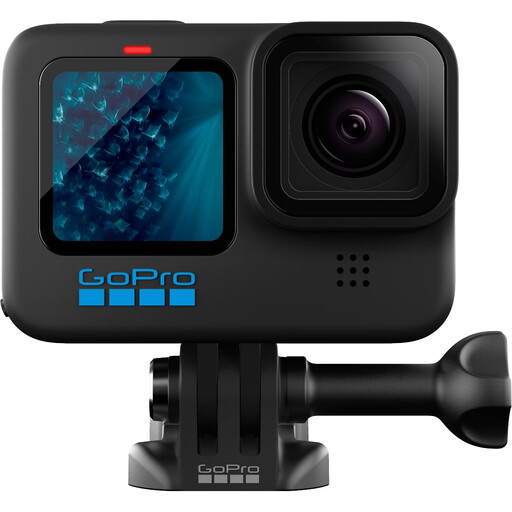
Why This Fits Their Persona: A practical action camera for cycling, hiking, family days out and water-based activities where a pocket gimbal camera may be too delicate.
The product is specified as waterproof to 10 metres without a housing and includes a one-button control, reducing setup time during active recording.
4K video, 12MP photos, HyperSmooth stabilisation, removable battery and Wi-Fi/Bluetooth connectivity.
We have compiled a complete, real-time list of products that fully satisfy these strict selection criteria and UK safety regulations.
Always check the included accessories, app compatibility, storage requirements and warranty information before ordering. For UK use, also follow the manufacturer’s charging, moisture and battery-storage instructions.
Not always. 1080p is suitable for many social platforms and uses less storage. A 4K vlogging camera provides additional detail and allows some cropping during editing, but it also creates larger files and may require faster memory cards and more editing space.
They serve different purposes. A gimbal camera is generally more suitable for smooth walking footage and presenter-led videos. An action camera is more appropriate for rain, water, cycling and rough handling, particularly when its waterproof rating applies to the planned activity.
Lifespan depends on battery condition, storage, heat exposure and physical handling. Keep lenses clean, avoid charging immediately after heavy use if the device is hot, protect gimbal mechanisms during transport and use the specified charger and memory cards. These steps can help maintain reliable operation over time.