
24/7 Customer Support

Free returns

Same-day & Next-day Delivery

Quality Guaranteed

Unlock Your Welcome Offers: FREE Delivery | Up to 80% OFF | Free 30-day JoyPlus trial
Download the APP
A grainy, poorly lit video feed and muffled audio can undermine your professionalism during an important online meeting. While most laptops come with a built-in camera, they often fall short of the quality needed for clear and effective communication. Upgrading to a dedicated webcam for meetings is a straightforward way to enhance your virtual presence.
However, the market is filled with options, each with its own set of technical specifications. This guide is designed to help you understand the key features to look for and to present a selection of reliable webcams that cater to different needs, from daily team calls to formal presentations.
Before diving into specific models, it helps to understand what makes a good business webcam. Consider these three factors to narrow down your search.
Resolution determines the clarity and sharpness of your video. While any external webcam will likely be an improvement, choosing the right resolution depends on your primary use case.
Your voice needs to be as clear as your video. A webcam with a microphone is essential, but the quality can vary. Look for models with dual-microphone arrays and noise-reduction technology. These features help to filter out background sounds like keyboard typing or ambient chatter, ensuring your voice is transmitted clearly and naturally. For group meetings, some webcams offer wider audio pickup ranges to capture everyone in the room.
Beyond resolution and audio, several features can greatly improve your user experience.
Based on features, performance and user needs, here are our recommendations for upgrading your video conferencing setup.

Why It Stands Out: This model is more than just a webcam; it's a complete conferencing solution. By integrating a 4K camera, a four-microphone array and dual speakers into one unit, it simplifies the setup for small meeting rooms while delivering exceptional audio-visual quality.
Pros:
Who is it for? Small to medium-sized businesses, team leaders and professionals seeking a high-performance, all-in-one device to equip a huddle space or small conference room.
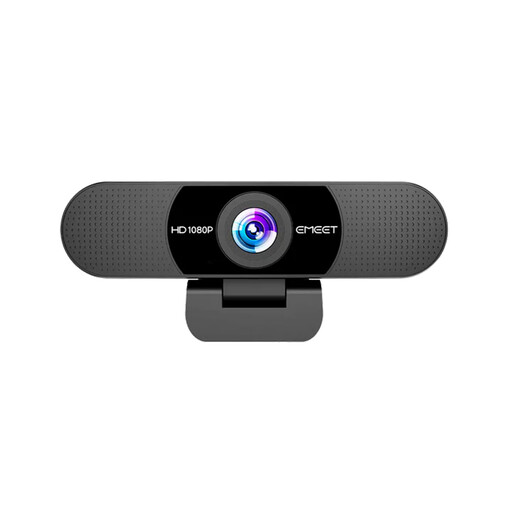
Why It Stands Out: This webcam is a reliable workhorse that delivers on the fundamentals. It offers a significant and immediate upgrade over any built-in laptop camera with its crisp Full HD video and clear audio, all in a simple, user-friendly package.
Pros:
Who is it for? Remote workers, students and anyone needing a dependable, no-fuss 1080p HD webcam for daily video calls.
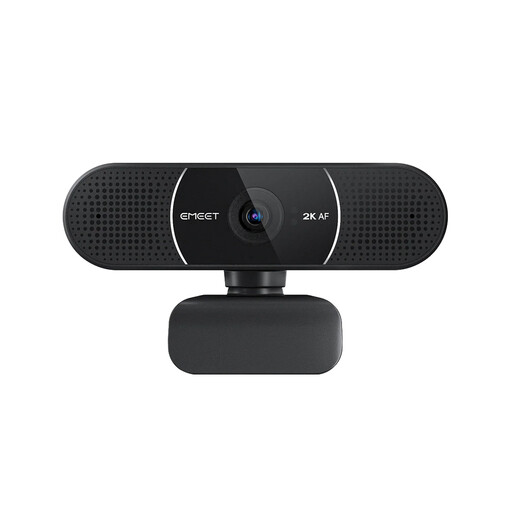
Why It Stands Out: This model strikes an excellent balance between higher resolution and intelligent features. The 2K clarity provides extra detail, while the fast autofocus ensures you always remain sharp and centred, even if you move during a presentation.
Pros:
Who is it for? Professionals, educators and content creators who want a sharper-than-HD image and the convenience of autofocus to maintain a polished appearance during calls and recordings.
These three models cover a range of common needs, but every setup is unique. If you are looking for different features, a specific field of view or other form factors, there are many other choices available.
To see more, you can browse our full collection of USB webcams to find the perfect fit for your requirements.
For most standard video calls on platforms like Zoom or Microsoft Teams, a 1080p HD webcam is perfectly sufficient and will provide a very clear picture. A 4K webcam is most beneficial if you plan to record video content for later use, need to digitally zoom in on a subject while maintaining high quality or simply want to future-proof your equipment.
A fixed-focus webcam is designed to keep everything within a certain distance range (e.g., 30cm to 3m) sharp and clear. It is simple and reliable. An autofocus webcam uses a motor to actively adjust the lens to keep the primary subject in focus, which is useful if you tend to move closer to or further from the camera during a call.
A webcam with a privacy cover is an increasingly important feature. It provides a simple, physical guarantee that your camera is not active when you do not intend it to be. For anyone concerned about digital security, it offers an effective and reassuring layer of protection in both professional and personal settings.