
24/7 Customer Support

Free returns

Same-day & Next-day Delivery

Quality Guaranteed

Unlock Your Welcome Offers: FREE Delivery | Up to 80% OFF | Free 30-day JoyPlus trial
Download the APP
A grainy image or muffled audio can undermine your professionalism during an important video conference or detract from the quality of your content. With so many options on the market, finding a reliable webcam for PC that delivers clear visuals and sound without unnecessary complexity can be a challenge.
As the Joybuy Product Recommendation Officer, my role is to help you navigate the choices. This guide focuses on practical features and performance to help you select the right equipment for your needs, whether for remote work, online teaching or content creation.
Making an informed decision comes down to understanding a few key technical aspects. Here’s what to focus on when comparing models.
Resolution determines the clarity and detail of your video. While a 4K webcam offers the sharpest picture, it may not be necessary for every user.
Your audio quality is just as important as your video. A built-in webcam with microphone is convenient, but their performance can vary. Look for models with dual microphones and noise-cancelling technology, which help to isolate your voice from background noise.
For those who require pristine audio, such as podcasters, online tutors or anyone conducting interviews, a dedicated microphone is a worthwhile investment. A wireless lavalier microphone or a clip on mic for PC offers superior clarity and freedom of movement, ensuring your voice is always heard distinctly.
The best equipment is that which works straight out of the box. A USB webcam with 'plug and play' functionality is the standard for ease of use. Simply connect it to your computer’s USB port, and it should be automatically recognised by your operating system.
Before purchasing, always check for compatibility with your system (e.g., Windows 10/11, macOS) and the software you use most frequently, such as a webcam for Zoom, Skype or OBS Studio for a streaming webcam.
Based on features, user-friendliness and overall performance, here are our recommendations for upgrading your audio-visual setup.
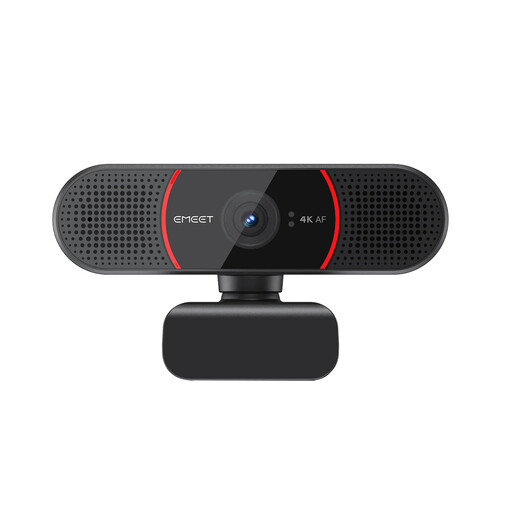
Why It Stands Out: This webcam is built around a true 4K CMOS sensor, delivering exceptionally sharp and detailed video. Its PDAF (Phase Detection Autofocus) technology ensures you remain in focus, while automatic light correction adjusts to keep you well-lit in various environments.
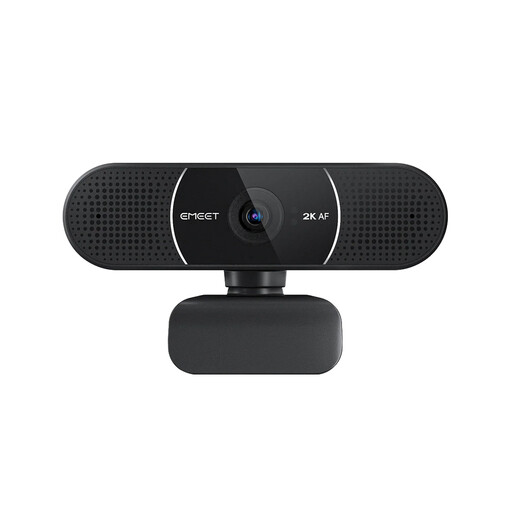
Why It Stands Out: The EMEET E3115 strikes an excellent balance between performance and practicality. It offers crisp 2K resolution at a smooth 30 frames per second, making it a substantial upgrade for daily video conferencing and online classes. The optional EMEETLINK software allows for fine-tuning of video settings.
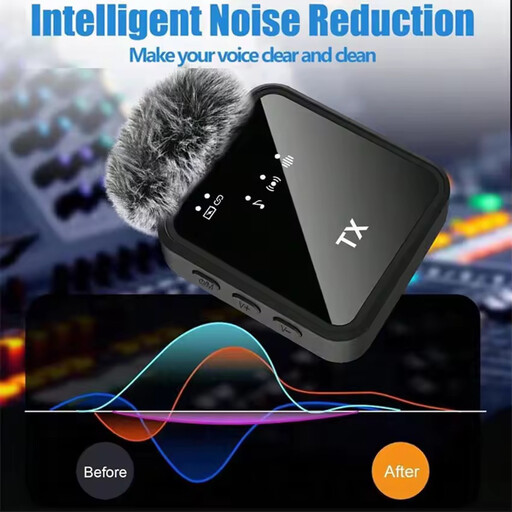
Why It Stands Out: For situations where audio is paramount, the Verbex ST5 provides a dedicated solution. This compact wireless lavalier microphone clips discreetly onto your clothing, capturing your voice with clarity while minimising background noise. Its wireless design offers the freedom to move around without being tethered to your PC.
A complete home office or streaming setup involves many components. While a great camera and microphone are crucial, ensuring your wireless peripherals are always ready is just as important. If you need reliable power for your equipment, you can explore our range of compatible batteries to keep everything running without interruption.
For most standard video conferences on platforms like Zoom or Teams, a 2K webcam is more than sufficient and provides a sharp, professional image. These platforms often compress video, so the full benefit of 4K may not be realised during a live call. A 4K webcam is most advantageous when you are recording content locally at the highest possible quality for a streaming webcam setup or for video production.
For many users, a modern webcam with microphone featuring noise-cancellation technology is perfectly adequate for daily meetings. However, for professional content creation, teaching or situations where audio clarity is critical, a dedicated external microphone like a clip on mic for PC will almost always provide a noticeable improvement by capturing your voice more directly and reducing ambient room noise.
Most contemporary webcams are designed to be 'plug and play'. The process is straightforward: