
24/7 Customer Support

Free returns

Same-day & Next-day Delivery

Quality Guaranteed

Unlock Your Welcome Offers: FREE Delivery | Up to 80% OFF | Free 30-day JoyPlus trial
Download the APP
A grainy, poorly lit video feed from a built-in laptop camera can undermine a professional presentation or make catching up with loved ones a frustrating experience. With remote work, online learning and digital content creation now a part of daily life, a dedicated webcam for PC has become an essential tool.
However, the market is filled with options, each promising superior quality. This guide is designed to help you understand the key features that matter and to highlight a few standout models that deliver on performance and value. Whether you need a device for professional Zoom meetings, high-fidelity streaming or simply clearer video calls, we'll help you find a suitable match.
Before diving into specific products, it's helpful to understand what to look for. Focusing on these three areas will ensure you select a webcam that meets your specific needs.
The clarity of your video is determined by resolution. While a basic HD webcam (720p) is a step up from most integrated cameras, 1080p (Full HD) has become the standard for clear, professional calls. For those who need exceptional detail for streaming or recording, a 2K or 4K webcam offers a significant leap in image sharpness.
Frame rate, measured in frames per second (FPS), dictates how smooth your video appears. A rate of 30FPS is sufficient for smooth, natural-looking video in most scenarios, including video conferencing.
An autofocus webcam is crucial for maintaining a sharp image, automatically adjusting as you move. This ensures you remain clear and in focus without having to manually tweak settings. Some models also offer a manual focus option for precise creative control.
Field of View (FoV) refers to how much of your surroundings the camera captures. A narrower FoV (around 65°-78°) is ideal for a single person, keeping the focus on you. A wider FoV (90° or more) is better for capturing a group of people or showcasing a whiteboard in a meeting room.
Beyond the core optics, several features enhance the user experience:
Based on features, performance and user feedback, here are our recommendations for a range of needs and budgets.
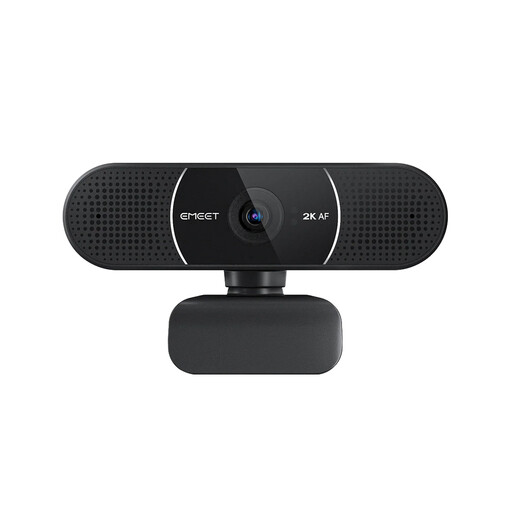
Why It Stands Out: The EMEET E3115 strikes an excellent balance between high-definition performance and practical features. It delivers crisp 2K resolution that elevates video calls beyond standard HD, while its reliable autofocus and included privacy cover make it a dependable tool for daily use.
Pros:
Who is it for?: Remote professionals, educators and students who need a significant and reliable video quality upgrade for frequent online meetings and classes.
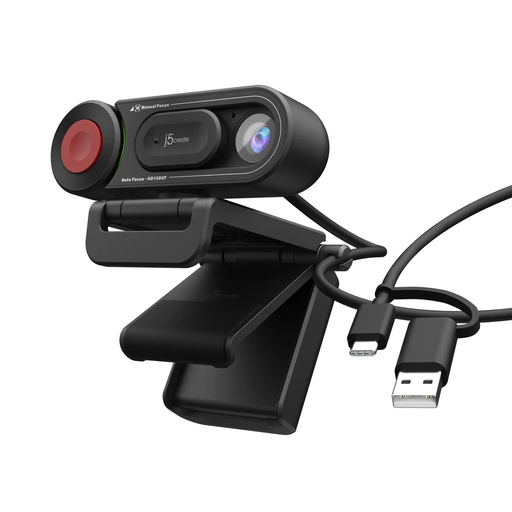
Why It Stands Out: The j5create JVU250 is all about simplicity and control. It provides clear HD 720p video and gives users the unique flexibility to switch between automatic and manual focus, making it a versatile choice for various everyday tasks.
Pros:
Who is it for?: Home users, students and anyone seeking a straightforward, affordable and reliable webcam for everyday video calls on platforms like Zoom and Teams.
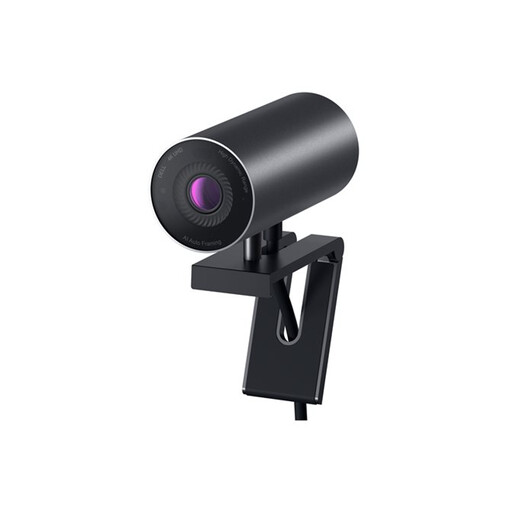
Why It Stands Out: The Dell UltraSharp WB7022 is engineered for exceptional image fidelity. With its large Sony STARVIS CMOS sensor, it delivers stunning 4K resolution and uses intelligent AI-powered auto-framing to keep you perfectly centred. It's a premium choice for those who cannot compromise on quality.
Pros:
Who is it for?: Content creators, business leaders and anyone engaged in webcam for streaming or high-stakes presentations who requires outstanding video quality and intelligent features.
While these three models cover a wide range of uses, your perfect webcam might have different features or fall within a different budget. If you're still searching for the right fit, we invite you to explore our full range of laptop cameras to find more choices.
For most video conferencing platforms like Zoom or Microsoft Teams, a 1080p or 2K webcam provides more than enough quality, as these services often compress video streams. A 4K webcam is most beneficial when you are recording video directly to your computer for later editing or when streaming on platforms that support native 4K broadcasting.
A webcam with a microphone is very convenient and generally sufficient for everyday video calls and online meetings. The audio quality is typically clear enough for conversation. However, for professional podcasts, streaming or voice-over work, a dedicated external USB microphone will almost always provide superior, richer sound.
Most modern webcams are designed to be 'plug-and-play'. You simply connect the USB webcam to an available port on your computer. Your operating system, whether Windows or macOS, should recognise the device automatically without needing any extra drivers. After connecting it, you can open your video software (like Skype, Zoom or Google Meet) and select the new webcam from the video settings menu.