What should you check?
Start with the view learners need during your lessons, then check movement, privacy and the limits of your normal call setup.
| Concern |
What to check |
Who this matters to |
| Facial cues and lighting |
Check 1080p capability, focus behaviour and the picture in your usual lighting. |
If I teach from a desk, learners need to see my expressions and mouth movements without the picture losing focus. Around 40% of consumers put facial clarity first. |
| Movement and prompts |
Check autofocus with nearby objects and whether framing follows or accommodates movement. |
When I stand, gesture or hold up cards, I need to stay in frame and bring the teaching material into focus. For around 30% of consumers, movement-friendly framing is the primary need. |
| Privacy and recording |
Check for a physical lens cover and, separately, the organisation’s recording arrangements. |
If the camera stays connected between sessions or lessons are recorded, I want control over what it sees and how learner video is handled. Privacy is the leading concern for around 20% of consumers. |
| Platform and connection |
Check computer compatibility, the call platform’s HD settings and connection stability. |
I do not want to choose a camera capability my teaching setup cannot use. Around 10% of consumers primarily need the webcam to fit their platform and connection. |
Joybuy webcams for these lessons
These webcams offer different approaches to conversation lessons: remote framing controls, selectable focus, or a wider fixed-focus view. Match those features to how you teach rather than treating the list as a choice for every setup.
 No image available
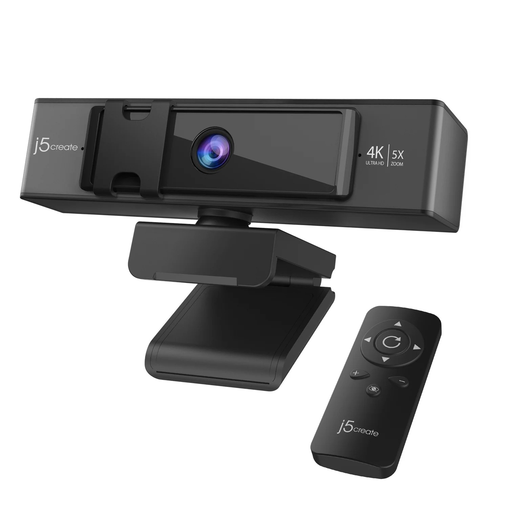
j5create JVCU435 4K Webcam with 5x Digital Zoom and Remote Control
Consider this model if you want to adjust framing remotely during lessons; its title specifies 5x digital zoom and a remote control. Check its focus behaviour before choosing it for close-up cards or objects. The listed remote-control battery is not included, and 4K capture does not establish the resolution learners will receive.
View on Joybuy
 No image available
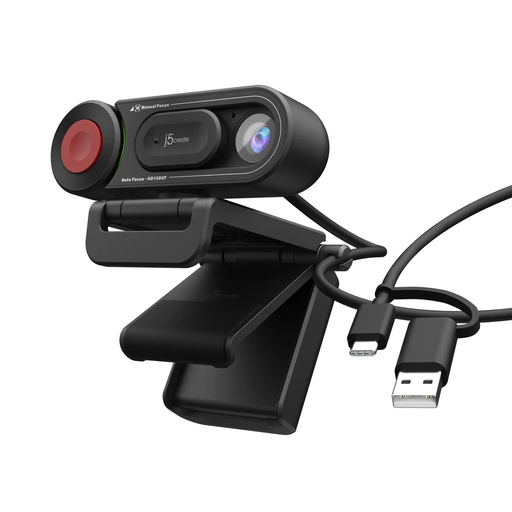
j5create JVU250 HD Webcam with Auto and Manual Focus Switch
Consider this model if switching between automatic and manual focus would help with desk-based demonstrations. Check whether its stated 720p video gives learners enough facial detail in your usual call setup, and try the focus modes with the objects you teach with.
View on Joybuy
 No image available
EMEET All-in-One 4K Webcam with Fixed Focus and Adjustable 98° View
Consider this model for a mostly fixed teaching position where you may need a wider view. Its title specifies fixed focus, an adjustable 98° field of view, a four-microphone array and dual speakers. Fixed focus warrants a closer check if you often hold objects near the lens; also check how much of your room the view includes and whether its privacy mechanism meets your needs.
View on Joybuy
Frequently asked questions
Do I need a 4K webcam for conversation lessons?
Not necessarily: for routine seated lessons, start by checking focus, lighting and whether learners can see your facial cues clearly. Zoom’s HD options depend on the call setup, settings, hardware and connection, so a 4K camera does not by itself deliver a 4K call.
What if I use gestures or hold up vocabulary cards?
Look for focus behaviour that works at the distances you use and framing that accommodates your movement. Auto-framing may help when you stand or move, while a wider view should be limited to what the lesson needs.
Can I use a USB webcam with Zoom?
Zoom lists USB plug-in webcams among its supported camera hardware. Check the particular webcam’s compatibility with your computer and confirm that Zoom can select it before a lesson.
What connection do I need for HD lessons in Zoom Web App?
Zoom lists 1.2 Mbps in both directions for 720p HD in Zoom Web App, and 3.8 Mbps upload plus 3.0 Mbps download for 1080p HD. Check the requirements for your type of call and test your normal connection, since the webcam is only one part of the setup.
Does a lens cover deal with privacy when lessons are recorded?
No. A cover can block the camera between sessions, but an organisation recording identifiable learners must assess its data handling separately. Follow the provider’s recording and safeguarding arrangements; the Information Commissioner’s Office publishes guidance on video processing and additional considerations when children’s personal data is shared.


