
24/7 Customer Support

Free returns

Same-day & Next-day Delivery

Quality Guaranteed
Download the APP
Categories
Tangled cables, limited desk space and the constant shuffle of peripherals between devices—these are common frustrations in modern workspaces. A reliable wireless keyboard and mouse combo can solve these issues, offering a clean, flexible and efficient setup. Whether you are equipping a home office, managing IT for a business or simply aiming for a more organised desk, choosing the right set is crucial.
As a Joybuy Product Recommendation Officer, my role is to help you navigate the options. This guide cuts through the clutter to focus on the practical features that matter for productivity and comfort, helping you find a wireless keyboard and mouse set that fits your daily workflow.
Before diving into specific models, consider these key factors to ensure you select a combination that truly enhances your productivity.
Understanding the connection technology is the first step.
The physical design impacts both your comfort and efficiency. For those in finance or data-heavy roles, a full-size wireless keyboard and mouse with a dedicated numeric keypad is essential. If you work in an open-plan office or a quiet home environment, a quiet keyboard and mouse combo with soft-touch keys and silent mouse clicks can make a significant difference to you and those around you. Also, look for features like adjustable keyboard tilt and an ergonomically shaped mouse to support comfortable use over long periods.
Constant battery changes are a workflow killer. Look for sets that specify a long battery life—many now last for 24 months or more on a single set of batteries. Also, consider programmable keys. These allow you to create shortcuts for frequently used applications or commands, which is a valuable feature for any power user or professional looking to streamline their tasks.
Here are a few wireless keyboard and mouse combinations that stand out for their features, reliability and suitability for professional environments.
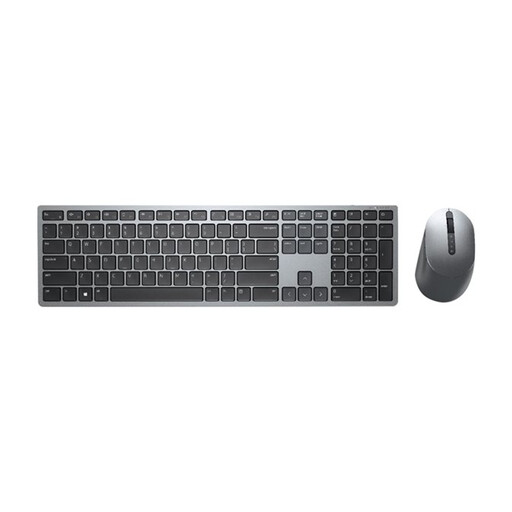
Why It Stands Out The Dell Premier KM7321W is built for serious multitasking. Its standout feature is the ability to connect to and seamlessly switch between up to three devices using either 2.4GHz RF or Bluetooth 5.0. Combined with extensive customisation options through the Dell Peripheral Manager software, this set offers a high degree of control.
Pros
Who is it for? This is an excellent choice for IT professionals, developers and power users who work across multiple computers or operating systems and demand both flexibility and security.
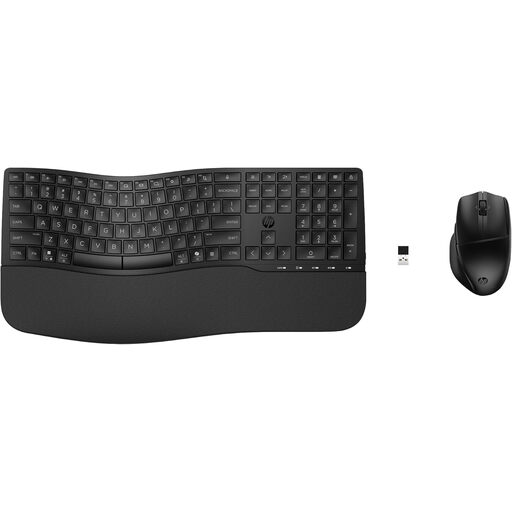
Why It Stands Out The HP 680 set is designed with productivity and comfort at its core. It boasts an impressive 23 programmable keys and a dedicated Microsoft Copilot key for quick AI assistance. The keyboard includes a built-in wrist rest and quiet keys, making it well-suited for long work sessions.
Pros
Who is it for? Ideal for hybrid workers and office professionals who spend long hours typing and require extensive shortcuts to maximise their efficiency.
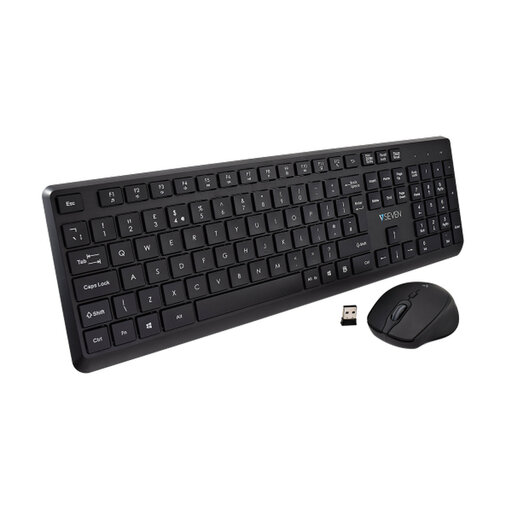
Why It Stands Out The V7 CKW350UK focuses on delivering a quiet, comfortable and straightforward user experience. Its low-profile keyboard with laser-etched keycaps and a silent-click mouse make it a perfect quiet keyboard and mouse combo for shared workspaces. It offers reliable performance without unnecessary complexity.
Pros
Who is it for? A great option for users in open-plan offices, libraries or quiet home environments who need a reliable and unobtrusive keyboard and mouse for office work.
Our recommendations cover a range of professional needs, but every user is different. If you're searching for a different layout, specific ergonomic features or other functionalities, there are many more choices available.
Explore our full collection of wireless mouse and keyboard bluetooth sets to find the perfect match for your desk.
Yes, absolutely. Modern wireless peripherals offer stable, responsive connections that are more than suitable for professional work. The primary benefits are a decluttered desk, which can improve focus and the flexibility to position your keyboard and mouse for better ergonomics. They are an excellent choice for any modern keyboard and mouse for office setup.
A 2.4GHz connection relies on a dedicated USB dongle to create a direct link between the peripherals and the computer. This is generally very stable and easy to set up. A bluetooth keyboard and mouse pairs directly with your device's built-in Bluetooth, which saves a USB port and makes it simple to connect to multiple devices like tablets or laptops without moving a dongle. Many sets now offer both options for maximum versatility.
Battery life can vary widely depending on the model and your usage patterns. However, technology has improved significantly, and it is common for a quality wireless keyboard and mouse combo to last 12, 24 or even 36 months on a single set of standard AA or AAA batteries. Most models also feature a low-battery indicator light to give you plenty of notice before a change is needed.