
24/7 Customer Support

Free returns

Same-day & Next-day Delivery

Quality Guaranteed
Download the APP
Categories
Tangled cables, a cluttered desk and the constant shuffle between your laptop, tablet and desktop monitor—does this sound familiar? In today's flexible working world, a streamlined and efficient workspace is more important than ever. A high-quality wireless keyboard and mouse combo is a simple yet powerful upgrade that can transform your productivity and reclaim your desk space.
As a Joybuy Product Recommendation Officer, my role is to help you navigate the options. This guide is designed to provide clear, practical advice, helping you find a set that fits your workflow, whether you're a professional in a hybrid role, a student managing multiple projects or simply looking to create a cleaner home office. We will explore key features to consider and highlight a few standout options available right now.
Before diving into specific products, let's cover a few essential features to look for. Considering these points will help you make a more informed decision.
Understanding connectivity is key to a frustration-free experience. Most wireless sets use one of two technologies:
Many modern sets offer both options, giving you the best of both worlds: the stability of 2.4GHz and the flexibility of Bluetooth.
The keyboard is your primary tool for input, so its design matters. For those who work with numbers, spreadsheets or data entry, a full size wireless keyboard with numpad is non-negotiable. If you work in a shared office or a quiet home environment, look for a quiet office keyboard and mouse with low-profile or scissor-switch keys that minimise typing noise. Additional features like programmable shortcut keys can also significantly speed up your workflow.
How your devices are powered affects both convenience and long-term cost.
Here are a few wireless keyboard and mouse combos that offer a great combination of features, performance and design for UK users.
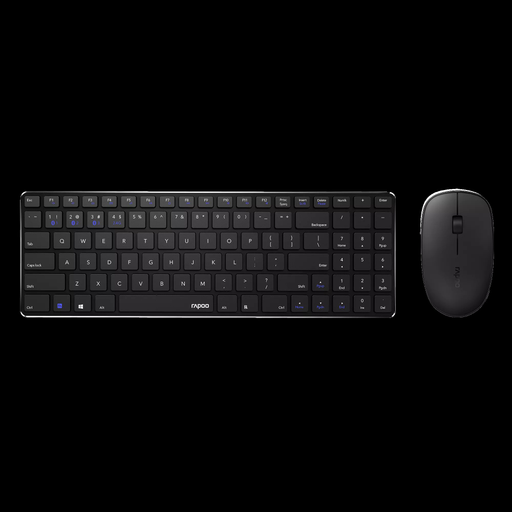
Why It Stands Out: The Rapoo combo balances a sleek, modern aesthetic with practical functionality. Its ultra-slim profile and aluminium alloy base give it a premium feel, while the inclusion of a full numeric keypad makes it a strong contender for productivity-focused tasks.
Pros:
Who is it for? This set is an excellent choice for professionals and students who want a full-featured keyboard for tasks like accounting or data entry but also value a clean, minimalist desk setup. Its quiet operation makes it well-suited for open-plan offices or shared living spaces.
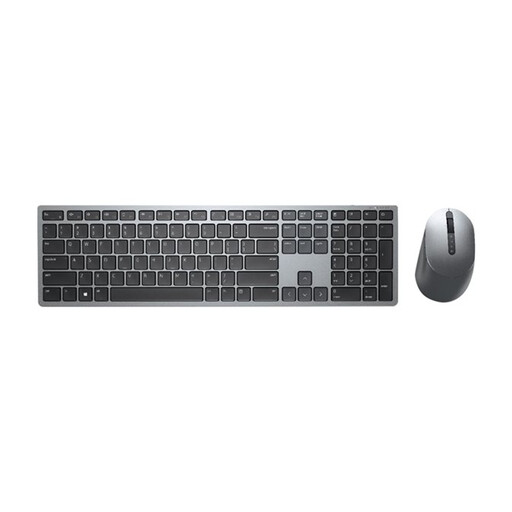
Why It Stands Out: The Dell Premier KM7321W is built for serious multitasking. Its standout feature is the ability to connect and seamlessly switch between up to three devices. Combined with extensive customisation options via the Dell Peripheral Manager software, this combo is a true productivity powerhouse.
Pros:
Who is it for? This combo is aimed at power users, developers and hybrid workers who regularly switch between a desktop, laptop and tablet. If your workflow demands efficiency, customisation and robust security, this Dell set is a compelling option.
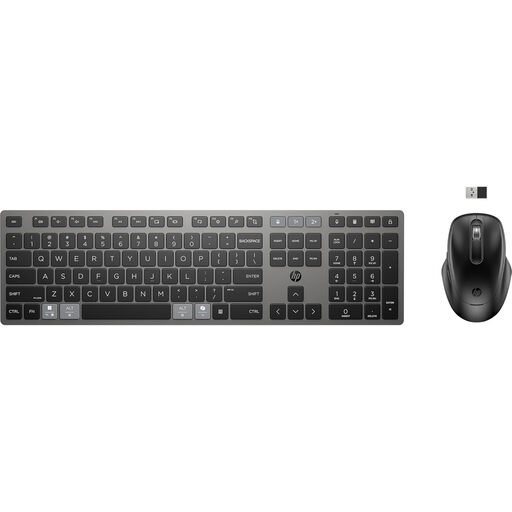
Why It Stands Out: The HP 720 combo combines modern convenience with a focus on sustainability. As a fully rechargeable keyboard and mouse set, it eliminates the need for disposable batteries. It also offers excellent multi-device functionality, making it a versatile choice for the modern worker.
Pros:
Who is it for? This set is ideal for the eco-conscious user and the busy professional who values convenience. If you want to ditch disposable batteries and need a reliable combo that works seamlessly across all your operating systems, the HP 720 is a fantastic choice.
While these recommendations cover a range of needs, the world of wireless peripherals is vast. If you haven't found the perfect match yet, or want to compare more styles and features, we invite you to explore our complete collection.
️ Explore our full range of wireless keyboard and mouse combos
Absolutely. Modern wireless technology is highly reliable and responsive, making it perfectly suitable for demanding office tasks. The primary benefits are a reduction in cable clutter, which creates a more organised and professional-looking workspace and increased flexibility in how you position your peripherals for better ergonomics.
For a multi-device wireless keyboard and mouse, connection is straightforward. You typically pair the keyboard and mouse with each device (e.g., your laptop, tablet and desktop) via Bluetooth. Once paired, the keyboard and mouse will have a dedicated button or switch that allows you to cycle between the connected devices instantly.
The main difference lies in how they connect. A 2.4GHz keyboard uses a dedicated USB dongle, providing a strong, plug-and-play connection to one device at a time. A Bluetooth keyboard connects wirelessly without a dongle and can often pair with multiple devices, making it more versatile for users who switch between computers or tablets. Some sets offer both options for maximum flexibility.