
24/7 Customer Support

Free returns

Same-day & Next-day Delivery

Quality Guaranteed

Unlock Your Welcome Offers: FREE Delivery | Up to 80% OFF | Free 30-day JoyPlus trial
Download the APP
A cluttered desk with tangled cables can hinder productivity, while an uncomfortable mouse can lead to wrist strain after a long day. A quality wireless mouse solves these problems, offering freedom of movement and a cleaner workspace. But with so many options available—from compact travel companions to advanced gaming peripherals—choosing the right one can be a challenge.
This guide is designed to help you understand the key features to look for. We will explore different types of wireless mice and highlight a few standout models to suit various needs, whether you are working from home, travelling or settling in for a gaming session.
Before diving into specific products, let's cover a few essential factors to consider. Understanding these will help you narrow down your options and find a mouse that fits your workflow.
Wireless mice primarily connect in two ways:
Some models offer dual-mode connectivity, giving you the flexibility to choose between Bluetooth and 2.4GHz.
Comfort is crucial, especially if you use a mouse for several hours a day.
Here are our recommendations, selected to meet the needs of different users across the UK.
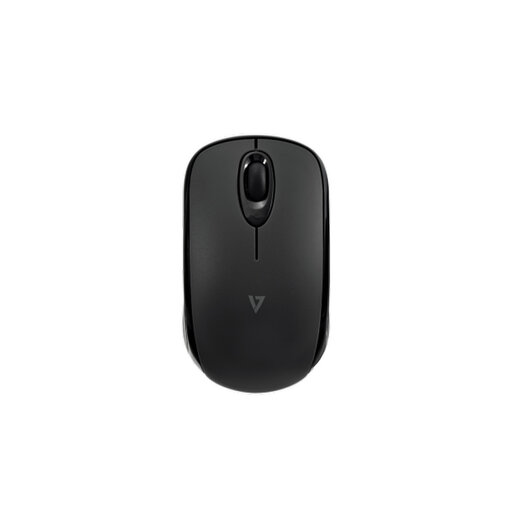
Why It Stands Out: The V7 MW150BT is built for portability and efficiency. Its key feature is the use of Bluetooth 5.2 Low Energy, which allows for an impressive battery life of up to 24 months from two AAA batteries (included). By connecting directly via Bluetooth, it saves a valuable USB port on your laptop or tablet, making it an excellent mouse for laptop users on the move.
Pros:
Who is it for? This mouse is ideal for frequent travellers, students and hybrid workers who need a reliable, low-maintenance mouse that works seamlessly across different devices like laptops, iPads and Android tablets.
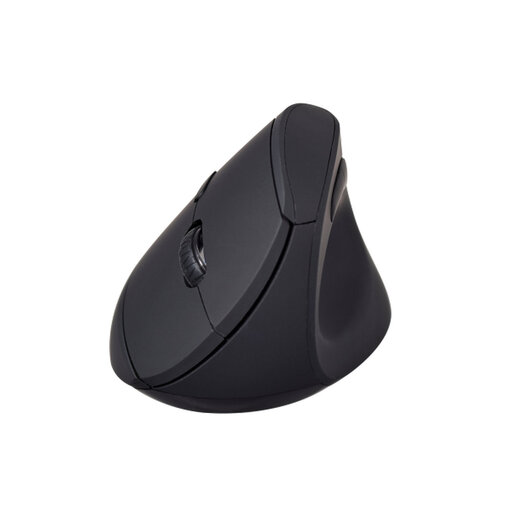
Why It Stands Out: The V7 MW500BT is an ergonomic mouse designed specifically to promote wrist health. Its vertical mouse shape encourages a natural "handshake" grip, which helps reduce forearm twisting and muscle strain during long work sessions. It also offers dual-mode connectivity, allowing you to switch between a stable 2.4GHz connection and versatile Bluetooth.
Pros:
Who is it for? A great choice for office professionals, remote workers and anyone who spends long hours at their desk and is looking to improve their ergonomic setup and reduce wrist fatigue.
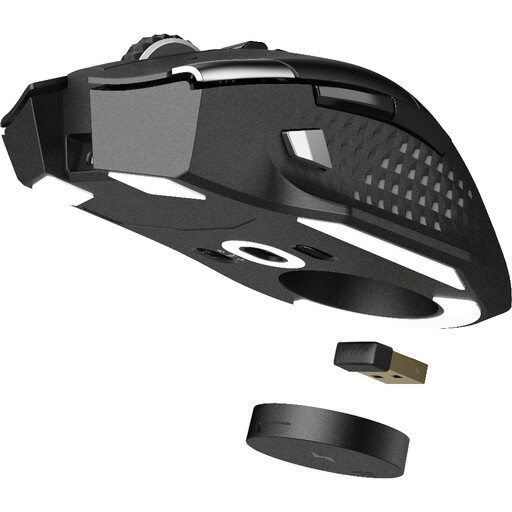
Why It Stands Out: For those who demand high performance, the MSI VERSA PRO is a formidable wireless gaming mouse that also excels at productivity. It features MSI's SWIFTSPEED 2.4GHz wireless technology for a lag-free connection and a high-precision PixArt PAW-3395 optical sensor with a maximum DPI of 26,000. With 13 programmable buttons and a durable build, it is a versatile tool for both competitive gaming and complex creative work.
Pros:
Who is it for? This PC mouse is built for serious gamers, creative professionals and power users who require top-tier accuracy, speed and customisation from their equipment.
Our recommendations cover a range of common needs, but the world of wireless peripherals is vast. If you're looking for a different style, feature set or price point, you can find many more models to compare.
Explore our full collection of tech mouse products to find the perfect match for your setup.
1. What is the main difference between a Bluetooth mouse and a 2.4GHz wireless mouse? The primary difference is the connection method. A Bluetooth mouse pairs directly with your device's built-in Bluetooth, which is convenient and saves a USB port. A 2.4GHz mouse uses a dedicated USB dongle for a plug-and-play connection, which is often favoured for its stability and low latency, particularly in gaming.
2. Is a vertical mouse actually better for your wrist? A vertical mouse is designed to place your hand and wrist in a more neutral, "handshake" posture. This can reduce the twisting of forearm muscles that occurs with a traditional flat mouse. For many people who use a mouse for extended periods, this design can help alleviate discomfort and strain in the wrist and arm.
3. How much DPI do I need in a wireless mouse? For everyday tasks like web browsing and office work, a DPI setting between 800 and 1600 is generally sufficient. Higher DPI is beneficial for users with large, high-resolution monitors or for gamers who need to make fast, precise cursor movements. Many gaming and professional mice offer adjustable DPI, allowing you to switch sensitivity on the fly.