What matters when choosing?
Decide where you will use both work areas, then check how the screens connect and whether your software handles the leaflet’s languages.
| Concern |
What to check |
Who this matters to |
| Two screens on the move |
Check that both built-in panels are usable in your preferred layout and that the keyboard arrangement fits your working space. |
I need the leaflet and its reference copy visible when I work away from my desk, without packing a monitor. Around 36% of consumers would put that portable two-panel need first. |
| Flexible desk displays |
Confirm the exact laptop’s supported display count and the resolution and refresh rate of each intended connection; check dock and cable compatibility separately. |
At my desk, I want room to position the layout and supporting material comfortably, even if that means connecting more equipment. Around 46% of consumers would make desk-display flexibility their primary concern. |
| Language and typography |
Check the page-layout application, required language edition and fonts; proof a representative page and its exported PDF. |
If my leaflet uses right-to-left or complex-script text, correct direction and typography matter more to me than an extra hardware feature. Around 18% of consumers would put that language workflow first. |
Relevant brands to consider
These product lines illustrate different screen arrangements and workloads; check the configuration of any model you are considering.
ASUS
The Zenbook DUO line is relevant if you want the second screen built into the laptop.
- ASUS describes the UX8406 with two 14-inch OLED touchscreens, a detachable keyboard and a built-in kickstand.
- Confirm the chosen configuration’s screen details and whether its expanded layout suits the space where you work.
Apple
MacBook Air is a route for editors who prefer macOS and plan to connect external displays.
- Apple says MacBook Air models with M4 support up to two external displays alongside the built-in display, subject to resolution and refresh-rate limits.
- Do not assume another MacBook Air model has the same display support; check the exact model and connections.
Lenovo
Lenovo’s USB-C docking range is relevant to a conventional laptop used with desk displays.
- Lenovo describes its Universal USB-C Dock as compatible with most USB-C laptops running Windows 10 or later.
- Dock functions can vary by laptop, so check the exact laptop-and-monitor display configuration rather than relying on dock compatibility alone.
Dell
The Pro Max 14 Premium line is worth considering if leaflet editing forms part of a broader professional creative workload.
- Dell lists configurations with Intel Core Ultra 9, 32 GB memory, a 1 TB SSD and NVIDIA RTX PRO graphics.
- Those options do not establish that they are needed for an ordinary leaflet. Check the selected configuration and its display outputs against your actual applications.
Joybuy products for portable two-screen work
This integrated dual-screen laptop is relevant if you need the leaflet and reference material visible away from a fixed desk. If you mainly work with external monitors, assess the laptop-and-display connections for that arrangement instead.
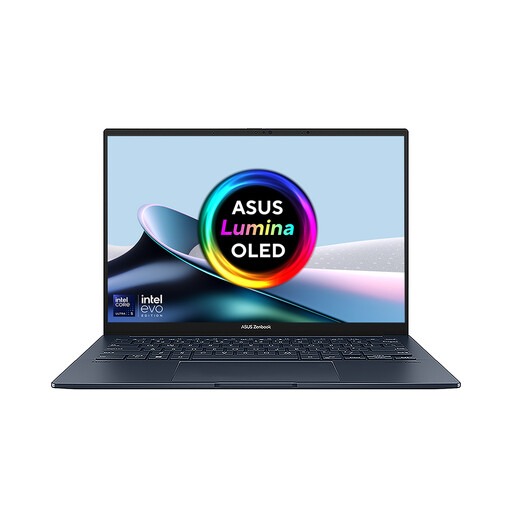 No image available
ASUS Zenbook DUO UX8406CA-QL135W, 14-inch dual OLED touch laptop
The two integrated displays suit editors who want separate layout and reference work areas without carrying an external monitor.
The listed configuration has an Intel Core Ultra 7 255H processor, 16 GB LPDDR5X memory and a 1 TB SSD.
Confirm the screen resolution for this configuration before ordering. If you need external monitors or right-to-left text handling, also check the exact display outputs and your page-layout software setup.
View on Joybuy
Frequently asked questions
Do I need a dual-screen laptop to edit a leaflet across two screens?
No. A conventional laptop and one external display can provide two work areas at a desk, provided the laptop supports the connection. An integrated dual-screen laptop makes more sense when you need both panels away from that desk; Microsoft explains how Windows users can arrange connected displays.
Will a USB-C dock run two external monitors?
Only if the exact laptop, dock and connections support the intended display count, resolution and refresh rate. Lenovo notes that dock features can vary by system, so check the laptop’s display-output information and the dock’s connection guidance before buying cables or monitors.
What should I check for a leaflet in English and Arabic or Hebrew?
Check that your page-layout application has the language edition and text-handling features your document needs. Adobe explains how to access Arabic or Hebrew editions of InDesign through Creative Cloud language preferences; proof the leaflet itself and its exported PDF with your chosen fonts.
What if an online laptop order arrives faulty or misdescribed?
A faulty laptop or one that is not as described raises different rights from simply deciding that your monitor arrangement does not suit you. GOV.UK says a seller must offer a refund for goods that are faulty, not as described or do not do what they are supposed to do; check the applicable terms separately for a change-of-mind return, and keep a record of the problem.


