Home bill-dashboard users with scarce sockets
You check payments, due dates and statements mainly at home and want charging to fit around other devices without resorting to unsafe extension-lead arrangements.


For bills managed mainly at home, start with a Wi-Fi tablet that gives you room to read statements and has a battery-use claim you can assess against your routine. Consider cellular connectivity if you need to check accounts away from trusted Wi-Fi; whichever tablet you choose, limited sockets are not a reason to overload adaptors or chain extension leads.
You check payments, due dates and statements mainly at home and want charging to fit around other devices without resorting to unsafe extension-lead arrangements.
You regularly open calendars, banking pages, bills and saved PDFs, so screen space and the storage available on the exact tablet matter to you.
You sometimes need account information or reminders when trusted Wi-Fi is unavailable and must decide whether a cellular model and mobile-data arrangement are worthwhile.
For recurring-bill tracking with limited sockets, decide which need takes priority: fewer charging interruptions, a workable view of records, or access away from Wi-Fi. Then check the exact tablet configuration rather than relying on specifications for a whole product line.
| Concern | What to check | Who this matters to |
|---|---|---|
| Charging with limited sockets | Check what activity a battery-use claim covers and whether the charging connector works with a suitable charger you have. Keep any extension device within its marked rating. | If I use the tablet as a home bill dashboard, I want charging to fit around other devices without adding unsafe adaptors; around 45% of consumers put socket and charging needs first. |
| Reading and storing records | Compare screen size and resolution, then check the exact RAM, storage and any expansion support. Confirm that the banking and document apps you use work on the tablet. | When statements, calendars and saved PDFs are part of the same routine, I need a screen and storage arrangement I can work with; roughly 36% of consumers prioritise managing readable records. |
| Access away from home | Check whether the exact variant is Wi-Fi-only or cellular-capable and, if you need mobile access, which service and data arrangement it supports. | If I must check a payment while trusted Wi-Fi is unavailable, connectivity becomes my main concern; about 19% of consumers put away-from-home access first. |
A tablet still needs charging. Electrical Safety First warns that overloaded extension equipment can overheat and advises against plugging one extension lead into another.
Use only one socket extension device per wall socket, check its marked current rating and account for everything connected to it.
Apple UK states up to 10 hours for Wi-Fi web browsing or video playback on the iPad 11-inch (A16), while Samsung UK and Lenovo UK list battery capacities for the tablet lines discussed here. Those measurements cannot establish a like-for-like runtime order.
If time between charges will decide your purchase, compare results measured under the same activity and test method. Treat a manufacturer’s stated conditions as part of the claim.
Samsung UK describes Galaxy Tab A11+ memory and storage as line-level figures of up to 8GB and 256GB; Lenovo UK specifies 4GB RAM and 128GB storage for its cited Tab M11 configuration. The variant you select determines what you receive.
Check the complete model number, RAM, internal storage and any memory-card support on the exact product page before ordering.
Apple UK lists the iPad 11-inch (A16) in Wi-Fi and Wi-Fi + Cellular variants, with capacities starting at 128GB.
Samsung UK presents the 11-inch Galaxy Tab A11+ Wi-Fi as an Android option with expandable storage for locally saved household records.
Lenovo UK lists a Tab M11 configuration with an 11-inch anti-glare display for document viewing and household organisation.
These tablets include Wi-Fi options for a home bill dashboard and a 4G-capable option for checking accounts away from Wi-Fi. Compare the exact screen, storage and charging arrangements with the way you manage your bills.
 Image unavailable
Consider its 11-inch screen and 256GB storage if you want a tablet for viewing bills and keeping records locally. The title lists an 8,580mAh battery, but capacity alone does not tell you how long bill-checking sessions will last; check whether the screen is comfortable for your documents.
 Image unavailable
Its listed dual 4G SIM capability is relevant if you need to check bills away from Wi-Fi; confirm compatible mobile service and its ongoing cost before choosing that route. The title also lists 256GB storage and expansion up to 2TB. Check the exact battery specification and expected runtime for the variant offered.
 Image unavailable
This 10.1-inch option may suit a household bill dashboard if you prefer that screen size; the title lists 256GB storage and a 5,000mAh battery. Confirm the operating-system version, whether a charger is included and what the keyboard, mouse and stylus bundle contains before ordering.
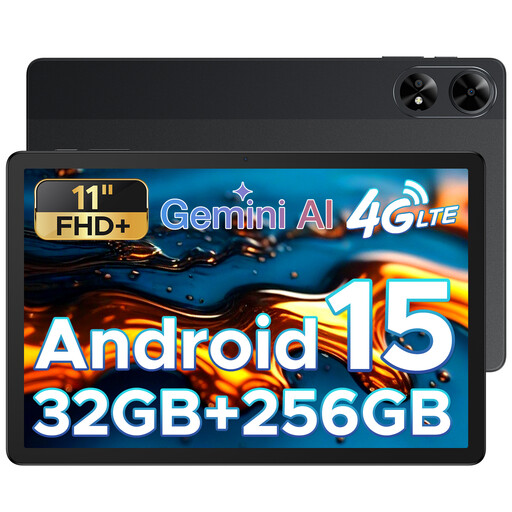 Image unavailable
For bills and saved statements, this model’s title lists an 11-inch display, 256GB storage and expansion up to 2TB. Its stated 8,000mAh battery capacity is not a runtime measure; check the charging connector and a relevant battery-use figure if charging interruptions are your main concern.
 Image unavailable
The Wi-Fi configuration and 256GB storage make this a choice to examine for a home bill dashboard with locally saved records. Check a battery-use figure suited to your routine and whether you already have a compatible charging adaptor.
Yes, provided the extension equipment is used within its marked current rating. Electrical Safety First advises using only one socket extension device per wall socket and not daisy-chaining leads; account for the other devices connected to it as well.
A Wi-Fi tablet is a sensible starting point if you manage bills mainly at home or wherever trusted Wi-Fi is available. Consider cellular only when access away from Wi-Fi matters to you, and check the exact variant and mobile-data arrangement; Apple UK lists 5G and eSIM for the cellular version of its iPad 11-inch (A16), not its Wi-Fi-only version.
Check the terms for the exact tablet configuration and seller, including how to request service or make a return. Lenovo UK lists one-year courier service for its cited Tab M11 configuration, but that specification should not be assumed to apply to every variant or seller.