Choose a 27-inch QHD monitor if your student-room desk can accommodate it and you regularly view bird-count tables, charts and maps side by side. A compact Full HD monitor makes more sense when desk space or viewing distance is the tighter constraint. If you work mainly from a laptop, check its USB-C video and charging requirements before relying on a monitor for a one-cable setup.
Who each setup suits
Students comparing several survey views
If bird-count spreadsheets, charts, maps and notes need to stay visible together, a 27-inch QHD workspace is worth considering. LG and Lenovo list 2560 × 1440 panels in their 27-inch models; check that the screen also fits your desk.
Students with a shallow desk
A compact display may be easier to position when the screen is close to your chair. Check the stand as well as the panel size: Dell lists adjustment options for the P2425H, but its referenced UK listing is labelled without a stand. Ergotron advises a viewing distance of at least 51 cm.
Students working mainly from a laptop
A USB-C connection is useful only if it provides the video and charging functions your laptop needs. The stated power delivery differs between the LG, BenQ and Lenovo models discussed below, so compare the exact monitor and laptop specifications.
What matters when choosing
Start with the space needed for your survey windows, then check whether the monitor can sit at a usable distance and connect to your laptop as intended.
| Concern |
What to check |
Who this matters to |
| Space for survey results |
Compare native resolution and panel size: the cited 27-inch QHD models have 2560 × 1440 pixels, while Dell lists 1920 × 1080 for its 23.8-inch P2425H. |
If I need a spreadsheet, chart and map visible together, I put room for simultaneous views first; around 44% of consumers share that primary need. |
| Desk fit and positioning |
Measure desk depth and width, and check the stand footprint and adjustments. Ergotron advises placing the screen at least 51 cm from your eyes. |
On a shallow student-room desk, I need to position the screen without sitting too close or losing usable desk space; that is the main concern for around 33% of consumers. |
| Laptop connection |
Check USB-C video support on the laptop and monitor, then compare the monitor's power delivery with the laptop's charging requirement. |
When my laptop is my main computer, I want the display connection and charging arrangement to work without extra cable clutter; around 23% of consumers put this first. |
Checks that prevent a poor fit
-
Assuming every USB-C monitor will charge a laptop adequately
USB-C power delivery is model-specific: LG states 15W for the 27U631A-B, BenQ states 65W for the GW2790QT, and Lenovo states 75W for the L27h-4A. A USB-C socket alone does not establish that a laptop can receive video and sufficient charging through one cable.
Check the laptop's USB-C video and charging specifications against the exact monitor model before buying.
-
Choosing panel size without measuring the desk
A 27-inch display can offer more room for survey windows, but it still needs a suitable position and viewing distance. Stand adjustment cannot make an oversized setup fit a shallow desk.
Measure the available depth and width, check the stand footprint, and allow at least the 51 cm viewing distance advised by Ergotron.
-
Treating display comfort modes as a substitute for positioning
LG lists Reader Mode and Flicker Safe on the 27U631A-B, but those features do not determine where the screen sits or whether light reflects off it.
Position the monitor at a workable height and distance, reduce glare, and use the available display modes according to your preference.
-
Assuming the expected stand is in the box
The Dell UK listing referenced for the P2425H is explicitly labelled without a stand. A model's adjustment specifications should not be taken as confirmation of a particular bundle's contents.
Check the exact variant, included stand and cables on the product-detail page before checkout.
Relevant monitor brands
Dell
Dell's referenced models illustrate both a compact Full HD setup and a 27-inch QHD USB-C hub setup.
- Dell lists a 23.8-inch 1920 × 1080 IPS panel for the P2425H and a 27-inch 2560 × 1440 IPS panel with up to 90W USB-C power delivery for the P2725DE.
- Check the P2425H bundle carefully: the referenced Dell UK listing is labelled without a stand.
LG
The 27U631A-B is a 27-inch QHD IPS option for students prioritising screen space over laptop charging through the monitor.
- LG lists a 2560 × 1440 panel, USB-C connectivity, Reader Mode and a tilt-adjustable stand for this model.
- Its stated 15W USB-C power delivery needs to be checked against the laptop's charging requirement.
BenQ
The GW2790QT is a 27-inch QHD option for a compatible laptop setup where connection and screen adjustment matter.
- BenQ lists 65W USB-C power delivery, a USB hub, daisy-chaining and height, tilt, pivot and swivel adjustment for this model.
- Confirm that your laptop supports the required USB-C video output and accepts the available charging power.
Lenovo
The L27h-4A is a 27-inch QHD IPS docking-monitor option for a laptop-centred desk.
- Lenovo lists 75W USB-C power delivery, four USB-A ports and a USB-C cable for this model.
- Check current availability and the laptop's video and charging compatibility before relying on it for a one-cable setup.
Joybuy monitors for this setup
These monitors offer different display formats for bird-survey work, from compact Full HD and WUXGA options to QHD and 27-inch 4K models. Compare the exact dimensions and connection requirements with your student-room desk and computer.
 No image available
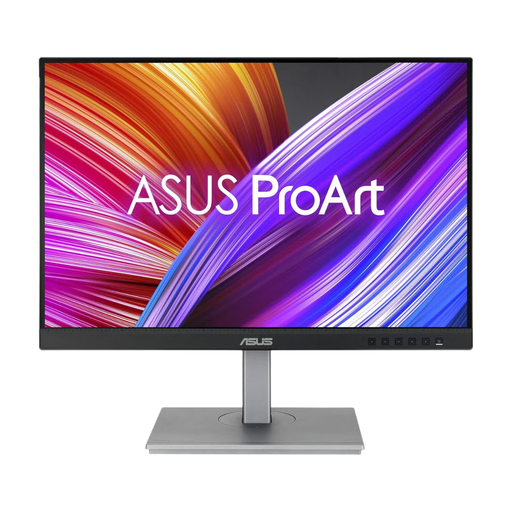
ASUS ProArt PA24ACRV QHD IPS monitor
Consider this QHD IPS model when detail in survey tables and charts matters but you still need to check how the monitor fits your desk.
If you plan to connect a laptop by USB-C, confirm its video and charging compatibility and the included cable for the variant you order.
View on Joybuy
 No image available
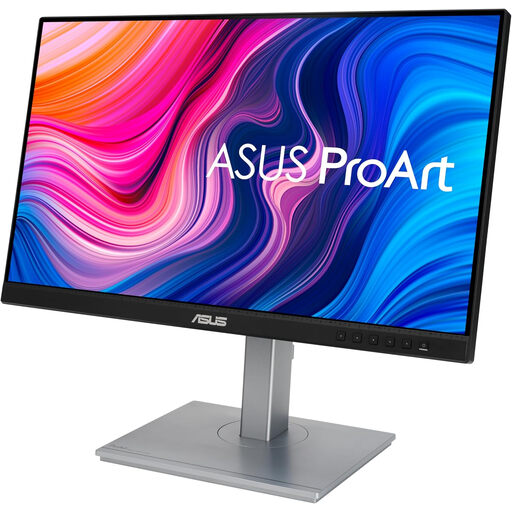
ASUS ProArt PA248CNV WUXGA IPS monitor
Consider this WUXGA IPS model if your survey work favours a less wide display format for tables and documents. Check its dimensions against your desk and confirm that your laptop supports the connections and charging arrangement you intend to use.
View on Joybuy
 No image available
ASUS ProArt PA247CV Full HD IPS 75Hz monitor
This Full HD IPS option suits a compact-display approach when you do not need as many pixels for simultaneous survey windows as a QHD panel provides. The product name specifies 75Hz; check desk dimensions and laptop connection requirements separately.
View on Joybuy
 No image available
ASUS ProArt PA278CV WQHD IPS monitor
A WQHD IPS option to consider when you want space for several survey views. Check the monitor's dimensions against your desk; if you want USB-C laptop charging, confirm its power-delivery rating against your laptop's requirement.
View on Joybuy
 No image available
LG 27UP650K 27-inch 4K IPS monitor, White
Consider this 27-inch 4K IPS model if a detailed workspace suits your survey analysis and your desk can accommodate it. Its product name lists 60Hz, HDMI and DisplayPort; check the connection you need rather than assuming USB-C video or laptop charging.
View on Joybuy
Questions about choosing a monitor
Is a 27-inch QHD monitor worth choosing for bird-survey analysis?
A 27-inch QHD monitor is worth considering if you often keep spreadsheets, charts, maps and notes open together and have enough desk depth for it. The cited LG QHD model has 2560 × 1440 pixels, while Dell lists 1920 × 1080 for its compact P2425H; measure your viewing distance before choosing the larger panel.
How far away should the monitor sit in a student room?
Ergotron advises positioning a monitor at least 51 cm from your eyes. Check that your desk allows that distance, then adjust screen position and tilt to manage your viewing angle and glare.
Will a USB-C monitor display my survey work and charge my laptop?
It can do both only when the laptop supports the relevant USB-C video and charging functions and the monitor supplies suitable power. LG states 15W for the 27U631A-B, BenQ states 65W for the GW2790QT and Lenovo states 75W for the L27h-4A; compare the exact model with your laptop's requirements.


