What matters when choosing
Decide which devices the mini PC must connect, then check the port and operating system. If wireless audio or the PC’s position is the main difficulty, assess those requirements separately.
| Concern |
What to check |
Who this matters to |
| Computer compatibility |
Match the connector to a free port and check support for the exact operating system. TP-Link lists Windows versions for UB500 and UB500 Plus; ASUS lists Windows 8.1/10 and Linux for USB-BT500. |
If my mini PC has limited ports or runs Linux, I need an adapter that physically fits and supports that system. Around 37% of consumers put compatibility and setup first. |
| Everyday peripherals |
Choose a general PC Bluetooth adapter rather than an audio-only transmitter, and check the devices you intend to pair. |
I want a mouse, keyboard or other everyday device to connect without adding much clutter to my desk. Everyday peripheral use comes first for around 27% of consumers. |
| Placement and interference |
Check where the PC and adapter will sit; consider an adjustable antenna or another USB position. TP-Link notes that obstacles and wireless interference can reduce coverage. |
With my mini PC behind a display, I need a usable connection where I sit, not just a quoted range. Around 18% of consumers prioritise placement and signal conditions. |
| Audio features |
Check codec support at both ends and whether a microphone is needed. Avantree states that DG80-Gaming transmits audio only. |
For games or video, I care about audio synchronisation, but I may also need to speak through my headset. Audio delay and feature limits are the primary concern for around 18% of consumers. |
Joybuy products for compact PC Bluetooth
This compact adapter is a choice to consider for a Windows mini PC that needs ordinary Bluetooth peripherals. Confirm that its USB connector fits a free port on your PC before ordering.
 No image available
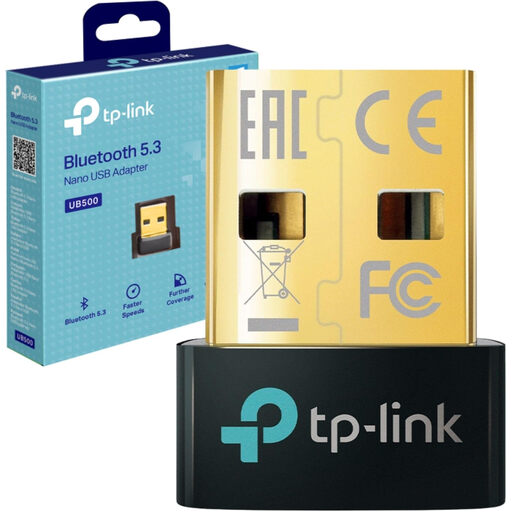
TP-Link UB500 Bluetooth 5.0 Nano USB Adapter
Consider this compact general-purpose adapter if your Windows mini PC needs Bluetooth for devices such as a keyboard or headphones.
TP-Link lists support for Windows 7, 8.1, 10 and 11. Check the connector against your PC’s free ports; do not assume support for Linux or macOS from the Windows specifications.
View on Joybuy
Frequently asked questions
Do I need an adapter if my mini PC already shows Bluetooth?
Not necessarily: check whether Bluetooth is switched off or the existing connection needs troubleshooting before adding another adapter. Microsoft Support advises checking Bluetooth settings and the device when pairing fails.
How do I pair a device after fitting a Bluetooth adapter?
In Windows, switch Bluetooth on, put the accessory in pairing mode and add it through Bluetooth settings. Microsoft Support also describes a manual Add device option if the accessory does not appear automatically.
Will Bluetooth 5.3 automatically prevent headphone audio lag?
No: a Bluetooth version number alone does not establish low-latency audio with your headphones. For DG80-Gaming, Avantree makes its low-latency claim conditional on headphones supporting aptX Low Latency or aptX Adaptive; also check microphone support if you need calls.
What should I do with an old Bluetooth dongle?
Take a dongle displaying the crossed-out wheeled-bin symbol to an appropriate electrical-waste collection point rather than putting it in household rubbish, as GOV.UK advises. Check your local recycling centre or an eligible retailer’s take-back service.
What if my adapter is faulty or does not match its description?
Keep the order record and contact the seller about the fault or discrepancy. Under the UK Consumer Rights Act 2015, goods that do not meet statutory requirements can give rise to remedies including rejection, repair or replacement, with the available remedy depending on the circumstances; these rights are distinct from a retailer’s change-of-mind policy.


