Space-constrained mini-PC users
If you want to add Bluetooth without making a crowded desk or USB-port area more awkward, a nano adapter is worth considering. Check its dimensions against the clearance around the port you intend to use.


Choose a nano USB Bluetooth adapter if your mini PC has a suitable free port, runs a supported operating system and normally connects to nearby peripherals. If the PC is tucked behind furniture or reception is unreliable, an adjustable-antenna model may give you more positioning options, but it takes up more space. Check the exact model and Bluetooth version, driver requirements and port clearance before buying.
If you want to add Bluetooth without making a crowded desk or USB-port area more awkward, a nano adapter is worth considering. Check its dimensions against the clearance around the port you intend to use.
If your mini PC sits behind a monitor or other equipment, an adjustable antenna gives you a way to change its position. Allow for the adapter’s larger body as well as the space needed to adjust the antenna.
Look for support declared for the exact adapter rather than assuming a Windows-compatible model will work. Edimax lists Linux support for the BT-8500; Plugable describes its USB-BT5 as unsuitable for Linux.
For a mini PC on a small desk, check the operating system and available USB port before comparing adapter size and antenna placement. A compact body helps with fit, but it does not settle questions about drivers or reception.
| Concern | What to check | Who this matters to |
|---|---|---|
| OS and drivers | Confirm support for your exact operating system and version, and check how to obtain any required driver. | If my mini PC cannot use the adapter’s driver, its size will not help me. Around 40% of consumers put operating-system and driver compatibility first. |
| Fit and port clearance | Check the adapter’s dimensions, the available USB port type and space beside that port. | With little room around my mini PC, I want an adapter that fits without crowding nearby connections. Roughly 30% of consumers make physical fit their primary concern. |
| Reception and placement | Consider obstructions, nearby USB equipment and whether there is room to position an adjustable antenna. | If the PC is tucked behind a display, I need a practical way to address an unreliable connection. For around 20% of consumers, reception is the main priority. |
| Linux support | Look for the exact model’s Linux support declaration and any relevant driver or support files. | For a Linux mini PC, I need more than a Windows compatibility label. Linux-specific support comes first for roughly 10% of consumers. |
TP-Link United Kingdom has product pages naming both a Bluetooth 5.0 UB500 and a Bluetooth 5.4 UB500. A shortened listing title may not distinguish the version you intended to buy.
Check the full listing, model or revision details and supported operating systems for the unit offered by the seller.
A nano adapter occupies little space, but its antenna cannot be positioned separately from its USB port. That limits your options when the mini PC sits behind furniture or a display.
Try a different port or peripheral position first. If reception remains unreliable, compare an adjustable-antenna model and check that it will fit.
Compatibility is model-specific. Edimax lists Linux support for the BT-8500, whereas Plugable describes its USB-BT5 as unsuitable for Linux.
Check the manufacturer’s operating-system information and driver resources for the exact adapter before ordering.
ASUS states its USB-BT500 range figures for open space. Furniture and nearby equipment change the conditions, and Microsoft Support notes that unshielded USB devices can sometimes interfere with Bluetooth connections.
Assess where the mini PC and peripherals will sit, and consider port placement or an adjustable antenna if reception is difficult.
The researched models offer a choice between a compact UB500 nano adapter and the larger UB500 Plus with an adjustable antenna.
The BT-8500 is a nano adapter to consider when stated Windows and Linux support matters.
The USB-BT500 is a small Bluetooth 5.0 USB-A adapter with published specifications for Classic Bluetooth and Bluetooth Low Energy.
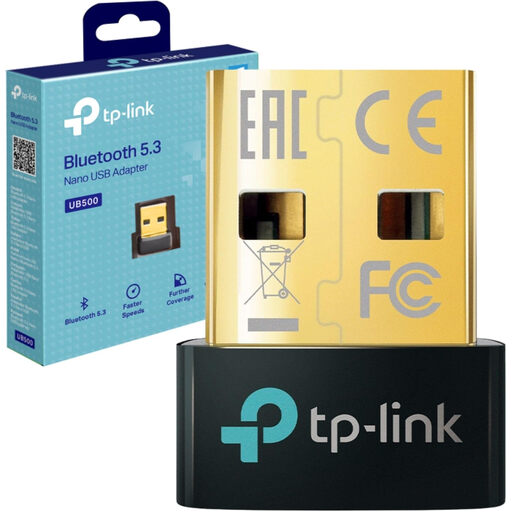
This compact nano adapter is a choice to assess for a Windows mini PC with a suitable free USB port, particularly when space around the desk and port is tight.
 No image available
Consider this nano adapter when a Windows mini PC needs Bluetooth and the space around its USB port is limited.
The listed body measures 14.8 × 6.8 × 18.9 mm and supports Windows 7, 8.1, 10 and 11. Check your port type and clearance, and confirm exact-model support before buying for Linux.
Yes, a compatible USB adapter can add Bluetooth to a Windows mini PC that lacks it, according to Microsoft Support. Check the adapter’s operating-system support and make sure the mini PC has the required free USB port.
Choose a nano adapter when nearby peripherals and limited port clearance are your main considerations. An adjustable antenna offers more positioning options if the mini PC is obstructed or reception is unreliable, but check its larger dimensions against your desk layout.
On Windows, turn on Bluetooth, put the peripheral in pairing mode and select it in Bluetooth settings, following Microsoft Support’s pairing guidance. If the adapter does not appear, check its driver instructions; TP-Link notes that installing the UB500 driver requires a network connection.
Yes, interference is possible: Microsoft Support notes that unshielded USB devices can sometimes affect Bluetooth connections. If a peripheral becomes sluggish or unresponsive, try another USB port or move it away from nearby USB equipment before replacing the adapter.
Check the seller’s product information for the exact adapter, including its model and warranty terms. For Great Britain, the Office for Product Safety and Standards describes the Radio Equipment Regulations 2017 as covering radio equipment safety and electromagnetic compatibility; a Bluetooth version number alone does not establish whether a particular unit meets the applicable requirements.