What matters when choosing?
Decide whether you need Bluetooth for mixed peripherals or only an audio device, then check compatibility and where the adapter will sit.
Compact general-purpose adapter
Choose it when: A compatible Windows mini PC needs ordinary Bluetooth for several kinds of nearby peripheral.
Trade-off: A small adapter can stay close to a mini PC that is shielded by furniture or surrounded by interference.
External-antenna adapter
Choose it when: The mini PC is tucked away and an adjustable antenna would give you more placement flexibility.
Trade-off: It takes more space than a nano adapter, and antenna adjustment cannot eliminate obstacles or interference.
Dedicated USB audio adapter
Choose it when: Your main task is connecting a headset or speaker and the model supports the call workflow you need.
Trade-off: Some models act as USB sound devices rather than adding Windows Bluetooth for keyboards and mice, as Avantree explains for its DG80P.
| Concern |
What to check |
Who this matters to |
| Windows and driver compatibility |
Match the adapter’s stated operating-system support to the mini PC and check its driver-installation instructions. |
If my mini PC cannot recognise the adapter, it will not solve the connection problem. Roughly 31% of consumers put operating-system and driver compatibility first. |
| Connection at the desk |
Check where the USB port sits relative to your devices and whether an adjustable antenna would help with placement. |
With the mini PC behind a screen or near other wireless equipment, I need a connection that works from where I actually sit. Around 25% of consumers prioritise desk-layout reliability. |
| Headset calls and audio |
Confirm the intended microphone and meeting-app setup; check both device and headset requirements if you need LE Audio. |
For meetings as well as music, I need to know how my headset switches between playback and microphone use. Approximately 25% of consumers make that call-and-audio workflow their primary concern. |
| Small footprint |
Check the connector, adapter dimensions and clearance around neighbouring ports. |
At a shared desk, I would rather leave a discreet adapter fitted than manage another item each day. Roughly 19% of consumers place compact, convenient installation first. |
Compact adapter on Joybuy
This compact general-purpose adapter is a choice for adding Bluetooth to nearby peripherals on a compatible Windows mini PC. Check the desk position and your headset requirements separately.
 No image available
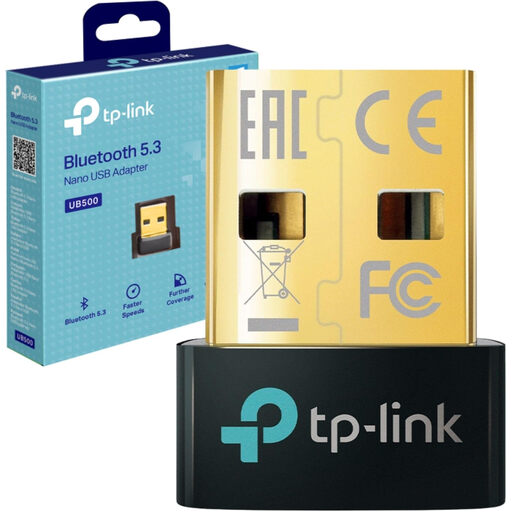
TP-Link UB500 Nano USB Bluetooth Adapter
Consider this compact adapter when the mini PC needs general Bluetooth for nearby peripherals and its Windows version is supported.
TP-Link lists the UB500 at 14.8 × 6.8 × 18.9 mm and states support for Windows 7, 8.1, 10 and 11. Check the connector against an available port and confirm the Bluetooth version for this specific item before relying on version-specific features.
If the mini PC is obstructed or close to interference, its small form does not establish how the connection will perform at your desk.
View on Joybuy
Frequently asked questions
Do I need an adapter if Bluetooth already appears in Windows?
Not necessarily: check whether the mini PC’s existing Bluetooth connects the devices you need before adding another adapter. Microsoft Support describes a USB adapter as a way to add Bluetooth when a Windows device lacks it; if you are replacing a faulty setup, follow the new adapter’s instructions for the internal radio.
How do I set up a USB Bluetooth adapter on a Windows mini PC?
Plug it into a compatible port, install any driver required by its manufacturer, then use Windows Bluetooth settings to pair a discoverable peripheral. If the device is not detected or pairing fails, Microsoft Support advises checking and updating the Bluetooth driver.
Will a newer Bluetooth version guarantee better headset calls or LE Audio?
No: the version number does not, by itself, establish the headset’s call mode or LE Audio compatibility. Microsoft distinguishes stereo playback from hands-free microphone use and says LE Audio requires support from both the Windows device and the headset, alongside the relevant software and drivers.
Does a dedicated USB audio adapter add normal PC Bluetooth?
Not always: Avantree says its DG80P is recognised as a USB sound device that pairs directly with headphones or speakers, rather than showing a normal Windows Bluetooth icon. For keyboards, mice and other mixed peripherals, check for a general-purpose adapter that supports the mini PC’s operating system.


