Choose a compact USB Bluetooth adapter if the mini PC has an accessible port, its operating system is supported and the peripherals will be nearby. If the PC is tucked behind a screen or under a desk, an adapter with an adjustable antenna offers more control over positioning but takes up more space. Before buying either format, check whether the PC already has Bluetooth; published range figures do not guarantee coverage across a shared office.
Who this choice affects
Shared-desk peripheral users
If a keyboard, mouse, headset or speaker needs to work around one mini-PC workstation, consider both where the adapter will sit and whether its size will get in the way. Microsoft Support’s Bluetooth pairing and disconnection guidance covers these device and connection checks.
Mini PCs tucked behind screens or desks
When the USB port faces away from the working area, antenna positioning may matter more than keeping the adapter as small as possible. TP-Link’s UB500 Plus has an adjustable, multi-directional antenna.
Compatibility-first office administrators
For a managed mini PC, establish the exact operating system and driver route before deployment. TP-Link and ASUS publish different model-specific OS lists, while Microsoft Support recommends driver checks when Bluetooth cannot be found or becomes unreliable.
What to check before buying
Check for built-in Bluetooth and an available USB port first. Then match the adapter’s supported operating system and physical format to where the mini PC and its peripherals will actually sit.
| Concern |
What to check when buying |
Who this matters to |
| Connection reliability |
Locate the mini PC relative to the regularly used peripherals. If it is concealed, consider whether an adjustable antenna would allow a more useful orientation; neither format guarantees office-wide range. |
If my keyboard or headset is used throughout the working day, I want to avoid interruptions at the desk. Around 33% of consumers put connection reliability first. |
| OS, port and drivers |
Confirm the exact OS version, available port and model-specific support page. Check for existing Bluetooth in Windows before using another adapter. |
Before deploying an adapter on a managed mini PC, I need a supported OS and a workable driver route. For around 25% of consumers, compatibility is the primary concern. |
| Headsets and peripherals |
Identify the devices to pair and confirm that the product is a PC Bluetooth adapter, not a single-purpose audio transmitter. Test the intended headset with the PC’s pairing setup. |
If calls and everyday input devices must work from the same PC, I need to check the actual accessories rather than rely on a Bluetooth version label. That device-use need comes first for around 25% of consumers. |
| Physical fit |
Check clearance around the chosen port, including mounts, panels and nearby cables. Allow more room for an antenna-equipped adapter than for a nano design. |
At a cramped shared desk, I want an adapter I can leave fitted without obstructing the port area. Compact fit is the leading need for around 17% of consumers. |
Buying pitfalls
-
Buying before checking built-in Bluetooth
A missing Bluetooth control does not by itself show that the mini PC needs new hardware: Microsoft Support also identifies missing drivers as a possible cause. Power-saving settings and outdated drivers can contribute to disconnections.
Check Windows Bluetooth settings and Device Manager. If an existing adapter appears, investigate its driver and connection settings before taking up a USB port with another one.
-
Reading a range figure as an office guarantee
ASUS states its USB-BT500 distance figures for open space, and TP-Link says actual performance can vary. Neither statement establishes coverage for a particular shared-office layout.
Choose around the mini PC’s position and the peripherals you will use. For a poorly exposed port, consider antenna adjustability rather than comparing Bluetooth version numbers alone.
-
Overlooking the exact OS and driver route
Support differs between models: TP-Link lists Windows 7, 8.1, 10 and 11 for UB500, while ASUS lists Windows 8.1, 10 and Linux for USB-BT500 on its UK specification page.
Match the exact model’s current support information to the mini PC’s OS, particularly before deploying adapters across managed PCs.
Driver troubleshooting across managed PCs can also take staff or IT-support time.
-
Assuming a nano adapter suits every port position
A small dongle may be convenient to leave installed, but it cannot offer the adjustable antenna position provided by TP-Link’s larger UB500 Plus.
Inspect nearby mounts, panels and cables. Favour a nano format where clearance matters most; consider an adjustable antenna where the port’s orientation is the greater concern.
Brands to consider
TP-Link
TP-Link offers the compact UB500 and the larger UB500 Plus with an adjustable antenna, giving Windows mini-PC users two different physical formats to consider.
- TP-Link’s UK pages list Windows 7, 8.1, 10 and 11 support for both models.
- TP-Link says its speed, distance and capacity figures are based on laboratory conditions and can vary in use. Driver attention may also be needed after an OS update.
ASUS
The USB-BT500 is a compact USB-A option for a mini PC running an operating system listed for that model.
- ASUS specifies Bluetooth 5.0 with EDR and Bluetooth Low Energy, USB 2.0 Type-A, Windows 8.1 and 10, and Linux.
- ASUS’s UK specification lists its distance figures for open space, not a shared-office layout. It does not list Windows 11, so seek current model-specific confirmation for that OS.
Plugable
Plugable presents the USB-BT5 as a Windows-focused adapter for PC peripherals.
- Plugable lists Windows 10 and 11 compatibility, along with Bluetooth Classic and Bluetooth Low Energy.
- Plugable notes that Windows supports only one Bluetooth adapter at a time. Confirm the applicable product and support details with the seller before choosing it for a UK purchase.
Compact adapters on Joybuy
The compact option here is for a mini PC where a small adapter can remain fitted and its supported Windows version matches the PC. If the mini PC is hidden or its port is poorly oriented, weigh the need for antenna positioning before choosing this format.
 No image available
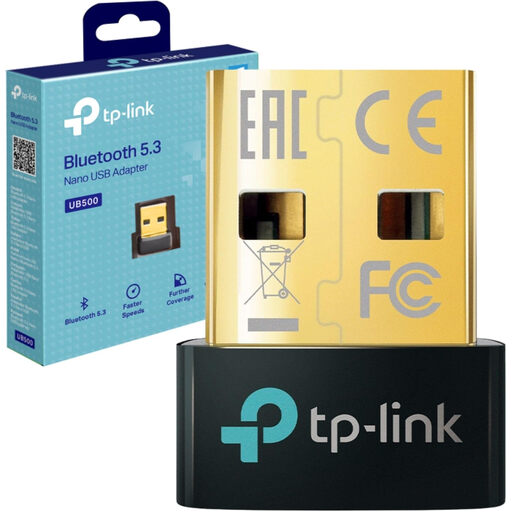
TP-Link UB500 Bluetooth 5.0 Nano USB Adapter
Consider this nano adapter when the mini PC has an accessible port and a small, leave-in-place format matters. TP-Link lists dimensions of 14.8 × 6.8 × 18.9 mm and support for Windows 7, 8.1, 10 and 11. Check the PC’s port and existing Bluetooth setup before buying; the quoted open-space range does not establish coverage in a shared office.
View on Joybuy
Common questions
Do I need an adapter if my mini PC already has Bluetooth?
Not necessarily: check the existing Bluetooth hardware and driver before buying another adapter. Microsoft Support says missing Bluetooth settings can mean either that no adapter is present or that its driver is not installed; driver and power-management checks can also help investigate disconnections.
How do I set up a USB Bluetooth adapter in Windows?
Connect an adapter compatible with the mini PC, enable Bluetooth in Windows and put the accessory into pairing mode before adding it through Bluetooth settings. If the adapter is not detected or pairing fails, Microsoft Support recommends checking drivers; use support instructions for the exact adapter and PC models.
Will Bluetooth 5 guarantee range across a shared office?
No. ASUS quotes its USB-BT500 Bluetooth Low Energy distance of up to 40 m in open space, while TP-Link says actual distance can vary. For a concealed mini PC, an adjustable antenna offers another positioning option, not a guaranteed connection at a specified distance.
Does a Bluetooth USB adapter automatically need a wireless licence?
Not automatically: Ofcom’s June 2026 guidance describes short-range devices as usually designed to operate on a licence-exempt basis. That general UK guidance is not a product-specific determination; check the applicable conditions before using modified or specialist radio equipment.


