Who needs which features?

Everyday desktop headphone users

If you mainly want music, video and occasional calls from a Windows desktop, check that the adapter supports your Windows version and that you have a suitable USB port. A specialist audio feature may not be necessary for ordinary listening.

Users with awkward desktop placement

A PC behind a monitor, a crowded set of ports or a metal chassis makes dongle placement worth considering. Microsoft Support advises checking for nearby USB 3.0 devices when a Bluetooth connection is sluggish; an adjustable antenna offers another way to position the adapter.

Users with specific audio requirements

For gaming, lip-synchronised video, headset calls or compatible LE Audio devices, check the exact headphone and transmitter combination. Avantree notes that microphone behaviour and available modes for its C82 LEA depend on the operating system and platform.

What matters when choosing?

Nano USB adapter

Consider it when: You need to add Bluetooth to a supported Windows desktop for everyday headphone use.

Trade-off: A small dongle is discreet but may sit close to the PC chassis or crowded USB ports.

Adjustable-antenna adapter

Consider it when: The desktop position makes it useful to change the antenna’s orientation.

Trade-off: It takes more space than a nano dongle and cannot resolve driver or headphone incompatibility.

Audio-focused transmitter

Consider it when: You need a documented codec or audio mode for particular headphones and uses.

Trade-off: The stated audio features depend on matching headphones, the operating system and the required microphone mode.

Concern What to check Who this matters to
Windows and port compatibility Check whether the PC already has Bluetooth, then match the adapter’s stated Windows support and connector to the desktop. If my PC lacks working Bluetooth, I need an adapter that fits its port and operating system before considering audio extras; around 38% of consumers put compatibility first.
Connection placement Check where the dongle would sit relative to the PC chassis and nearby USB 3.0 devices; consider whether an adjustable antenna would help with positioning. With my PC tucked behind a monitor, I care more about avoiding drop-outs than about light from the window; roughly 37% of consumers put placement and reliability first.
Audio and microphone modes Match documented codecs and call modes to the exact headphones, and check the conditions attached to any latency claim. For gaming or calls, I need the audio and microphone modes to work together, not just a recent Bluetooth version; around 25% of consumers prioritise these audio features.

Buying pitfalls

  • Treating the Bluetooth version as proof of audio performance

    A version number does not establish which codecs, latency conditions or headset-call modes will work with your headphones.

    Check the adapter’s documented audio modes against the headphone model. Avantree, for example, makes compatibility and platform qualifications for its C82 LEA transmitter.

  • Ignoring where a nano dongle will sit

    A port behind the desktop may put the adapter close to the chassis or other USB devices. Microsoft Support identifies nearby USB 3.0 devices as something to check when Bluetooth is sluggish.

    Look at the available port positions before choosing a compact dongle; if placement is awkward, consider an adjustable-antenna model. Do not choose based on window brightness alone.

  • Adding an adapter before checking the existing Bluetooth hardware

    A second adapter can complicate setup when the desktop already has Bluetooth or needs a driver update.

    Check the existing connection and driver first. If you install a TP-Link USB adapter, follow its guidance on disabling existing Bluetooth devices where applicable.

  • Assuming an imported adapter meets local requirements

    GOV.UK’s Office for Product Safety and Standards states that radio equipment placed on the Great Britain market must meet the Radio Equipment Regulations 2017; Northern Ireland has modified requirements.

    Ask the seller for the applicable conformity information, and check the separate Northern Ireland guidance if that is where the product will be supplied.

Brands to consider

TP-Link

TP-Link offers general Windows USB Bluetooth adapters, including the compact UB500 and the adjustable-antenna UB500 Plus.

  • TP-Link’s UK pages list Windows 7, 8.1, 10 and 11 support for these models; its UB500 Plus page describes an adjustable multi-directional antenna.
  • Check the exact model and version: stated range varies with the environment, and TP-Link’s installation guidance advises disabling existing Bluetooth devices when fitting its USB adapter.

ASUS

The compact USB-BT500 is a general-purpose USB-A Bluetooth adapter.

  • ASUS specifies USB 2.0 Type-A and Bluetooth 5.0+EDR with Bluetooth Low Energy support for the USB-BT500.
  • Its UK specifications list Windows 8.1 and 10, while its support page also offers Windows 11 driver selections; check the support page for your installed version.

Avantree

Avantree’s C82 LEA is an audio-focused USB Bluetooth transmitter for users checking particular headphone codecs and modes.

  • Avantree lists LC3, aptX Adaptive, aptX and SBC for the C82 LEA, giving buyers specific modes to compare with their headphones.
  • Avantree says performance requires compatible headphones or hearing aids and that microphone behaviour depends on the operating system and platform.

Joybuy product choices

For a desktop headphone setup where a compact USB adapter is the preferred route, consider this nano model after checking its fit with your PC and audio needs.
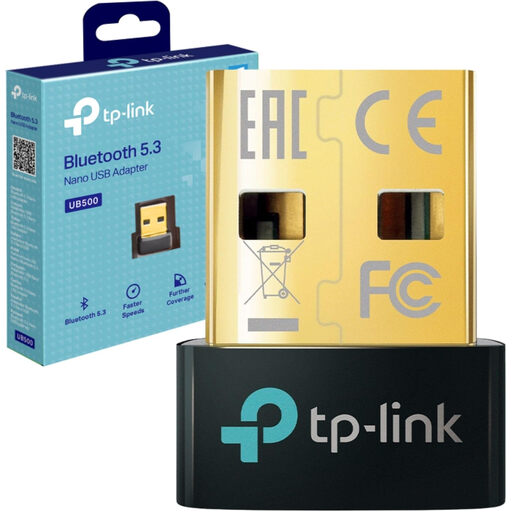
TP-Link UB500 Bluetooth 5.0 Nano USB Adapter

TP-Link UB500 Bluetooth 5.0 Nano USB Adapter

Its nano design suits a desktop setup where a small adapter is preferred.

Check the connector and Windows support for your PC. If you need gaming audio or headset calls, confirm the codec and microphone modes for your headphones before buying.

Joybuy

Common questions

Does a bright window affect which Bluetooth adapter I need?

Window brightness alone does not establish a need for a particular adapter. Bluetooth uses 2.4 GHz radio, according to the Bluetooth SIG; for a desktop connection, check distance, placement and nearby USB devices instead. Microsoft Support specifically advises checking for USB 3.0 devices near an unresponsive or sluggish Bluetooth device.

Should I add a USB adapter if my desktop already has Bluetooth?

Check the existing Bluetooth connection before adding another adapter. Microsoft Support recommends checking range and drivers when pairing or detection fails; buy a separate adapter if the existing hardware cannot meet your needs after appropriate troubleshooting.

Will any Bluetooth 5.x adapter give me low-latency audio?

No: the version number alone does not establish a low-latency headphone connection. Check matching codecs, the stated latency conditions and the microphone mode you need. Avantree says its C82 LEA audio behaviour depends on compatible headphones and the operating system or platform.

Do I need a radio licence for a desktop Bluetooth adapter?

Do not determine an individual product’s legal status from its Bluetooth version. Ofcom describes short-range devices as usually designed for licence-exempt operation. Separately, GOV.UK’s Office for Product Safety and Standards says radio equipment placed on the Great Britain market must meet the Radio Equipment Regulations 2017; Northern Ireland has modified requirements, so check the guidance applicable to where the adapter is supplied.