iPhone users who misplace keys at home
If you want to ring your keys through Apple Find My before leaving, check that your iPhone or iPad meets the requirements for the exact tracker you choose.


Choose a Bluetooth key tracker that works with your phone’s finding network: AirTag uses Apple Find My, while an Android user needs a tag compatible with Google Find Hub. For keys misplaced at home, prioritise a sound you can trigger nearby, a practical way to attach the tag and a battery arrangement you will maintain; a tag that can use either network may offer flexibility, but it may not use both at once.
If you want to ring your keys through Apple Find My before leaving, check that your iPhone or iPad meets the requirements for the exact tracker you choose.
Look for a tag explicitly compatible with Google Find Hub, then check its Android and account setup requirements rather than assuming any Bluetooth tag will work.
Check who can locate the tag, which network it can join and whether everyone is willing to replace its battery or keep it charged. A choice between Apple and Google networks does not necessarily mean simultaneous access through both.
Start with the finding network your phone can use. Then consider how you will find keys nearby and keep the tag ready to use.
| Concern | What to check | Who this matters to |
|---|---|---|
| Phone and finding network | Check the exact model’s supported app or network and your phone’s software requirements. | If my phone cannot use the tag’s finding network, I cannot rely on it to locate my keys. Around 45% of consumers put phone-network compatibility first. |
| Finding keys nearby | Check whether you can ring the tag from your chosen app and how it attaches to a keyring; treat quoted Bluetooth range as a maximum, not an indoor guarantee. | When keys disappear into a bag just before I leave, I want to trigger a sound instead of searching room by room. Around 33% of consumers put nearby finding first. |
| Power and sharing | Check whether the battery is rechargeable or replaceable and whether the chosen network lets the intended household members share the tag. | For shared keys, I need the tag to stay powered and the right person to be able to find it. Around 22% of consumers put upkeep and sharing first. |
An Apple Find My-only tag will not provide its intended finding experience through Google Find Hub, and an Android user needs a tag compatible with their chosen app.
Check the exact tracker model’s network and phone software requirements before ordering.
A maximum Bluetooth range does not promise the same result through walls, floors or interference.
Prioritise a nearby ring function and test it in the places where your keys usually go missing.
A flat tracker cannot help with a last-minute search. The Office for Product Safety and Standards warns that swallowed button batteries can seriously injure or kill a child.
Plan for charging or battery replacement, and keep spare and used coin cells secured away from children.
Pebblebee says its Clip 5 can use Apple Find My or Google Find Hub, but can connect to only one of those networks at a time.
Choose the network you will use before setup, and check its sharing options if someone else also needs to find the keys.
AirTag is an Apple Find My option for locating personal items such as keys.
Chipolo’s finding app and network depend on the model: ONE Spot uses Apple Find My, while its regular Chipolo products use the Chipolo app.
Pebblebee positions its rechargeable Clip 5 as a tag for attached items, including keys.
These Apple Find My options are for consumers choosing that network to locate keys. Confirm compatibility with your device and how each tracker will attach to your keyring.
 No image available
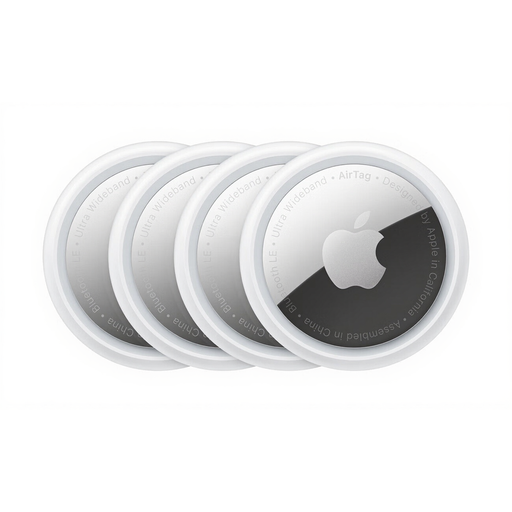
For an Apple Find My user who wants to tag several items, this pack contains four AirTags.
Check the exact AirTag generation and its device and software requirements before buying. Confirm how you will attach an AirTag to your keyring.
 No image available
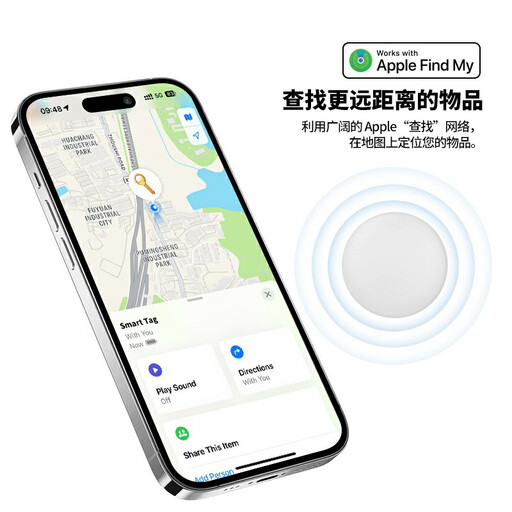
For a nearby search using Apple Find My, the RSH-iTag11 is described with a sound alert.
Its product name specifies a replaceable CR2032 battery, IP53 rating, Lost Mode and left-behind notifications. Check device compatibility and whether a suitable keyring attachment is included; keep spare and used coin cells away from children.
AirTag is not the choice for finding keys through Google Find Hub on an Android phone. Apple’s current UK AirTag listing requires an Apple Account and a compatible iPhone or iPad; for Android, choose a tracker explicitly compatible with Google Find Hub.
Compatible Google Find Hub tags can be shared: Google says its sharing steps work on Android 9 and later and allow sharing with up to 10 loved ones. Location detection can take several minutes after sharing, so set it up and test it before relying on it for shared keys.
Choose according to the maintenance you will actually do: a rechargeable tag needs charging, while a replaceable-cell tag needs battery changes and safe cell storage. Pebblebee quotes up to 12 months per charge for Clip 5; where children are present, keep spare and spent coin cells secured away from them.
Attach the tag securely, set it up in its intended app and test its nearby ring from the area where you usually leave home. Check its battery level or charging routine as well, so the tag is ready when your keys go missing.