Start by distinguishing scarce mains sockets from scarce USB ports: a Bluetooth mouse can connect directly to a compatible computer, while a wireless receiver occupies a USB port. If avoiding routine charging matters most, consider a replaceable-battery Bluetooth mouse; if device switching or programmable controls matter more, a rechargeable model may suit you, provided you can charge it. For long bird-survey tables, check scrolling, hand fit and compatibility as well as the connection.
Who this choice affects
Bluetooth-first laptop analysts
If your USB ports are occupied by storage or other equipment, a Bluetooth mouse can leave a port free. Check the mouse’s Bluetooth and operating-system requirements against your laptop before relying on that connection.
Long-table and repeated-task reviewers
If you spend time moving through observation records and reports, examine the scroll controls and whether any buttons can be assigned to actions you actually repeat. Button customisation may depend on compatible software.
Socket-constrained fieldwork organisers
If convenient charging access is limited, a replaceable-battery mouse avoids a routine charging cable but needs replacement batteries. A rechargeable mouse calls for a charging plan, even when it connects over Bluetooth.
What to check when choosing
Work out whether a mains socket, a USB port or both are scarce. Then decide which of the following needs would have the greatest effect on your choice.
| Concern |
Buying check |
Who this matters to |
| Keeping a USB port free |
Confirm Bluetooth support on the exact mouse and compatible Bluetooth on your computer; a receiver connection uses a USB port. |
If my laptop’s USB ports are needed for other equipment, I want the mouse to connect without a receiver. Around 31% of consumers would put that port-free connection first. |
| Avoiding routine charging |
Check whether the exact model uses replaceable batteries or USB charging, and what you would need to power it. |
When a mains socket is hard to reach, I would rather replace a battery than interrupt work to charge the mouse; roughly 25% of consumers would make charging dependence their primary concern. |
| Moving through long tables |
Check the available scroll modes and whether button assignments work with your operating system. |
Repeatedly moving through survey records makes controllable scrolling or useful shortcuts important to me. About 25% of consumers would prioritise table navigation and repeated actions. |
| Hand fit during longer sessions |
Check the exact size, shape and handedness variant rather than relying on an ergonomic label. |
If I review records for extended stretches, I need a shape that suits my hand and grip; around 19% of consumers would put fit and comfort first. |
Buying pitfalls
-
Assuming every wireless mouse leaves USB ports free
A wireless mouse may connect through a USB receiver rather than directly over Bluetooth, taking a port you need for other equipment.
Look for Bluetooth support on the exact model and check your computer’s compatibility. Treat a receiver as an alternative connection, not a port-free one.
-
Assuming rechargeable means no power planning
A rechargeable mouse still needs periodic charging. HP says a charger is not included with the HP 715, while Logitech specifies USB-C charging for the MX Anywhere 3S.
Decide where you could charge the mouse, and check the exact package contents and power connection before choosing it over a replaceable-battery model.
-
Overlooking compatibility when switching devices
Multi-device pairing and operating-system support vary by model. Microsoft specifies Bluetooth 4.0 or later for its Bluetooth Ergonomic Mouse and says it is designed to work best with Windows 11 or Windows 10.
Check every computer you intend to use, including its operating system and available Bluetooth connection.
-
Choosing controls without checking hand fit
Scrolling features and DPI do not establish whether a mouse will suit your grip. Logitech offers size options in its M650 range, while HP describes the 715 as compact and ambidextrous.
Check the size and handedness of the exact variant, particularly if you expect long review sessions.
Brands to consider
Logitech
Its Signature M650 for Business and MX Anywhere 3S illustrate different ways to handle scarce ports and power access: an AA-powered Bluetooth option and a rechargeable compact Bluetooth option.
- Logitech lists a receiver alternative and size options for the M650 family, while the MX Anywhere 3S offers multi-device connection and MagSpeed scrolling.
- An M650 receiver connection occupies a USB port. The MX Anywhere 3S needs charging, and Logitech says its compatible Logi Bolt receiver is not included.
HP
The HP 715 is a compact, ambidextrous rechargeable option to examine if switching devices and assigning repeated actions matter to your work.
- HP specifies Bluetooth 5.3, switching between up to three saved devices and six programmable buttons for the 715.
- The 715 requires USB-C charging; HP says a charger is not included. Check software compatibility before relying on button assignments.
Microsoft
The Bluetooth Ergonomic Mouse is a replaceable-battery option to examine for a Windows-focused, multi-PC setup where shape is an important consideration.
- Microsoft documents pairing with up to three PCs and the use of two AAA batteries.
- Microsoft specifies Bluetooth 4.0 or later and says the mouse is designed to work best with Windows 11 or Windows 10; check support before choosing it for another operating system.
Joybuy product choices
These choices cover Bluetooth mice for keeping a USB port free, including replaceable-AA options, a rechargeable Apple Magic Mouse and dual-mode alternatives. Compare their power arrangements, controls and device compatibility against your own spreadsheet setup.
 No image available
V7 MW500BT Bluetooth Vertical Mouse, 1600 DPI
Consider the V7 MW500BT if you want Bluetooth for a scarce-port setup and prefer to avoid routine cable charging. The title specifies a 2.4GHz alternative and six buttons; that receiver route needs a USB port. Check the vertical shape against your hand and confirm the battery replacement frequency that would work for you.
View on Joybuy
 No image available
HOFOTEK M311 Silent Mouse, White-Grey, 1xAA
The HOFOTEK M311 is an AA-battery option for avoiding a charging routine while using Bluetooth to keep a USB port free. Its title also identifies a 2.4G connection option and adjustable DPI. If scrolling through long tables or assigning buttons is central to your work, check those controls on the exact model.
View on Joybuy
 No image available
Apple Magic Mouse, White Multi-Touch
Consider the Magic Mouse if a Multi-Touch surface appeals to you and you can accommodate periodic charging. Check that your device and operating system meet the listed requirements, and assess whether the shape suits longer spreadsheet sessions.
View on Joybuy
 No image available
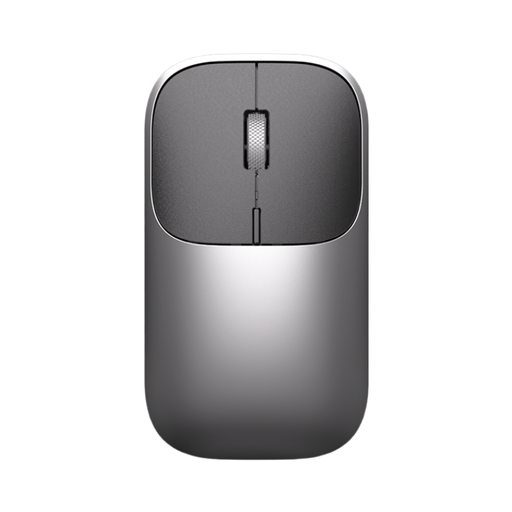
Ochama JZ001 Dual-Mode Mouse, Metallic Grey/Silver White
The JZ001 is worth examining if you want to switch between paired devices while retaining a Bluetooth connection for a scarce-port laptop. Its title specifies Bluetooth 5.0, 2.4GHz and adjustable DPI. Confirm its power requirements, operating-system compatibility and scroll controls before relying on it for long tables.
View on Joybuy
 No image available
Ochama Ergonomic Bluetooth/2.4G Mouse
This Ochama mouse offers Bluetooth as an option when a USB port needs to remain free. Its title also specifies silent clicks and one-touch DPI adjustment. Check its battery requirements, operating-system support, scroll controls and shape against your needs before choosing it for extended analysis.
View on Joybuy
Frequently asked questions
Does a Bluetooth mouse need a USB receiver?
No receiver is needed when the mouse connects directly over Bluetooth to a compatible computer. Logitech describes Bluetooth and receiver connections as separate setup routes; check support on both your computer and the exact mouse before counting on a free USB port.
Are replaceable batteries or charging more practical when plug sockets are limited?
Replaceable batteries suit you if avoiding a charging routine is the priority; a rechargeable mouse suits you if its other controls matter more and you have a workable charging arrangement. Logitech specifies an included AA battery for the Signature M650 for Business, while the Logitech MX Anywhere 3S and HP 715 require USB-C charging.
Can one Bluetooth mouse switch between several computers?
Some models can, but check pairing and switching support on the exact mouse. Logitech specifies connection to up to three devices for the MX Anywhere 3S, HP specifies switching between up to three saved devices for the HP 715, and Microsoft documents pairing its Bluetooth Ergonomic Mouse with up to three PCs.
What should I do with an old mouse?
Check your local authority’s small-electrical recycling instructions or the retailer’s take-back information rather than putting an old mouse in general waste. GOV.UK describes the UK Waste Electrical and Electronic Equipment framework as supporting recovery, reuse and recycling of electrical equipment.


