Laptop users with occupied USB ports
If storage, a display or another peripheral already uses your available ports, a Bluetooth connection is worth considering—provided your laptop and the mouse are compatible.


Choose a Bluetooth mouse if your computer supports it and keeping USB ports available is the priority. For long tables, consider the scroll wheel and controls you will actually use; for extended sessions, check how the mouse fits your workstation. A receiver-based mouse remains an option when Bluetooth is unsuitable, but its receiver occupies a USB port.
If storage, a display or another peripheral already uses your available ports, a Bluetooth connection is worth considering—provided your laptop and the mouse are compatible.
Repeatedly moving through public-data portals, spreadsheets and documentation makes scroll-wheel behaviour and usable controls relevant to the choice.
If you move between work and personal devices, check both the mouse’s switching method and the operating-system support for each device.
Check the connection against your computer first. Then weigh navigation controls and workstation fit against how often you carry the mouse or switch devices.
| Concern | What to check | Who this matters to |
|---|---|---|
| Keeping USB ports free | Confirm that the exact mouse supports Bluetooth and that your computer meets its Bluetooth and operating-system requirements. A receiver connection uses a port. | If my laptop’s USB ports are occupied, I need a connection that leaves them available without losing compatibility. Roughly 42% of consumers would make port preservation their primary concern. |
| Moving through long datasets | Check the wheel’s scrolling modes and whether any additional controls work with your operating system. | When I move repeatedly through lengthy tables and documents, I want controls that fit that navigation work. Around 33% of consumers would put navigation first. |
| Comfort and device switching | Assess mouse size and placement at your desk; if you change computers, check the stated device limit and compatibility. | For extended desk sessions or regular computer changes, I need a workable position and a practical way to switch. Approximately 25% of consumers would prioritise comfort or multi-device use. |
An RF mouse connects through a USB dongle, whereas a Bluetooth mouse does not need one. A receiver can take the port you intended to keep available.
Check the exact connection modes before buying. Choose Bluetooth for this purpose only if your computer supports the mouse’s requirements.
Using a receiver with no spare port may mean adding a USB hub or disconnecting another peripheral.
Pairing capacity and operating-system support are separate checks. Microsoft specifies Bluetooth 4.0 or later for its Bluetooth Ergonomic Mouse and describes it as designed to work best with Windows 10 or Windows 11.
Compare the exact model’s requirements with every computer or tablet you intend to use.
Mouse shape or sensor settings do not address the whole desk setup. The Health and Safety Executive identifies a poorly positioned mouse as one possible contributor to poor posture.
Consider where the mouse sits beside your keyboard, along with your chair, desk and screen arrangement.
An unwanted mouse is an electrical product that needs an appropriate collection route.
GOV.UK says waste electrical products can be taken to a local household waste recycling centre. Follow local collection instructions for the mouse and any removable batteries.
Its MX range includes compact Bluetooth and fuller-size productivity mice with different controls and compatibility requirements.
The HP 430 Multi-Device Wireless Mouse is a reference point for conventional multi-device controls.
Its Bluetooth Ergonomic Mouse is relevant to people switching between compatible Windows PCs.
These mice offer different approaches to keeping a USB port available with a compatible Bluetooth connection, navigating data and working across devices. Check the exact connection and host requirements before choosing.
 No image available
Consider this mouse if you need to move through long tables and change between devices. Bluetooth is an option with a compatible host; using its receiver instead occupies a USB-A port. Its rechargeable design also means checking that you can access a suitable USB-C charging arrangement.
 No image available
For spreadsheet or dashboard work, assess whether its side-to-side navigation controls fit your routine. Check the Bluetooth connection and device-switching limit for your setup. Its M+ cross-computer feature requires a driver and computers on the same Wi-Fi or Ethernet network.
 No image available
Consider this vertical-grip design if you prefer that hand position at a desk; assess its fit rather than assuming the shape will suit everyone. Bluetooth offers a way to avoid using a receiver port with a compatible host. The stated operating-system support is Windows 10, Windows 11 and macOS 13.6 or later; check switching support if you use several computers.
 No image available
Consider this option if you want a mouse for a compatible Bluetooth host and may also use a receiver connection. The included receiver takes a USB port when used. If lengthy tables are central to your work, check the wheel behaviour before choosing it.
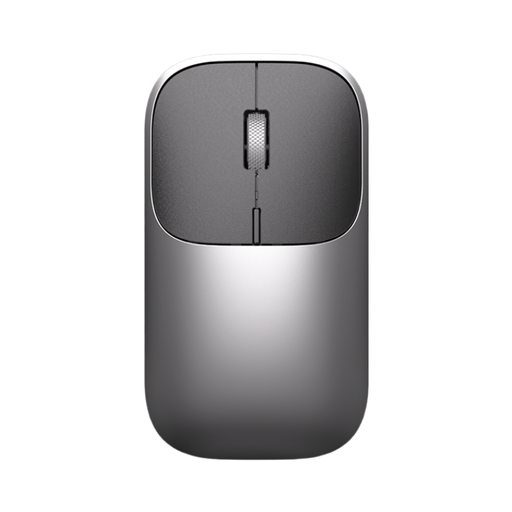 No image available
Consider this dual-mode mouse if you occasionally switch between two devices and want a Bluetooth option when USB ports are occupied. Confirm compatibility with each intended computer, and check the scroll-wheel controls if you spend long periods navigating tables.
Yes, when the mouse connects through compatible built-in Bluetooth rather than a USB receiver. Bluetooth mice do not need a dongle, while RF mice connect through a USB dongle; check the exact mouse and computer requirements before buying.
Some models can switch between paired devices. Logitech says its Easy-Switch products can pair with up to three devices, while Microsoft states that its Bluetooth Ergonomic Mouse pairs with up to three PCs. Check the limit and operating-system support of the exact mouse.
A mouse shape alone does not address every workstation factor. The Health and Safety Executive identifies poor mouse positioning as one possible contributor to poor posture, so consider the mouse’s position alongside your chair, desk and screen arrangement.
A local household waste recycling centre is one option for an unwanted electrical product, according to GOV.UK. Follow your local collection instructions for the mouse and any removable batteries.