One-computer invoice checkers with scarce USB ports
If you review invoices mainly on one computer, direct Bluetooth lets you avoid occupying a USB port with a receiver. Check that the computer has working Bluetooth before choosing this connection.


If computer USB ports are scarce, start with a mouse that connects directly by Bluetooth, provided your computer supports it; a wireless mouse that relies on a USB receiver still occupies a port. A simple Bluetooth model suits invoice checks on one device, while switching between work devices or choosing a vertical grip matters only if those needs fit your routine. If mains sockets are the constraint, also check whether the mouse uses replaceable batteries or needs charging.
If you review invoices mainly on one computer, direct Bluetooth lets you avoid occupying a USB port with a receiver. Check that the computer has working Bluetooth before choosing this connection.
If you switch between a work laptop, desktop or tablet, look for a mouse that retains the pairings you need. Check which connections use Bluetooth: a multi-device mouse may count a USB receiver among its connection options.
If grip and controls matter during extended document work, check the mouse against your hand size and handedness. A vertical shape or quieter clicks may be worth considering, but neither replaces a fit check.
Decide whether the scarce connection is a computer USB port or a mains socket. Then weigh device switching, hand fit and power upkeep against the simpler option of a direct Bluetooth mouse.
| Concern | What to check | Who this matters to |
|---|---|---|
| Keeping a USB port free | Look for direct Bluetooth connectivity, then check the computer's Bluetooth and operating-system requirements. Do not assume that every wireless mouse works without a receiver. | If I check invoices on one laptop, I want to keep a USB port free for other equipment. Around 36% of consumers put port preservation first. |
| Switching devices and navigating documents | Check the number of Bluetooth pairings and how switching works. For wide invoice tables, check whether side-scrolling controls work with your software. | When invoices move between my work devices, I want to change connections without pairing afresh. Roughly 29% of consumers prioritise device switching and document navigation. |
| Hand fit during longer sessions | Check the maker's hand-size guidance and the available right- or left-handed version before choosing a vertical shape. | For a long session reviewing invoices, I would choose a grip that fits my hand rather than assume a vertical mouse suits everyone. Around 21% of consumers put hand fit first. |
| Power upkeep | Check whether the mouse uses replaceable cells or needs charging, and what charging equipment is supplied. | If mains sockets are scarce, I want to plan for charging or battery replacement before buying. Roughly 14% of consumers place low-maintenance power first. |
A wireless mouse using a 2.4 GHz USB receiver still occupies a port. That matters if the shortage is at the computer rather than the wall.
Look specifically for direct Bluetooth and confirm that the computer supports it. Treat a receiver as an alternative connection, not a way to save a USB port.
Some multi-device mice offer both Bluetooth and receiver-based connections. The stated device count does not necessarily mean that every connection can use Bluetooth.
Check the connection breakdown for the exact model and reserve Bluetooth connections for devices with scarce USB ports.
Logitech positions its Lift vertical mouse for small to medium hands and offers a left-handed version. That fit guidance cannot establish whether a vertical grip will feel right for you.
Check hand-size guidance, handedness and the applicable return terms before choosing a vertical model for long invoice-review sessions.
Replaceable-cell and rechargeable mice require different power arrangements. GOV.UK's guidance identifies the crossed-out wheelie-bin symbol on batteries and electrical products as a prompt to use appropriate collection routes.
Check the battery type before buying and find a suitable collection route when batteries or the mouse reach the end of their useful life.
A replaceable-cell mouse also means keeping suitable batteries available and collecting used cells for disposal.
Its range includes the direct-Bluetooth M240 Silent, multi-device Easy-Switch products and the Lift vertical mouse.
Its Bluetooth Mouse is a direct-connection option for compatible Windows computers.
The MS900 is relevant when switching devices and scrolling through longer documents matter alongside connectivity.
The HP 635 offers a compact multi-device route with Bluetooth and receiver connectivity.
These mice offer Bluetooth as a connection option for invoice checking. The choices include multi-device and vertical designs, but the connection mode, hand fit and power arrangements still need to match your desk setup.
 Image unavailable
Consider this model if you want a Bluetooth connection for invoice work while retaining a 2.4G alternative. Its name specifies adjustable DPI and a 1 × AA battery; check whether your intended device-switching setup can use Bluetooth throughout, because the receiver uses a USB port.
 Image unavailable
Consider this model if moving between devices or navigating wide invoice tables is important to you. Check how Bluetooth switching and side-scrolling work with your devices and software; also confirm the mouse's shape before choosing it for hand fit. Its 2.4 GHz receiver mode uses a USB port.
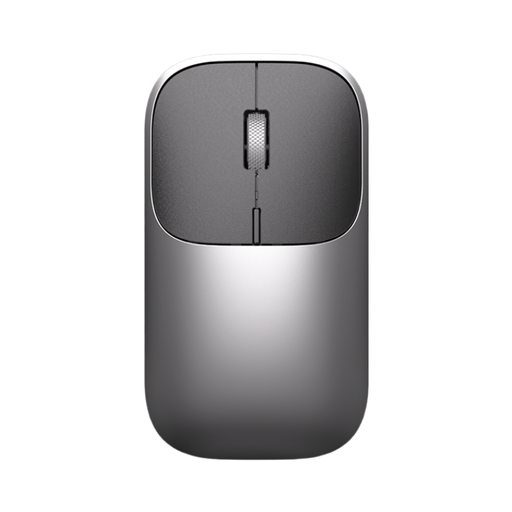 Image unavailable
This dual-mode mouse is worth checking if you use two invoice-checking devices and want Bluetooth as an alternative to a USB receiver. Its name specifies adjustable DPI; confirm the host's Bluetooth compatibility and the battery arrangement before buying.
 Image unavailable
Consider this vertical model if you prefer that grip for longer invoice-review sessions, subject to checking hand size and handedness. Its name specifies Bluetooth and 2.4 GHz modes, six buttons and an adjustable 1600 DPI sensor; use a compatible Bluetooth connection to avoid occupying a USB port.
 Image unavailable
Consider this model only if its additional connection modes and charging dock suit your desk setup. Its name specifies Bluetooth, 2.4G and USB-C modes, a PAW3311 sensor and 63 g weight; Bluetooth is the port-saving option on a compatible computer. Confirm what power equipment is supplied and how charging works before buying.
Direct Bluetooth can save a computer USB port, but it does not by itself free a mains wall socket. Check whether the mouse uses replaceable batteries or needs charging, and make sure the computer supports Bluetooth without an added USB adapter.
Confirm that the computer supports Bluetooth, that it is switched on and that it meets the exact mouse's requirements. Microsoft specifies Windows 10 or 11 and Bluetooth 4.0 or later for its Bluetooth Mouse; a computer needing a USB Bluetooth adapter would not save that port.
Yes, if the exact model supports multiple pairings and a suitable switching method. Dell specifies two Bluetooth connections and one RF receiver connection for the MS900, so check the connection breakdown rather than assuming every device can connect without using a USB port.
Use an appropriate battery or electrical-waste collection route rather than treating the mouse and its batteries as ordinary household rubbish. GOV.UK advises that portable batteries can be taken to suitable retailer collection points and electrical products to appropriate collection points; check the available route for each item.